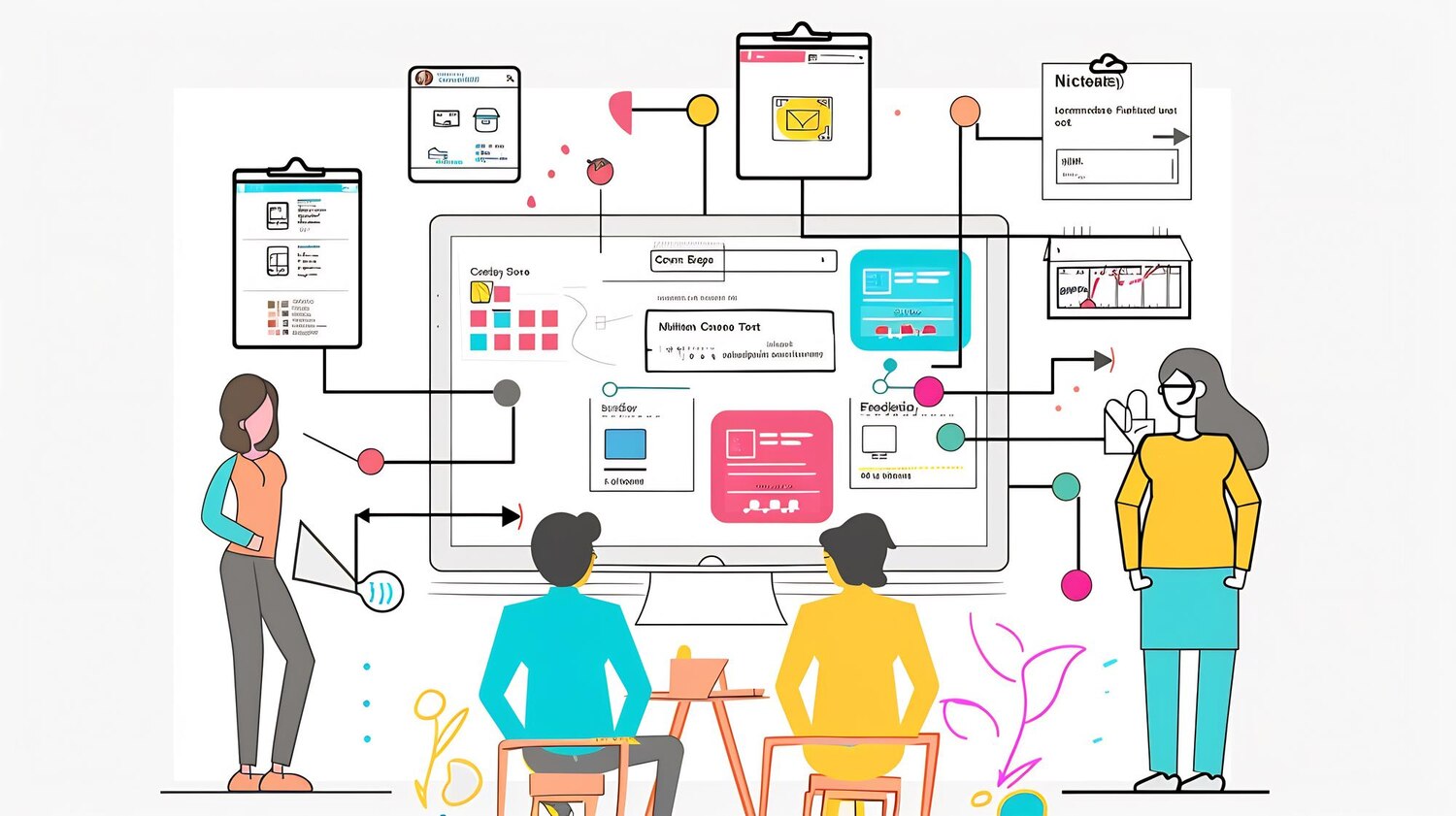
AI teams don’t fail because they lack clever models. They fail because they can’t ship responsibly at scale. An AI governance framework is the difference between a few flashy demos and a durable capability your business can trust. Over the years, I’ve learned that governance is not bureaucracy—it’s pre-commitment to better outcomes. Done right, it increases velocity, reduces rework, and builds institutional memory so teams don’t relearn the same hard lessons every quarter.
If your company has multiple models in production, operates across jurisdictions, or faces real brand and regulatory exposure, the question isn’t whether you need governance. It’s how to design an AI governance framework that targets the right failure modes, slots into existing delivery practices, and enforces decisions automatically so your people can focus on higher-order work. What follows is the approach I recommend when the mandate is blunt—move fast, don’t break the business, and make it stick.
Why governance is a speed multiplier, not a brake
Speed in AI is constrained less by model training time and more by decision latency, unclear ownership, and post-release surprises. I’ve seen teams sprint to MVP, only to spend months negotiating retrospective fixes with legal, privacy, and security. Those cycles are slow and demoralizing. Counterintuitively, a strong governance design moves the conversations forward—upstream, lightweight, and tied to known artifacts—so approvals become predictable and time-boxed. You don’t slow down; you just stop backtracking.
When leadership hears “governance,” many picture checklists and committees. That image is a relic. The modern approach ties controls to your MLOps pipeline and product telemetry. Risk flags become conditions in CI/CD, not line items in a policy PDF. Product leaders get role-appropriate dashboards that show model readiness, consent coverage, and regression risk as part of normal delivery. Stakeholders still have teeth, yet their influence is codified and measurable. That is why a well-implemented AI governance framework consistently improves throughput and reduces incident severity.
Another accelerator is institutional memory. Documented decisions, linked to code and data lineage, shorten every future project. Instead of re-arguing fairness metrics or redacting the same column for the fifth time, teams reuse proven patterns. The effect compounds: better defaults, fewer meetings, and focused escalations only when issues exceed thresholds. You gain both speed and quality because governance transforms recurring friction into reusable infrastructure.
Principles of an AI governance framework
Good governance is opinionated. It makes explicit choices about acceptable risk, who decides, and where those decisions live. I anchor the design on five principles: embed controls where work happens; focus on material risk; privilege automation over after-the-fact review; keep decisions observable in product metrics; and let exception handling be rare, fast, and well-audited. Without those guardrails, you’re writing a policy novel no one will read while models drift silently into trouble.
Your AI governance framework should be scoped to real exposure. Generative systems that can hallucinate require different controls than tabular classifiers with known distributions. Customer-facing models carry distinct obligations from internal summarizers. Calibrate policy with a risk taxonomy that the business understands, then map controls directly to that taxonomy. Effort should follow consequence. If a failure mode can damage customers, revenue, or compliance posture, elevate it with sharper thresholds and automated gates.
Finally, governance must be testable. That means evidence in code, data, and run-time logs—proof of consent coverage, inference auditability, and performance stability under real-world conditions. A principle I won’t compromise on: if we can’t measure it, we can’t claim it. Implement metric definitions and SLAs that feed leadership reporting and on-call rotations alike. Transparency wins political buy-in because it transforms subjective debates into trends, thresholds, and deltas people can act on.
Decision rights and operating model
Unclear ownership derails more AI initiatives than model accuracy ever will. Define decision rights early: who can greenlight data use, who approves model release, who owns post-release risk, and who can pull the plug. I favor a product-aligned structure—product manager as the single-threaded owner, data science for model design, engineering for pipelines and reliability, security and privacy as control owners, and legal as risk advisors with veto only on enumerated conditions. The executive sponsor resolves tradeoffs when metrics indicate rising exposure.
Decision matrices are useful but don’t confuse permission with accountability. The product owner should carry outcome accountability—benefit and downside. Control owners certify their controls, not the success of the model. Separate the two, and you get clearer escalations and less buck-passing. Couple that with an escalation playbook: what triggers a review, which channels to use, and time-to-decision targets. If you can’t measure response time on risk escalations, governance will feel like quicksand.
Finally, embed these roles where work happens. Reviews inside pull requests beat meetings. Policy validations inside CI/CD beat slide decks. Give each role a dashboard filtered to their scope. Legal doesn’t need hyperparameter grids; they need data-use lineage and jurisdictional flags. Security wants drift, adversarial test results, and dependency risk. Product wants revenue impact, user trust signals, and model health. By making those views part of daily workflows, you bake governance in instead of layering it on.
From policy to pipeline: making governance executable
Policy that can’t be enforced by machines turns into exceptions and emails. Translate policy statements into pipeline checks, deployment gates, and telemetry alerts. If you require k-anonymity for a training slice, add a pre-train data validation step that fails the build when thresholds aren’t met. If your model needs bias limits across protected attributes, implement automated evaluation suites that block release when fairness metrics regress. Don’t ask people to remember; make compliance the easiest path.
Most organizations already use CI/CD and issue tracking. Extend them. Annotate Jira tickets with risk categories and required evidence. Add repository-level policies that require a model card and data provenance manifest before tagging a release. Integrate your feature store and model registry with policy metadata so the runtime can log and report which controls were satisfied at deploy time. For practical automation strategy and connective tissue between tools, services like automation and integrations can streamline the messy middle.
Execution doesn’t end at deploy. Wire policy outcomes to live telemetry. If SLA errors spike for a customer cohort or guardrails in a generative system fire more than expected, treat it as a change request. Pipe evidence into observability dashboards, and page the right owners. This is where your analytics and performance stack earns its keep—closing the loop between stated controls and what actually happens in production.
Risk taxonomy and controls that actually work
Risk language must be understandable outside the AI lab. I use a compact taxonomy: data risk (consent, lineage, rights), model risk (performance, bias, robustness), operational risk (reliability, security, cost), and reputational/regulatory risk (user harm, transparency, legal exposure). Each category gets concrete controls, thresholds, and evidence capture tied to the lifecycle stage. Keep the list small and sharply defined so engineers know when they are done.
For model risk, bake in adversarial testing and out-of-distribution detection. For data risk, enforce consent and data retention checks before feature generation, not after. Operational risk should cover dependency scanning, cost budgets, and rollback strategies. Reputational risk requires human-in-the-loop or refusal mechanisms when confidence drops below thresholds in user-facing systems. When the model is generative, add prompt and output filtering, watermark verification when available, and rate limits for sensitive functions.
Don’t start from zero. External references like the NIST AI Risk Management Framework offer a shared vocabulary, while your business context determines emphasis. Crucially, connect each control to an artifact: a test suite, a config file, a dashboard, or a signed approval. If a control has no artifact, it will be forgotten. Your AI governance framework lives in those artifacts, not in a slide deck.
Data lineage, consent, and provenance in practice
Most governance debates start and end with data. The real work is upstream: can you prove where data came from, under what consent, and how it was transformed? Build data lineage at the column and feature level. Track consent state and permitted uses as machine-readable metadata, not free text. When you derive a feature, carry forward constraints. Let the pipeline fail loudly if attempted use violates terms. Compliance fear shrinks when you can demonstrate—quickly—how a sample flowed through your system.
Provenance goes beyond ownership. It’s about reproducibility and accountability. Capture dataset versions, sampling strategies, and augmentation steps alongside training runs. Ensure your feature store preserves source and transformation references. Attach rights metadata—can data be used for fine-tuning, retraining, or only analytics? That distinction matters when legal asks why a model learned from data it shouldn’t have seen. With clear lineage, refitting or retracting becomes a surgical change, not a multi-month audit exercise.
Too many teams attempt this manually. Don’t. Invest in a thin layer of custom tooling to centralize lineage evidence across warehouses, feature stores, and registries. If you need help stitching those systems, consider custom development to integrate metadata flows, and lean on analytics and performance reporting so compliance views are always a click away. When data controls are first-class, your AI governance framework stops being theoretical—it becomes provable.
Model lifecycle gates that teams respect
Gates fail when they are unclear, inconsistent, or too hard to satisfy. Make them simple, deterministic, and automated. I recommend a four-gate model mapped to the lifecycle: Explore, Build, Validate, Operate. Each gate includes defined evidence, thresholds, and rollback criteria. The gate owner is named, and approvals expire if material conditions change (data shift, regulatory update, new customer context). People respect gates they can predict.
At Explore, validate problem framing, lawful basis for data, and expected user impact. Build demands documented data lineage, baseline metrics, and initial robustness checks. Validate requires fairness, performance, and safety tests—plus human evaluation for generative outputs. Operate focuses on SLOs, incident runbooks, and audit logging. Tie these to automated checks: if the fairness metric regresses beyond tolerance, release is blocked; if monitoring coverage drops, deployment freezes until fixed. Discretion remains for rare exceptions, but it’s auditable.
Practical clarity helps. Here’s a concise view of the gate content teams actually use:
Explore: problem statement, risk category, lawful basis, initial stakeholders.
Build: data cards, feature constraints, baseline metrics, failure hypotheses.
Validate: test plan results, fairness deltas, red-team outcomes, model card.
As these artifacts accumulate, the AI governance framework becomes muscle memory. New projects move faster because the next team starts at 60% done on day one.
Tooling architecture: registries, audits, and dashboards
Governance tooling should reflect your operating model, not fight it. The backbone usually includes a feature store, model registry, CI/CD, observability, and policy-as-code. The glue is metadata: which model was trained on which dataset, under what consent, with what tests, and where it’s running. Force those relationships into your tools so you can trace cause and effect. When an incident hits, you want one place to see the chain from data to decision.
Dashboards aren’t vanity if they deliver the right view to the right role. Executives need trendlines on value, incidents, and risk posture. Product teams need model health, user trust metrics, and experiment outcomes. Security wants dependency risks and access events. A well-designed front-end experience for these views accelerates adoption; this is a case where thoughtful website design and development principles help you present just enough detail to drive action without overwhelming users.
Audits should be self-serve. When compliance asks for evidence on a release two quarters ago, you shouldn’t mobilize a task force. Provide downloadable model cards, data provenance manifests, and test attestation straight from the registry UI. For ongoing insight, wire leading indicators and SLOs into your analytics and performance stack. Treat the architecture as product, with a small backlog, a roadmap, and release notes. That mindset keeps your AI governance framework technically credible and business-relevant.
Metrics that matter for governed AI
Metrics die on contact with reality when they aren’t tied to decisions. Create a small, durable set that informs go/no-go, prioritization, and escalation. Balance value and risk: outcome metrics (conversion lift, cost savings), model health (accuracy, calibration, robustness), fairness deltas on protected attributes, operational SLOs (latency, error rates), and governance adherence (evidence completeness, time-to-approval, exception rate). If a metric doesn’t affect a gate or a page, question why it exists.
Leading indicators beat lagging ones. Track drift scores, prompt guardrail triggers, and early user dissatisfaction before incidents accrue. In generative systems, human review throughput and disagreement rates matter as much as BLEU scores or ROUGE. For regulated domains, evidence freshness—a measure of how often required artifacts are updated—prevents stale claims. Tie each metric to owners and thresholds visible in a shared dashboard; otherwise, it becomes trivia.
Finally, make the instrumentation boring and reliable. Schemas for evaluation outputs, dashboards with versioned queries, and SLAs for governance jobs prevent the slow rot that erodes trust. If you need help structuring the telemetry supply chain, lean on mature analytics and performance patterns. Your AI governance framework will live or die by the quality of its measures and the discipline with which you act on them.
Designing human oversight without bottlenecks
Human-in-the-loop is not an excuse for manual chaos. Define where people add unique value: adjudicating ambiguous cases, training evaluators for generative outputs, setting thresholds for sensitive cohorts, and reviewing exceptions. Everything else should be automated. Create reviewer tooling with clear queues, confidence scores, and escalation paths. Measure reviewer agreement rates and learning curves so you can tune prompts, policies, and training content.
Oversight becomes scalable when incentives align. Product teams should see human review not as a tax but as model improvement fuel. Capture reviewer rationale and feed it back into training sets or guardrail heuristics. In consumer experiences—think recommendations or search ranking—pair oversight with journey design so interventions feel native. Where brand voice matters, publish tone and safety guidelines; if you’re refreshing how AI shows up visually and verbally, the principles from logo and visual identity work can help the UX feel intentional, not bolted on.
Do not centralize decision-making to a single committee. Use committees to set policy and define escalation bounds, then let product-aligned teams act within them. Publish a short, evolving playbook, and record decisions in the same systems as product changes. When oversight is measured, embedded, and instructive, you keep humans in the loop without letting them become the bottleneck.
Commercial and customer realities: putting governance to work
Governance should follow the money and the customer journey. Tie risk classes to revenue exposure, contractual obligations, and brand sensitivity. If you operate an online storefront or marketplace, ensure AI-driven promotion or pricing logic includes explainability and rollback plans. Where conversion is king, a runaway experiment can do real damage. For teams blending AI into shopping flows, a partner with deep e-commerce solutions experience can help design guardrails that protect both margin and trust.
Customer trust signals should be first-class inputs. Monitor opt-outs, complaint themes, and channel-specific sentiment. Use that data to prioritize improvements in the model and the surrounding experience. A well-tuned feedback loop transforms governance from a defensive stance to a growth enabler: you earn the right to ship bolder features because you’ve shown you can retract gracefully when signals turn.
Contractual language matters, too. Align your AI governance framework with customer and partner agreements. Clarify data use rights, model update cadence, and incident communication expectations. When your governance artifacts map cleanly to contract clauses, sales cycles shorten and renewals get easier. That is governance paying for itself in the most literal way—by accelerating revenue and protecting customer relationships.
Evolving your AI governance framework
Treat governance as a product with a backlog. Run quarterly retros, measure cycle times for approvals, and prune controls that don’t move outcomes. As the model landscape shifts—new architectures, regulatory updates, or business pivots—retire stale tests and add sharper ones. Your AI governance framework is a living system; if it stops changing, it will quietly decay until a headline forces an expensive reset.
Change management is the hardest part. Publish small, frequent updates instead of sweeping rewrites. Provide crisp migration paths for teams and deprecate old artifacts thoughtfully. Offer enablement that respects people’s time—short videos, annotated examples, and embedded code snippets beat long policy memos. When needed, bring in focused help on integration and data plumbing from automation and integrations or bespoke tooling from custom development so upgrades don’t stall delivery.
Finally, set an ambition level. Decide where you want to be best-in-class—maybe consent and provenance in regulated markets, or reliability for a mission-critical internal assistant. Invest there first, publish wins, and raise the floor for everything else. By approaching governance like any strategic capability—iterative, measured, and opinionated—you’ll end up with speed and safety, not a false choice between them.
Speed used to be a brag. Today it is a balance sheet item. The teams that win treat web performance analytics as a decision system, not a dashboard. Done right, it tells you which milliseconds matter, where they’re hiding, and how to buy them back without burning developer time. I’ve spent years in the trenches across consumer and B2B stacks, cleaning up flaky beacons, untying attribution knots, and negotiating with product owners who want animation flair while finance wants lower CAC. The lesson is simple: performance is product, and the only measure that counts is whether the site gets faster in the ways that move revenue, retention, and brand trust.
If you want to skip the guesswork, you need a stack that merges real-user data, synthetic tests, and product analytics with experimentation discipline. You also need the courage to retire metrics that don’t predict outcomes. Web performance analytics is not a trophy case of charts; it is the operating system for which work happens next and why.
Redefining “fast” in 2026: outcomes, not folklore
Ask five developers what fast means and you will get ten answers. First paint, Time to Interactive, Largest Contentful Paint, and dozens of bespoke measures all have their fans. The mistake is treating speed as a single number divorced from context. In the field, the perception of performance is situational: network constraint, device class, user intent, and the job-to-be-done shape what “fast” has to be. A sign-up flow does not have the same thresholds as catalog browsing. A returning power user on Wi‑Fi isn’t the same as a new prospect on mid‑tier Android over 3G. Outcomes, not folklore, set the bar.
Operationally, I start by mapping user journeys to business moments that can be monetized or protected. A marketing landing has a bounce cliff; a pricing page has a hesitation window; checkout has a time‑to‑money curve. We then choose performance indicators that predict those cliffs, windows, and curves. Largest Contentful Paint matters if the hero content is how users decide to stay. First Input Delay or Interaction to Next Paint matters where micro‑interactions drive conversion. Server Time to First Byte exposes capacity or caching issues that throttle everything else. This is not dogma; it’s instrumentation in service of the journey.
Once the journeys are profiled, we set service-level objectives (SLOs) per segment instead of one global target. Desktop gets a tighter LCP cap than low‑end mobile; new users get more generous thresholds than loyal ones if the business case supports it. Then we backtest: did the SLO actually correlate with conversion or lower support tickets? If not, we adjust. That loop—hypothesis, instrument, correlate, revise—is the only defensible definition of fast. Anything else is campfire storytelling with nice charts.
Web performance analytics, without guesswork
Most teams drown in data and starve for answers. Web performance analytics should shorten the path from observation to decision. Begin by separating three data planes: real‑user monitoring (RUM) for truth, synthetic testing for regressions in controlled labs, and product analytics to explain behavior. Fuse them later; don’t muddle them early. RUM tells you what happened on real devices and networks. Synthetic tells you if code shipped slower under fixed conditions. Product analytics tells you which cohorts felt it and what they tried to do.
Push decisions to the edge of the team that can act within a sprint. That means a lightweight scorecard per journey: the KPIs you’re moving, the performance indicators that predict them, and the release candidates that could tilt the balance. If a checkout LCP regression appears in RUM for budget devices, the squad responsible shouldn’t file a ticket and wait. They own the rollback criteria and the fix path, with synthetic guarding the gates and product analytics validating if the right users recovered.
Two cautions save months of churn. First, define ownership for each metric. A CDN miss ratio belongs to platform; render-blocking CSS belongs to the frontend squad; API cold starts belong to backend. Second, never herd a metric that engineering cannot change. If the marketing tag swamp forces extra JavaScript on every page, name the owner and hold a deprecation roadmap. Analytics without agency is theater. Analytics with clear ownership is a performance engine.
Instrument with integrity: privacy-first, truth-first
Instrumentation is where good intentions get lost. Overeager beacons flood the wire, consent banners block reality, and third‑party scripts rewrite timing. Start with consent and data minimization: collect just enough to make decisions. Prefer first‑party endpoints under your domain to avoid ad blockers. If you must sample, sample surgically—high on long‑tail devices and constrained networks, lower on pristine setups. That mix gives you a sharper view of where users actually hurt.
Use the standard Performance APIs for timing and marks, but treat them as witness statements, not ironclad fact. Cross‑browser quirks still exist, long tasks roll up noise, and SPA navigations can mask costly reflows. Pair RUM with selective synthetic probes that mirror your templates and route shapes. When a metric flickers, synthetic will rule in or out infrastructure issues, while RUM points to specific cohorts and geographies. Neither alone closes the loop; together they triangulate truth.
Guard data quality at the edge. Set a Content Security Policy that blocks rogue script injection. Gate third‑party tags through a performance budget so marketing can’t quietly add 400 ms to every session. Version your analytics schema with explicit deprecation windows and alerting. Above all, explain what you are collecting and why. Users trade data for value. When they experience faster pages and smoother interactions because you respected their time and privacy, consent rates and retention both rise. Truth-first instrumentation earns the right to measure again tomorrow.
Metrics that matter: from Core Web Vitals to cash
Core Web Vitals give a shared language for speed, responsiveness, and stability. They are a starting line, not a finish. Largest Contentful Paint (LCP) brings clarity to perceived load. Interaction to Next Paint (INP) tightens the screws on jank and handler delays. Cumulative Layout Shift (CLS) keeps interfaces honest. Study them, but do not idolize them. The question is whether moving a Vital moves the business. Google’s guidance on Vitals at web.dev is excellent; your job is to map Vitals to money, risk, or brand.
Here’s how we do it in practice. For each journey, run a period of dual tracking: the Vital distribution per cohort and the business KPI you care about—lead submit rate, add‑to‑cart, subscription start, case deflection. Fit simple models first. A logit regression across cohorts can show that shaving 200 ms off LCP bumps form completion by 3% on mobile budget devices but is noise on desktop. That’s your signal to prioritize image delivery and font policy where it pays, not everywhere equally. Portfolio thinking beats perfectionism every time.
Remember the non‑negotiables beyond Vitals. Time to First Byte (TTFB) exposes backend slowness, cache misses, and edge misconfigurations. First Contentful Paint (FCP) helps you catch render‑blocking assets. And don’t forget aesthetics and brand: visual identity choices can add weight. When brand work is strategic, measure its cost and value openly with marketing and design. If you’re exploring a brand refresh, align on performance budgets and tradeoffs early in partnership with a team like logo and visual identity specialists so look and speed rise together. If you want help connecting these dots at a systems level, the analytics and performance practice we’ve built is structured for exactly this handoff.
Attribution and experimentation that don’t lie
Correlations get teams excited; causality pays the bills. If you speed up a page and conversion rises, was it the speed or the creative or just seasonality? Without disciplined experimentation, web performance analytics becomes astrology. The ground rules are simple. First, don’t ship performance changes and creative changes in the same cohort window. Second, run A/A tests regularly to quantify your noise floor. Third, choose a test design that respects how your users actually arrive—sequential designs or rolling deployments often beat one‑and‑done splits for operational teams.
When sample is scarce, lean on variance reduction techniques. Pre‑period adjustment (think CUPED‑style covariates) can stabilize readouts without inflating false positives. If your checkout is a low‑traffic funnel, cluster users by device and geography before randomization to avoid imbalance. For high‑traffic surfaces, guard against sequential peeking by using group sequential methods with spending functions. These sound academic until you ship a “winner” that evaporates next week because it was noise wearing a crown.
Finally, decide how you’ll score wins. I prefer a composite that weights both business KPIs and key performance indicators with pre‑agreed tradeoffs. Maybe 1% conversion is worth 300 ms slower LCP on desktop but not on mobile 3G. Make that explicit before launch, not after. Then automate the handoff: a green light triggers a performance budget update, a documentation change, and a ticket for follow‑up debt. Experiments are not press releases; they are production decisions with downstream consequences.
Data quality engineering for web performance analytics
Bad data will bankrupt your credibility faster than any slow page. In web performance analytics, the most common killers are bot noise, skewed sampling, tag races, and broken SPA navigation semantics. Start with a first‑party collection endpoint under your core domain and a resilient queue that can handle bursts. Use user‑agent heuristics, reputation lists, and behavior thresholds to filter non‑human traffic. When in doubt, keep a flagged copy for offline analysis so you don’t throw out the baby with the crawler.
Schema discipline pays dividends. Version every event, put required fields at the top, and treat unknowns as explicit rather than silently dropping them. Add checksum or signature fields to catch proxy rewrites and misconfigured gateways. For single‑page apps, define navigation events as first‑class citizens with route names, not just URL changes, and benchmark soft navigations separately from hard loads so you don’t mix apples and oranges. On the front end, wrap PerformanceObserver usage so new metrics don’t become a wild west of hand‑rolled code.
Sampling deserves special care. Instead of a flat 10%, prefer stratified sampling by device, latency, and geography. Oversample the long tail and the slow tail, and under‑sample the pristine happy path that rarely causes pain. If you run multiple tools, orchestrate beacon order to avoid measurement races, and use a single timing source for core stamps so you aren’t reconciling three clocks. Then close the loop with synthetic guardrails that run on every PR and nightly on key flows, alerting on deltas rather than absolutes. Quality is not a big‑bang project; it’s a boring daily practice that keeps your insight engine honest.
Dashboards people actually read
Most dashboards are beautiful, high‑friction graveyards. Executives get a wall of charts; squads get a maze of tabs; nobody gets decisions. The fix is narrative layering. At the top, a one‑screen executive view shows journey‑level SLOs, their trend, and the business KPI they predict. No more than three callouts: one opportunity, one risk, one action. Below that, squads own focused views that translate those SLOs into the assets and routes they can change. Finally, an engineering layer exposes traces, long tasks, and asset waterfalls when someone needs to roll up sleeves.
Alerts should be about change, not levels. Nobody needs a 3 a.m. ping because median LCP is 3 ms worse. They need a signal that the slowest decile jumped 15% on Android in South America after the last release. That’s a page and an owner, not a mystery. Integrate alerts where people live—Slack, Teams, or your incident tool—and include the rollback link or playbook as the first line. Dashboards tell the story; alerts call for action; both should land in the workflow that teams already use.
Don’t neglect brand and experience in the reporting story. Visual identity shifts can tempt heavy assets; typography choices can ripple into layout stability. Bring design into the loop with a performance lens, ideally early while components are still malleable. A partner focused on front‑to‑back coherence—say, during website design and development—can bake budgets into the component library so teams don’t renegotiate on every sprint. When dashboards show how aesthetics and speed rise together, orgs stop framing performance as the enemy of creativity.
From insight to backlog: making changes stick
Insights that don’t ship are trivia. The only reason to do web performance analytics is to change code, configuration, or content. Tie every finding to an issue with an owner, a due date, and an acceptance test. Acceptance should be a performance assertion in CI/CD and a production RUM threshold. If both don’t pass, the task isn’t done. That dual‑gate keeps regressions from slipping back in when the next feature frenzy arrives.
Translate work into themes the business understands. “Reduce LCP p95 on mobile catalog by 400 ms” maps to initiatives like “image policy overhaul” or “product card skeleton states.” Those become epics with sub‑tasks: CDN cache keys, responsive source sets, preconnect hints, font loading strategy, and code‑split boundaries. Routinely run kill‑lists for weight: retire icons, compress illustrations, replace heavy carousels with lazy‑loaded variants. Log what changed and the impact; institutional memory fights entropy.
Cross‑functional coordination is vital. Marketing controls tags and campaign landing pages. Engineering controls bundles and API shape. Design controls components and hierarchy. If you need help organizing this choreography, align with a team that can straddle UX and engineering, like custom development specialists who treat performance as a first‑class requirement, or embed performance governance during website design and development so budgets and testing live in the same repo as components. Change sticks when it is owned where work happens, not as a drive‑by audit.
E‑commerce nuance: speed‑to‑cash and promo storms
Retail moves at the speed of intent. In e‑commerce, performance problems often hide until the worst possible time—flash sales, holiday peaks, influencer spikes. Your web performance analytics needs a “promo mode” that raises sampling, tightens alerting thresholds, and preps canary routes. The north‑star metric isn’t just LCP; it’s speed‑to‑cash: time from landing to order submit for each segment. When that stretches, carts leak. When it shrinks, contribution margin climbs even if AOV stays flat.
Three practical plays reliably pay off. First, treat search and faceting as performance hotspots; precompute popular filters and cache the JSON they depend on at the edge. Second, shrink critical CSS for product detail pages and defer everything not needed for first view. Skeletons and meaningful placeholders are not window dressing; they preserve momentum while the heavy bits arrive. Third, integrate your experimentation platform with fulfillment risk signals so you don’t push a “faster” experience that starves inventory accuracy or tax calculation correctness.
Operational readiness matters as much as code. Before a promo, rehearse with synthetic load and chaos toggles on upstream services. During the event, watch cohort‑level deltas, not only global means. Afterward, run a post‑mortem that compares order velocity to performance indicators so you can invest where friction actually cost money. If you want a partner used to promo physics, the e‑commerce solutions crew can stand up the guardrails and playbooks, then hand them to your squads. Commerce rewards teams that respect both speed and accuracy under stress.
Integrations that close the loop
Insights should move systems, not just people. Wire your web performance analytics into CI/CD, feature flags, and backlog tools. A threshold breach in RUM for a critical path can automatically flip a canary off, create a story with prefilled diagnostics, and post in the squad’s channel. On merges, run synthetic checks as blockers for routes with SLOs. In deployments, ship budgets alongside bundles so the gatekeeper code is in the same repo as the code it governs. Integration is the difference between “we should fix this” and “it is already rolling back.”
Data should also flow outward to places where money changes hands. Feed enrichment to your marketing automation so slow cohorts stop receiving heavy experiences. Pipe cohort performance to your CRM to shape sales enablement for laggy geos. When legal constraints or security posture complicate that flow, build server‑side proxies that abstract complexity while preserving consent and compliance. The more your systems speak performance fluently, the less your people need to be translators.
If you’re building this spine, don’t reinvent every connector. We regularly stitch stacks together with pragmatic adapters and event buses, often through a service like automation and integrations, then keep stewardship with the team closest to the impact. And if you need a starting point or a second opinion on your measurement architecture, the analytics and performance practice is designed to audit, architect, and embed until your teams own the engine. The endgame is not more charts. It is a faster, more profitable site that proves itself every week.
API integration strategy isn’t a slide in a kickoff deck; it’s the operating system of your business. I’ve watched teams burn months chasing feature parity while their integrations quietly throttled growth, and I’ve also seen lean platforms scale to millions of events per minute because their contracts, pipelines, and guardrails were right from day one. Getting this right isn’t about buying an iPaaS, nor is it about hand-rolling everything with a heroic platform team. It’s about making durable decisions: what you standardize, what you centralize, and where you allow local autonomy to move fast without breaking shared trust.
Here’s the uncomfortable truth: most integration failures are governance failures wearing a technical costume. When the business outcomes are vague and the boundaries are fuzzy, you will pay for it in retries, dead letters, and late-night incident bridges. A credible API integration strategy forces clarity about ownership, contract change processes, and what success looks like for reliability and latency. I’ll share the patterns that have survived real production heat: contract-first development, asynchronous backbones, opinionated tooling, and pragmatic security. If you are assembling a foundation—whether for a commerce stack, a data platform, or partner ecosystems—these lessons are deliberately opinionated, because indecision is the most expensive decision in integrations.
API Integration Strategy: Principles That Survive Production
Your API integration strategy lives or dies on clarity of outcomes. Start by writing the two or three measurable behaviors you’ll hold the platform to—think “p99 latency under 400 ms for read paths,” “at-least-once delivery with idempotent writes,” and “90-day deprecation window with consumer sign-off.” Those targets drive every decision from message formats to deployment pipelines. Without them, you’ll spend months swapping tools with no movement on what actually matters.
Contract-first development is non-negotiable. Define OpenAPI or protobuf contracts before code, generate clients/servers where it makes sense, and automate compatibility checks in CI. Consumer-driven contracts help, but only if you enforce them. Make breaking changes expensive for producers, and reward compatibility discipline with faster approvals. Pair this with a shared glossary of domain terms to avoid painful mapping arguments downstream.
Bias toward asynchronous by default. Synchronous calls are fine for read-heavy, low-coupling queries, but business workflows—orders, invoices, subscriptions—want events. Publish immutable facts, not commands. Let services own their state and react to events through well-defined handlers. You’ll improve resilience and decouple throughput from a single hot path.
Finally, invest in an enablement platform, not just point integrations. Provide golden paths, starter repos, linting, and scaffolding to make the right way the easy way. If you need outside help to bootstrap these patterns or to formalize your governance and runbooks, lean on a services partner that specializes in automation and integrations. The cost is small compared to a year of drift and incident debt.
Designing Your Integration Platform: Build Real, Buy Smart
There’s no universal stack. Still, there are decision vectors that keep you honest: throughput expectations, variability of partners, compliance requirements, and the talent you can actually hire. If your landscape changes weekly—new vendors, short-lived campaigns—an integration platform as a service (iPaaS) can give you acceleration with prebuilt connectors. But avoid letting click-configured flows become your core. Preserve contracts outside the iPaaS, and keep event schemas and transformation logic version-controlled. When the heat is on, you need diffable history and reproducibility.
For systems of record and durable events, bring in a message backbone (Kafka, Pulsar, or cloud-native equivalents). Use topics as your public ledgers of business facts. If low-latency fanout or mobile-to-edge consistency is a must, a managed pub/sub may fit. Pair it with an API gateway to enforce auth, rate limits, and quotas at the edge. Gateways aren’t integration layers; they are policy edges. Don’t conflate the two.
Back-office workflows often need persistent orchestration for long-lived sagas—human approvals, timeouts, compensations. Tools like temporal/workflow engines or BPMN orchestrators bring visibility and replays. Use them where process semantics matter; otherwise, choreographed events keep you flexible and cheaper to evolve.
Beware of tool sprawl. Every new connector, transform DSL, or pipeline type is a new class of failure you must observe, test, and upgrade. Standardize around two or three blessed paths. Expose paved-road libraries for retries, circuit breaking, and metrics. If you can’t buy a capability at the quality you need—like a custom connector for a niche ERP—build it where it belongs, ideally inside a custom development track with strong maintainability standards.
Orchestration vs Choreography: Choosing Control Without Killing Throughput
Teams love the idea of a master conductor moving data from A to B to C. Orchestration offers visibility, timing controls, retries, and compensations in one place. It’s fantastic when you have explicit business workflows—loan underwriting, KYC processes, refund approvals—especially where a human or a long-running timer participates. The pitfalls come when you centralize flow for everything. That central orchestrator becomes a dependency for services that should’ve simply published facts and moved on.
Choreography uses events as contracts: OrderPlaced, PaymentCaptured, InventoryReserved. Each service listens and reacts, owning its state transitions. Throughput scales horizontally, and local decisions are resilient to upstream jitter. Failures are isolated, and the blast radius of a schema mistake is smaller if you’ve enforced compatibility. The trade-off is visibility; without strong tracing and event catalogs, you’ll lose the narrative of a transaction.
Use orchestration for stateful, long-lived business processes, and choreography for high-volume domain events. Many mature stacks blend them: choreograph core facts, and orchestrate cross-cutting workflows or recovery paths. When money or compliance is involved, make compensations explicit. A refund isn’t a negative charge; it’s a new event with its own lifecycle. Bake in dead-letter handling and replay semantics for both approaches, and remember that idempotency is the tax you pay for reliability at scale.
Finally, keep a handle on decision latency. Every hop you add to an orchestrated flow costs you tail performance. Design with p99 in mind, not averages. As your API integration strategy matures, you’ll likely move more into events and keep orchestration focused where auditability and human-in-the-loop governance are essential.
Versioning, Compatibility, and the Contract You Actually Enforce
Integrations break not because of code bugs, but because contracts drift. Lock that down. Establish a compatibility policy: additive changes are allowed anytime, removals and breaking changes require a deprecation cycle with consumer acknowledgments. Semantic versioning helps as a language, but your real muscle is automated checks. Wire consumer-driven contract tests into your CI so a producer can’t ship a breaking change without explicit sign-off.
Schema evolution deserves first-class treatment. If you’re in JSON, maintain JSON Schema and validate both at the edge and downstream handlers. For high-throughput pipelines, consider Avro or protobuf with schema registries; require compatibility checks during deploys. Document default values and nullability explicitly to prevent silent data loss. Avoid renaming fields; add new ones and mark old ones deprecated.
Announce changes with intent. Publish a deprecation timeline, provide migration guides, and offer a dual-publish window where both old and new events flow. Your support queue will thank you. If your partner ecosystem is large, assign a product manager to the integration surface; the contract is a product. The same discipline applies to read APIs: pagination, filtering, and sorting are part of the contract, not freebies. Educate teams that backward compatibility is not optional in production ecosystems.
Governance does not mean bureaucracy. The fastest teams I’ve worked with had ruthless guardrails and paved roads. Right after the guardrails, freedom opens up. Provide skeleton repos with contract stubs, compatibility checks, and local mocks so engineers can start shipping in an hour, not a week.
Idempotency, Ordering, and Exactly-Once Dreams: Reality-Based Delivery
Exactly-once delivery is seductive, but at scale it’s an accounting trick layered on top of at-least-once semantics. Accept that you will receive duplicates and occasionally out-of-order events. Design for it. Every write path that can be retried needs an idempotency key derived from a stable, business-level identifier, not a transport header. The order service can use OrderID+Action as a dedupe surface; payments can use a gateway-provided reference. With that in place, you can retry fearlessly.
Ordering guarantees are expensive and fragile. If your domain requires it—financial ledger posting, inventory allocation—partition your streams by a stable key so related events are processed in sequence. Where global ordering is demanded, consider whether you actually need causality tracking instead. Many business flows are perfectly happy with reconciling eventual consistency so long as compensations are clear.
Retries should be boring: exponential backoff with jitter, capped attempts, and a dead-letter escape hatch. Dead letters aren’t a graveyard; they’re a to-do list. Build replay tools that attach context and let teams reprocess safely after a fix. Trace IDs must follow the message across hops so you can reconstruct the journey. If your engineers can’t answer “what happened to this order” in under a minute, your observability and metadata are incomplete.
If you want a crisp mental model, read the primer on idempotence and model your operations accordingly. Then teach the model to every developer touching integrations. Your API integration strategy depends on consistency of these basics far more than a clever new queue or framework.
Security, Secrets, and Trust Boundaries Are Integration Work
Security isn’t a wrapper you add after an integration works in staging. It’s part of the contract. Decide your trust boundaries early. For external-facing APIs, treat the gateway as your control plane: OAuth 2.0/OIDC for user flows, client credentials for server-to-server calls, and mTLS for highly sensitive B2B links. Internally, issue short-lived tokens tied to service identities, not environment variables shared by accident. Every call should carry who-is-calling and why metadata.
Key rotation and secret hygiene need a calendar, not just a vault. Rotate regularly, automate revocation, and verify that revocation actually propagates in near real time. Inject secrets at runtime, never bake them into images. Trace which systems can access which secrets, and review that map quarterly. It’s shocking how often a staging integration key ends up in production call paths.
Rate limiting, quotas, and backpressure are business features, not operational hacks. Define limits that protect your systems and your partners. Document them in the contract. When consumers approach a limit, give them signals and plans: how to page results, how to chunk uploads, how to move to async bulk endpoints. Align your security posture with recognized guidance like the OWASP API Security Top 10, then embed the checks into CI and the gateway. Your API integration strategy should also include vendor risk management; third-party breaches move through your integrations, not around them.
Observability: Traces, Contracts, and the Cost of Unknowns
Integrations fail in the seams. You need to see those seams. Observability is not just logs; it’s traces, metrics, logs, and contract health in one place. Every request and event gets a correlation ID that follows across services and across sync/async boundaries. Adopt OpenTelemetry, tag traces with business identifiers (OrderID, PartnerID), and sample generously on error paths. If legal constraints make full payload logging impossible, log schema versions and hashes so you can diagnose mismatches without exposing PII.
Dashboards should tell the story by journey, not by silo. “Create order” spans the website, gateway, order service, payment processor, and fulfillment. Build a view that crosses all of them. Define SLOs at the journey level—success rate and p99 latency—and enforce them with error budgets. When you breach, slow the roadmap and invest in reliability. Observability is your steering wheel, not an audit trail you check after the crash.
Contract health deserves its own lens. Track schema adoption, deprecation progress, and consumer usage. If five percent of traffic is still hitting a deprecated endpoint, you’re one incident away from a retro you don’t want. For help translating telemetry into business action, consider partnering with teams focused on analytics and performance, particularly if you’re juggling multi-cloud services and vendor SLAs.
Data Mapping, Schemas, and the Politics of Ownership
Data integration is social architecture wearing a technical badge. Don’t chase a mythical enterprise canonical model unless your domain is tightly constrained. Most high-velocity organizations thrive with bounded contexts and explicit mappings between them. The order service talks in order terms; the finance system speaks ledger. The translation layer is where semantics get resolved, and that layer must be versioned, observable, and testable like any other code.
Schema discipline saves quarters, not hours. Document required fields, defaults, and cardinality. Capture transformation rules in code-centric pipelines, not ad-hoc spreadsheets. For regulated domains, annotate fields for sensitivity and retention; you can’t retrofit compliance the week before an audit. Build data quality checks into the ingestion path—reject poison pills early and loudly. When in doubt, keep the raw event and project multiple views downstream for analytics and operational needs.
Ownership is the crux. Ask who can change a field, who is accountable for its correctness, and who approves deprecations. Those answers should map to teams, not heroic individuals. In commerce platforms where catalog, pricing, and inventory ping-pong across vendors, declare the system of record for each entity. If you’re expanding channels or marketplaces, align your integration roadmap with your e-commerce solutions strategy so promotions, taxes, and fulfillment don’t drift into inconsistent states across regions.
Evolving Your API Integration Strategy as You Grow
An API integration strategy that works for ten engineers will creak under a hundred unless you evolve the operating model. Treat your integration layer as a product with a roadmap, SLAs, and dedicated ownership. Start lightweight—office hours, a Slack channel, and well-documented templates. As usage grows, formalize: publish a change calendar, define approval paths for breaking changes, and run quarterly architecture reviews focused on contracts and event flows, not on shiny tools.
Enablement scales better than gatekeeping. Offer workshops on idempotency, traceability, and testing contracts. Provide paved roads with one-command scaffolders, local mocks, and golden path CI pipelines. The fastest organizations make the right thing the default thing. They also measure themselves. Track lead time for integrations, mean time to restore for integration incidents, and the adoption rate of paved-road libraries. Those metrics tell you whether your strategy is working or if teams are thrashing off-road.
Finally, keep the customer in view. API quality manifests as user experience: snappy order confirmations, consistent account data, reliable notifications. If you’re pushing new front-end surfaces or partner portals, make sure the integration story matches the promises your product team is making. Close the loop with delivery teams shaping the client experiences—coordination that often pairs well with thoughtful website design and development so states and errors are surfaced clearly. The organizations that win revisit their strategy quarterly, prune what’s stale, and double down on the patterns that keep them fast, reliable, and sane.
I’ve led growth and product for brands where every percentage point of conversion meant payroll or pink slips. That’s why ecommerce conversion optimization, when done properly, isn’t a bundle of hacky tips. It’s an operating system for compounding lift across traffic, merchandising, UX, payments, and post-purchase. Agencies love a single test win; operators love a durable system that keeps shipping wins quarter after quarter. If your dashboards look pretty but cash isn’t compounding, this playbook is for you.
Before we dive in, let’s get aligned. Ecommerce conversion optimization is not just changing button colors or tossing in urgency timers. Effective teams connect voice-of-customer, analytics, content, speed, and checkout into a ruthless prioritization engine. They run experiments with guardrails, wire results into product backlogs, and automate the boring parts so humans can focus on judgment and creativity. The outcome is a storefront that reduces hesitation, clears friction, and raises confidence at every micro-decision from ad click to delivery unboxing.
Ecommerce Conversion Optimization in Practice: The Operator’s View
On paper, conversion rate is a simple ratio: orders divided by sessions. In production, it’s the sum of hundreds of small decisions made by your site, your buyers, and your team. Operators start by deciding what not to do. They stop chasing flavor-of-the-month tactics and build a pipeline of prioritized bets mapped to clear, measurable outcomes. Discipline is what turns wins into a runway, not a one-off spike.
What changes when most traffic is paid
When paid media drives a majority of traffic, your tolerance for waste disappears. You buy intent by the click and can’t afford leaks. Ecommerce conversion optimization must therefore consider acquisition fit as much as onsite UX. Ad promise and landing experience must align, otherwise you’re paying for bounces and training platforms to send more unqualified clicks. That means bespoke landing for high-spend segments, not a generic homepage toss.
Compounding wins beat hero experiments
Great teams accumulate 1–3% gains with near-certainty while chasing a few 10% moonshots only when evidence is strong. A compounding mindset focuses on image quality, message clarity, form validation, payment breadth, and page speed improvements that help every visitor. Those are the boring wins that stack. The moonshots—new layouts, checkout rewrites, headless moves—arrive after rigorous discovery and staged rollouts. As an operator, your reputation is built on reliable lift that survives seasonality and platform changes.
Finally, tight feedback loops matter. Integrate your CRO backlog with engineering sprints and merchandising calendars. If a win can’t ship, it isn’t a win. And if you can’t measure it, it didn’t happen.
The Real Math of Growth: CR, AOV, and LTV Working Together
Conversion rate doesn’t live in a vacuum. For sustainable growth, it must move in concert with average order value (AOV) and lifetime value (LTV). A higher CR with steep discounting may cannibalize margin and reduce LTV. Conversely, pushing bundles and upsells can harm CR if the mental math becomes too heavy. Effective ecommerce conversion optimization holds all three metrics in tension, with guardrails on margin and payback.
Start with a model that forecasts profitability under different CR and AOV scenarios at your actual traffic and channel mix. Then establish guardrails: minimum blended margin, maximum return rate, and acceptable payback window on acquisition. With those boundaries, you can prioritize experiments that lift CR without eroding contribution. Think of upsells that complement the cart rather than inflate it, shipping thresholds calibrated to real logistics costs, and messaging that reduces returns by setting accurate expectations.
Retention pressure increases as paid costs rise. Evaluate whether your first purchase P&L needs to break even or if you can fund a slightly negative CPA via strong LTV. If you go the latter route, onsite flows should prime customers for a second purchase: easy account creation, clear replenishment cues, and post-purchase education. Ultimately, your storefront is a negotiation between short-term revenue and long-term trust. Give the buyer honest trade-offs, make the win condition obvious, and protect their time with speed and clarity.
Diagnosing the Funnel with Data You Can Trust
Good decisions start with honest instrumentation. Many stores chase noise because basic tracking is broken: duplicate events, untagged funnels, or GA4 reports misaligned with business logic. Fix that first. Ecommerce conversion optimization thrives when each stage—from product view to cart add to checkout step—is both measured and explained by qualitative context.
North-star and guardrail metrics
Pick a north-star such as contribution margin per session. Then define guardrails: checkout completion rate, new buyer share, return rate, and site error rate. Use annotated dashboards to tie anomalies to promotions, releases, or outages. A clear set of guardrails lets you halt a risky test early if it harms a critical metric, even when the primary KPI looks healthy.
Instrumentation you actually need
Instrument PDP interactions (variant selections, size guide opens, image zooms), cart adjustments (adds, removes, quantity changes), and each checkout step with error reasons. Collect voice-of-customer via post-purchase surveys and on-site feedback widgets, but keep prompts respectful. Layer this with session replays for friction hunting. When in doubt, validate your data in three places: analytics, order system, and finance. For advanced performance baselining and Core Web Vitals tracking, bring in a proper analytics ops pipeline; if you need a partner, review offerings like Analytics & Performance that formalize instrumentation and reporting.
For UX heuristics and evidence-based guidelines, resources like the Baymard Institute provide deep research on ecommerce UX. Combine those external benchmarks with your own qualitative data and you’ll stop guessing why shoppers stall or bounce.
Ecommerce Conversion Optimization Roadmap and Prioritization
A messy backlog kills momentum. Turn ideas into a scored pipeline with impact, confidence, and effort (ICE) or a more granular model like PXL that focuses on evidence quality. The discipline is simple: define expected behavior change, quantify affected traffic, document prior evidence, and outline measurement. If you can’t explain the mechanism, it doesn’t make the cut.
How to rank work that actually ships
Prioritize changes that touch high-traffic templates: PDP, PLP/collection, cart, and checkout. Within each, rank improvements that affect confidence and clarity before pure persuasion. As an example, shipping transparency (costs, thresholds, delivery dates) often beats adding another social proof widget. For roadmap stability, slot low-effort, high-certainty changes between bigger bets so the release train never stalls.
A simple prioritization checklist helps:
Does it address a validated friction point or opportunity size >2% of sessions?
Is there evidence (quant + qual) that the change will alter behavior?
Can we deploy without breaking other journeys or performance budgets?
Is measurement unambiguous and guarded against sample pollution?
Do we have the engineering capacity this sprint?
When a prioritized item requires deeper engineering, scope it professionally. For complex platform work or custom app development, consider partnering on Custom Development. If your storefront itself needs structural updates—catalog, checkout apps, shipping logic—align with a partner focused on E‑commerce Solutions so your CRO roadmap and platform roadmap reinforce each other rather than collide.
Product Pages and Merchandising That Convert at Scale
Most purchase decisions are won or lost on the product detail page. Think of the PDP as a negotiation of risk. Clear photography, decisive copy, and transparent policies reduce perceived risk and raise confidence to buy. Start with image quality: multiple angles, true-to-life color, and contextual scale. Then explain fit and use cases; buyers should not need to guess. Size guides should be instant and specific. Delivery dates and costs must be visible above the fold or one quick click away.
PDP essentials that move the needle
Elements that consistently earn their keep include live delivery estimates, variant clarity, trust badges tied to real policies, and reviews that surface specific attributes. Consider summarized pros/cons based on reviews if your category warrants it. Provide quick answers to common objections using collapsible Q&A. When relevant, show compatibility or care instructions to prevent buyer’s remorse.
Collection strategy and visual hierarchy
Category and collection pages do heavy sorting for the buyer. Use filtering and sorting that match real decision criteria—not just SKU attributes. Merchandising logic should place popular, high-margin products with strong inventory into early slots. Keep card design consistent: price, discount, rating, and swatches should be instantly scannable. If your brand visuals are inconsistent or dated, conversion will suffer regardless of UX; invest in foundational assets like Website Design & Development and a coherent brand system via Logo & Visual Identity so PDP polish isn’t fighting brand drift. For research-driven standards, review studies from Baymard and adapt to your category rather than copy blindly.
Checkout Optimization, Payments, and Trust Signals
Checkout is where optimism meets reality. Every extra field is a chance to quit. Every unknown fee is a reason to postpone. Treat the flow as a contract of clarity: what will it cost, when will it arrive, how can I pay, and what happens if something goes wrong? Answer these without forcing the buyer to think.
Friction you can remove today
Enable address autocomplete, inline validation, and smart defaults. If a field isn’t needed for fulfillment or compliance, drop it. Let guests check out and encourage account creation post-purchase with one click. Real-time tax and shipping calculations should appear before payment—never surprise people late. Display total cost and delivery dates early and consistently across PDP, cart, and checkout.
Payments and reassurance
Offer the payment methods your buyers expect: major cards, PayPal, Shop Pay/Apple Pay/Google Pay, and relevant BNPL where margin tolerates it. Payment logos and security indicators calm nerves, but don’t overdo seals. A concise return policy link and customer support contact (chat or SMS) within checkout tightens confidence. If your payment stack, tax engine, or shipping service needs orchestration, connect them via robust middleware; partners focused on Automation & Integrations can harden these flows so CRO gains aren’t undone by brittle backends.
Do not underestimate copy. Microcopy like “We’ll never share your data,” “You can edit your order on the next step,” or “Estimated arrival: Tuesday, May 12” reduces cognitive load. Clarity outperforms cleverness when money moves.
Speed, UX, and Headless Choices That Affect Revenue
Shoppers tolerate slow pages only when you sell exclusivity or necessity. Everyone else must be fast. Speed is a compounder: it increases crawl budget, improves ad quality scores, and reduces bounce—each reinforcing conversion. But speed is not just a Lighthouse score; it is perceived responsiveness. Optimize for Core Web Vitals and for human feelings like “instant” and “trusted.”
Where performance actually comes from
Real gains come from disciplined asset budgets, modern image formats, edge caching, and ruthless third-party governance. Audit every script: does it contribute to revenue or insight? Lazy-load what you can, but never defer clarity—hero imagery and price need to appear quickly. Monitor vitals in the field, not just in lab tests, and correlate degradations with conversion drops. If you lack continuous monitoring, evaluate a partner offering like Analytics & Performance that integrates speed metrics with revenue outcomes.
Should you go headless?
Headless unlocks flexibility and speed at scale but introduces complexity: more moving parts, more vendors, and higher engineering overhead. Choose it for clear reasons—custom experiences, multi-storefront orchestration, or content performance—not for fashion. If you do move, stage the migration: start with a high-traffic template or a region, validate performance and stability, then expand. Pair architecture decisions with staffing or partners who can own uptime and metrics. If you need bespoke integrations or UI systems, line them up with Custom Development so the platform matches the roadmap, not the other way around.
Experimentation, Personalization, and Analytics Governance
Testing without governance is theater. You can produce significant-looking results that don’t generalize, burn traffic on underpowered tests, or misread seasonality. A mature ecommerce conversion optimization program treats experimentation as product development with statistical discipline and operational guardrails.
AB testing pitfalls you can avoid
Guard against sample ratio mismatch, instrumentation bugs, and peeking. Pre-register KPIs, define minimum detectable effect, and use sequential testing methods if you need speed with rigor. When traffic is limited, switch to bandits for UI variants with small differences or run quasi-experiments driven by cohort analysis. Most importantly, record learnings in a searchable system: what was tried, what was learned, and what to avoid next time.
Personalization with boundaries
Personalization can help—when it’s grounded in clear segments and consent. Start with meaningful branches: new vs. returning, traffic source intent, or category affinity. Avoid creepy one-to-one tricks that spook buyers. Always measure uplift against a holdout. Connect your analytics, ESP, and CDP sensibly so you can message coherently across email, SMS, and onsite without contradictions. If your data disciplines are still forming, invest in a reliable measurement foundation first; partners like Analytics & Performance can help professionalize the stack before you scale personalization.
Decision hygiene
Make one owner responsible for experiment quality, and another for rollout safety. Separate the decision to ship from the excitement to publish a win. When results are ambiguous, prefer the simpler, faster variant unless differentiation is strategic. Your goal is not to win arguments; it’s to make the buyer’s path to purchase embarrassingly clear.
Systems, Integrations, and the Post-Purchase Engine
Conversion doesn’t end at “Thank you.” Post-purchase experiences shape returns, reviews, and repeat purchases. The fastest route to durable LTV is a clean handoff from checkout to fulfillment to support with minimal surprises. That requires crisp integrations between your ecommerce platform, OMS/ERP, WMS, ESP, and customer support tools.
Automate the boring, humanize the moments that matter
Automate transactional emails, shipment updates, and back-in-stock flows so humans can focus on exceptions. Use order data to trigger onboarding content that reduces confusion and returns. Encourage reviews with specificity, not spam—ask about fit, use case, and satisfaction. For orchestration across systems and to avoid brittle glue code, align with a partner focused on Automation & Integrations. That stability protects the gains unlocked by your CRO work.
Turn service into a growth loop
Surface support proactively: clear FAQs, easy self-serve returns, and responsive chat. Each resolved concern is another nudge toward repeat purchase. Feed return reasons into merchandising; if a SKU’s sizing runs small, fix the size guide and PDP copy, then test again. Close the loop by seeding replenishment reminders and bundles timed to product lifecycle. If your core store still needs foundational upgrades to handle this flow with confidence, consider structured improvements via E‑commerce Solutions that align platform choices with your growth model.
Ultimately, your post-purchase engine is where trust compounds. Honor the promise you made pre-purchase and you’ll see LTV do exactly what your spreadsheet predicted.
Most teams ask for a redesign when they actually need a clearer picture of what’s failing users and why. A rigorous UX design audit gives you that clarity without setting your roadmap on fire. It’s not a PDF full of platitudes; it’s a surgical process that exposes friction, quantifies impact, and translates findings into shippable work. I’ve run audits on products at every stage—from messy MVPs with heroic code to enterprise suites stitched together by acquisition—and the same truth holds: when executed with discipline, a UX design audit becomes the shortest path to measurable wins.
If you’re expecting templates and generic checklists, you’ll be disappointed. What follows is the veteran’s version: the decisions that matter, the trade-offs that keep releases on track, and the practices that stand up in front of an executive who cares about ARR, not pretty wireframes.
What a UX design audit really solves
Most organizations treat design problems as isolated bugs—a vague complaint about “confusing navigation” here, a muddled empty state there. The real cost hides in compounding friction: the invisible seconds added to critical tasks, the lost confidence when feedback is unclear, the support tickets that shouldn’t exist. A UX design audit reframes the mess. Instead of judgment calls about taste, we build a plain-language map that ties pain to business impact. When a busy checkout flow bleeds 2% at step three, that’s not an aesthetic issue; it’s lost revenue that piles up every single day.
Clarity is the first product of a strong audit. Teams finally see where cognitive load spikes, where copy creates uncertainty, and where patterns diverge from expectations. Curiously, this often lowers engineering anxiety. Developers stop guessing what “improve the dashboard” means and start seeing discrete backlog items with acceptance criteria and performance targets. The audit’s value multiplies when it cuts through ambiguity and anchors everyone to outcomes rather than opinions.
Another benefit: ruthless focus. It’s tempting to fix ten paper cuts for every core blocker. That’s great for morale but underwhelming for the business. A competent UX design audit concentrates leverage. It identifies the two or three moments in a journey that govern your metrics—the point where users evaluate trust, the inflection where intent turns into effort, the final confirmation riddled with second-guessing. Directing design and development energy to these choke points wins you time, budget, and credibility. Ultimately, the audit doesn’t just cure UX blindness; it turns decisions into measurable, confidence-building bets.
When to run a UX design audit (and when not to)
Run an audit when signal is noisy and stakes are rising. Maybe support volume is ballooning, churn is creeping up, or conversion stalls despite new features. Those are prime moments to pause, get evidence, and recalibrate. An audit is also the right tool before a major initiative—pricing change, new onboarding, or a navigation overhaul—so you avoid compounding risk with unproven assumptions. In fast-growth environments after acquisitions, a UX design audit unifies clashing patterns and content voices, reducing the “Frankenstein” effect that undermines trust.
It’s not always the answer. If your product is pre–product-market fit and core value is unproven, you need qualitative discovery and rapid experiments more than a deep-dive audit. When your analytics are broken or sample sizes are tiny, fix instrumentation first so findings can be validated. And when leadership is demanding a brand refresh disguised as UX work, be honest: a visual facelift won’t heal fundamental task friction. In that case, pair a limited-scope audit with brand alignment, pulling in identity work only where it clarifies information hierarchy and reduces cognitive load, not just to look modern.
Timing matters. Schedule audits to feed into quarterly planning so results translate into staffed, funded work. Mid-sprint audits tend to stall when teams are already over capacity. If you’re heading for re-platforming, run the audit early to avoid pouring legacy friction into new frameworks. For web experiences likely to continue beyond the audit, ensure analytics coverage and performance baselines are in place; teams that align audit timing with measurement windows can attribute wins confidently. The short version: use an audit to turn ambiguity into action, not to delay decisions or window-dress a roadmap.
An opinionated audit methodology that works in production
Audits fail when they chase completeness over consequence. My method is bias-to-impact: find, size, and rank the fewest changes that unlock the biggest outcomes. Start with goals in plain numbers—activation rate, funnel progression, error rate, CSAT. Map the critical tasks tied to those outcomes. Observe real attempts to complete them via moderated sessions and in-product analytics. Then, apply standardized heuristics and accessibility checks not as gospel, but as a structured lens for consistency. The outcome is a stack-ranked set of opportunities with evidence, not a catalog of every nitpick.
Evidence beats volume. I collect three types: behavioral data (click paths, dwell time, rage clicks), qualitative signals (confusion quotes, observed hesitations), and system context (latency, state mismatches). A friction point earns priority only when at least two evidence types corroborate it. That rule alone keeps the audit from devolving into taste. When a step is slow, I want to see the latency traces and watch users fidget while they wait. When navigation misleads, I tag the copy that primed the wrong mental model and count how often it happens.
Finally, I draft “ticket-ready” recommendations. Every substantial issue gets a problem statement, user scenario, constraints, and a proposal with acceptance criteria. Hand-wavy “improve discoverability” notes are replaced with something shippable: “Rename ‘Workspaces’ to ‘Projects’ across nav and empty states, add Create Project CTA atop list, and introduce first-time checklist. Success equals 20% lift in first session project creation and 10% drop in support tickets tagged ‘can’t find projects.’” Over time, this consistency shortens debates and accelerates delivery.
Prioritization with evidence: from findings to roadmap
Raw findings don’t move the business; prioritized plans do. I convert each issue into potential impact by tying it to a metric and sizing expected lift or risk reduction. Simple scoring models work if they’re consistently applied. I favor a lean RICE variant (Reach, Impact, Confidence, Effort) where Impact is anchored to dollars or strategic value and Confidence must clear 60% to make the top tier. If you can’t attach a metric or you’ve got shaky evidence, the item is either a quick fix or it goes to the parking lot until validated.
Severity alone can mislead. A scary accessibility violation on a rarely used screen may rank below a small copy fix that unblocks a high-traffic step. Similarly, a beloved feature that slows down account setup might need to move to an advanced tab despite internal sentiment. Prioritization is where a UX design audit earns leadership trust: you’re not lobbying for craft; you’re modeling business leverage. If a single navigation label clears up a mental model mismatch across 40% of sessions, that’s not “microcopy”—it’s a revenue optimization move.
Then, turn prioritization into a living delivery plan. Group top items into themes (onboarding acceleration, trust signals, decision support), attach owners, and draft a four-to-six week execution window. Designers prototype the high-impact flows first; engineers estimate and flag tech debt landmines early. Where ambiguity remains, queue small experiments to derisk assumptions. Use a shared sheet or tool with direct links to designs, tickets, and dashboards so updates are visible, not buried in meeting decks. The output isn’t just a ranked list; it’s an aligned commitment the team can actually ship.
Benchmarks, heuristics, and accessibility without dogma
Heuristics and standards are multipliers when treated as lenses, not laws. Jakob Nielsen’s usability heuristics and their many offspring still provide reliable guardrails for consistency and error prevention. Use them to expose blind spots and facilitate shared language with stakeholders who don’t live in Figma. If a screen violates multiple heuristics—unclear system status, mismatched real-world terms, inconsistent controls—you’ve got a strong case to fix it even before you run a test. For a refresher that stays current, point skeptics to the well-regarded summary at Nielsen Norman Group: Ten Usability Heuristics.
Accessibility isn’t a checkbox. WCAG compliance reduces legal risk, sure, but it’s also table stakes for inclusive growth. During a UX design audit, I treat accessibility as a first-class constraint: color contrast tuned against real brand palettes, focus states visible without hacks, keyboard navigation paths tested on actual screens. Many “mystery drop-offs” are nothing more than invisible affordances, low-contrast text on mobile, or assistive tech traps. Fixes here often boost conversion for everyone because they simplify interactions and clarify hierarchy.
Benchmarks can motivate or mislead. Borrow rates where patterns are stable—form completion times, error tolerance, response times for perceived performance—but be wary of comparing unique product contexts to generic averages. When a finance app’s identity verification takes longer than an e-commerce guest checkout, that’s expected. The right benchmark, in that case, is your own historical baseline plus the best-in-class within your category. Use external data to challenge complacency, not to justify rabbit holes that don’t map to your users’ realities.
Designing the fixes: patterns, prototypes, and decisions
Finding problems is the easy part. Designing fixes that respect brand, engineering constraints, and timelines is where an audit proves its worth. I start by pairing each top finding with a pattern decision: do we standardize an existing element, introduce a known design system component, or design net-new? Default to standardization because it speeds delivery and reduces cognitive load, but don’t be afraid to go custom when core workflows demand it. If your navigation concept is structurally wrong, a band-aid won’t save it; you need a clearer information architecture and a pragmatic migration plan.
Prototype at the lowest fidelity that answers the decision at hand, then ratchet fidelity as ambiguity diminishes. A content-only prototype can resolve a label debate faster than a pixel-perfect layout. For interaction risk, jump to functional prototypes and test with real data. When changes affect brand perception or hierarchy, align with your identity team to keep voice and visuals coherent. If you don’t have a strong foundation there, it may be worth tightening your visuals in tandem with UX fixes; professional support like logo and visual identity alignment prevents “UI drift” that confuses returning users.
Finally, design with implementation in mind. If your team is gearing up for a rebuild, coordinate with your development partners early—especially if you’re engaging a platform overhaul or bespoke features through website design and development or custom development. Provide component specs, states, and content variants. Document transitions and edge cases where bugs and misunderstandings breed. When design artifacts anticipate engineering questions, momentum builds. That’s how audits turn into shipped improvements rather than museum pieces in a shared drive.
Partnering with engineering: audits that ship
The most dangerous assumption in UX is that a “final” Figma file means the job is done. Reality lives in backlog tools, integration points, and regression risks. Bring engineering in as co-authors of the UX design audit from day one. Share early evidence, listen for friction in the codebase, and check your recommendations against performance budgets and release cadences. A clean UX fix that doubles bundle size or increases API calls under load isn’t a fix. Treat constraints as design inputs, not as blockers to negotiate away later.
Great audits translate into “ticket-ready” stories. Provide component names that match the codebase, acceptance criteria that can be tested, and analytics events that confirm change impact. When possible, automate the dull edges—trigger integrations for issue creation and dashboards via services akin to automation and integrations. Version control your prototypes and attach them to tickets, not to Slack messages that vanish. Test cases and screenshots of expected states make QA faster and cut back on drift between design intent and implementation reality.
Cadence is culture. A weekly 30-minute review with design, product, and engineering leaders keeps the audit-to-delivery pipeline honest. Focus on what shipped, what’s blocked, and what was learned—not status theater. Celebrate the small but high-impact wins: a copy shift that slashes support tickets, a skeleton loader that stabilizes perceived performance, a smart default that reduces form abandonment. These morale boosters keep teams engaged while larger refactors grind forward. Over time, your audit becomes a delivery engine, not a document.
Measuring impact: analytics and experiments post-audit
Audits are investments; measurement is the dividend statement. Before shipping, instrument the exact behaviors your recommendations target. If the goal is to raise invite acceptance in the first 72 hours, track sends, opens, clicks, and accepted invites with time stamps. If the goal is checkout completion, record step-by-step progression and error states, not just the final purchase. Connect these metrics to dashboards your team already checks. If nobody sees the gains, they didn’t happen in the culture, even if they happened in reality.
Experiments clarify causality. Not every change needs a randomized test—especially obvious fixes with low risk—but the highest-scope bets deserve one. Build variants that isolate your hypothesis; don’t bundle six changes and expect clean reads. For web performance and revenue outcomes, collaborate with your analytics partners or explore services focused on analytics and performance. In commerce flows, tie measurement to actual order value and margin; an uplift in clicks is meaningless if AOV drops. Specialized support from e-commerce solutions can ensure catalog quirks, payment gateways, and tax rules don’t pollute your interpretation.
Don’t forget qualitative follow-through. Monitor support transcripts and user feedback within a week of release. Look for new confusion patterns or second-order friction that your first pass introduced. Review heatmaps and session replays for unexpected behaviors. Then, feed the learning back into the backlog with the same rigor you used during the audit. Success isn’t a static lift on a dashboard; it’s a reduction in decision anxiety and a smoother path through critical tasks. A mature team treats every shipped fix as the beginning of a tighter feedback loop, not the end of a project.
Selling the UX design audit to stakeholders
Executives buy outcomes, not artifacts. When you advocate for a UX design audit, anchor it to the numbers they care about and the risks they’re trying to tame. Speak in revenue saved, deals won, churn reduced, and compliance risk minimized. Replace the phrase “improve experience” with “increase trial-to-paid by 3% within one quarter by removing decision friction in the first login.” That precision is the difference between an enthusiastic yes and a budget waitlist.
Scope is your friend. Propose a two- to four-week first pass that targets a specific journey—onboarding, self-serve upgrade, checkout, or a key enterprise workflow. Promise a handful of high-confidence, prioritized recommendations plus a roadmap ready for immediate development. Avoid the temptation to boil the ocean. Once the initial audit proves its ROI, it becomes easier to extend the process to adjacent journeys and negotiate additional investment. Leaders like repeatable systems that demonstrate compounding returns.
Finally, show that you’ve lined up delivery paths. If you can point to internal capacity or partnerships for build-out—say, leveraging website design and development bandwidth for near-term wins and custom development for edge cases—you disarm the classic concern: “We’ll just create more backlog.” Stakeholders want to know you’ll finish what you start. Frame the audit as a low-risk, high-clarity accelerator that reduces waste and sharpens focus. That’s a pitch that survives budget season.
Common mistakes and how to avoid them
Even seasoned teams stumble during audits. Patterns repeat, and they’re avoidable with a little rigor. The first mistake is trying to audit the entire product at once. Breadth dilutes focus and turns the process into a book report. Choose one journey that moves a key metric and go deep. The second is confusing polish with progress. Shiny UI without clearer decisions is lipstick on a KPI. Anchor every recommendation to a behavior and a measurable outcome or it doesn’t ship.
Another trap is skipping engineering until handoff. Teams that design in a vacuum discover too late that their perfect flow breaks caching assumptions or doubles rendering cost. Bring engineers into sessions, and let them flag complexity early. Similarly, teams often downplay content. Misaligned terminology creates mental model mismatches that no layout can fix. Invest in clear labels, helpful microcopy, and empty states that set expectations. Those changes are cheap and wildly effective.
Finally, audits sometimes die in the last mile: no instrumentation, no follow-up, no wins to celebrate. Treat measurement as part of the work, not a nice-to-have. Build dashboards before you release, define what success means, and agree on check-in dates. Use standards to your advantage without becoming dogmatic; guidance like the usability heuristics and accessibility criteria should inform decisions, not overshadow context. If you respect constraints, prioritize ruthlessly, and tie changes to results, your UX design audit won’t be a report—it’ll be a repeatable operating system for product improvement.
If you build software for a living, you already know the difference between something that merely ships and something that moves the business. Custom software development is where that gap shows up in the sharpest relief. Off-the-shelf tools plateau, spreadsheets fracture, and integrations creak under real-world scale. When leadership asks for speed and certainty at the same time, process theater won’t save you. Experience, tradeoffs, and a playbook that respects the messy reality of teams and markets will.
Across years of launches and rescues, one lesson repeats: your architecture, delivery motion, and product decisions only matter if they flow from a crisp business problem and a measurable ROI model. That’s not a slide—it’s a constraint you can design to. In the pages below, I’ll share how senior teams approach discovery, architecture choices, delivery mechanics, analytics, risk, and vendor fit so custom software development turns into a compounding asset rather than a fragile one-off.
Custom software development is a business decision, not a backlog
Too many initiatives start as lists of features with no grounding in the economics of the problem. Reverse the flow. Begin with the specific constraint you’re trying to relax—conversion friction, lead time to onboard customers, manual ops burn, compliance fines—and quantify the cost. Now your custom software development effort has a baseline. Tradeoffs get easier when you can compare dollars saved or revenue unlocked against the cost of scope and delay.
Stakeholders respond to clarity, not velocity theater. A simple model—unit economics, projected adoption, and a 12–24 month cashflow curve—beats ornate roadmaps that pretend certainty. Tie every epic to a measurable signal: what decision will downstream teams make differently when this ships? When the answer is vague, pause and simplify.
Scope ruthlessly. Your first release isn’t a referendum on ambition; it’s a wedge that proves value. Designers and engineers should work in the same narrative, not throw artifacts over a wall. When that’s hard to create internally, partner with a team built for end-to-end outcomes. If you need a partner who treats business context as a first-class input, start with discovery around outcomes, not tickets; see how we frame it here: https://new.flykod.com/services/custom-development.
Custom software development strategy: from problem framing to ROI
Strategy is choosing what not to do, under pressure. A credible plan translates business constraints into a sequenced set of bets that minimize regret. For custom software development, that means mapping value increments to uncertainty reduction. Start with the riskiest assumption first and attach it to a small, observable release. You’re trying to reduce variance faster than you spend capital.
Think in systems, not features. Each increment should improve at least one of: acquisition (lead flow, conversion), activation (time-to-value), retention (habit formation, NPS), revenue (ARPU, expansion), or cost (unit operations, error rates). If you can’t trace a line from a capability to one of those, you’re gold-plating. Commit to a cadence of business reviews where engineering, design, and operations interrogate both delivery metrics and commercial outcomes. It keeps the feedback loop honest.
Strategy also sets the social contract of pace. If you need tight iteration, bias toward a modular monolith and fewer moving parts to start. If you need independent timelines for teams, pay the orchestration tax earlier with stronger boundaries. No architecture is neutral; each encodes a financing model. Mature teams make that explicit so stakeholders understand why certain decisions look slow now to be fast later.
Discovery that de-risks scope, budget, and timeline
Discovery is not a workshop; it’s an evidence-gathering sprint that pays back across the project. Begin with journey mapping and shadow the frontline. You’ll rarely regret an extra day spent in the support queue or with sales engineering. Patterns surface: workarounds, brittle handoffs, data you wish you had. Turn those into testable problem statements and precise acceptance criteria.
Prototypes should answer the questions that words can’t. High-fidelity click paths reveal complexity and align stakeholders on behavior, not just screens. I like to cap prototype effort to a fixed budget and timebox, because anything beyond that becomes speculative design debt. When the user model stabilizes, sequence your epics by risk and dependency, and tie each to exit signals. If the behavior you need can be validated with a thin slice and manual operations behind the scenes, do it.
Quality discovery demands a shared design language. Pick a UI system early and invest in tokens and components so engineering doesn’t pay a tax with every screen. If you need a partner to formalize the bridge from UX to build-ready systems, align it with https://new.flykod.com/services/website-design-and-development. That handoff, done right, cuts weeks of rework and anchors a maintainable front end.
Choosing the right architecture for custom software
Architecture is debt allocation. Every boundary you draw decides who can move independently and what you’ll pay in coordination. The industry loves microservices, but independence isn’t free. If your change rate is concentrated in a few domains and your team is small, a well-structured modular monolith with clear module boundaries and contract tests lets you ship faster with fewer failure modes. As the organization scales, you can extract seams intentionally, rather than scattering services prematurely.
Data gravity should steer your design. Keep the write path simple and resilient; tolerate more complexity on the read side if you must. Avoid letting analytics needs contort your domain model—use streaming or CDC into a warehouse for downstream insight. Consider a service mesh and event-driven edges only when your governance maturity and observability budget can sustain them. For a balanced perspective on service decomposition, Martin Fowler’s classic write-up is still worth your time: https://martinfowler.com/articles/microservices.html.
Tech stacks are means, not identity. Choose boring where it lowers risk: a mainstream database over an exotic one, a widely adopted framework with good tooling, and cloud primitives you can hire for. Opinionated doesn’t mean edgy; it means consistent. Establish standards for logging, tracing, and metrics on day one so the first incident is instructional, not existential.
Build vs buy vs integrate — a decision framework
Reinventing wheels wastes capital, but gluing the wrong wheels together wrecks the car. The smart move is a layered approach: buy for well-defined commodities (auth, billing, search), integrate for cross-system workflows where vendors have surface area, and build where your competitive advantage lives. The calculus changes with scale and compliance posture, so revisit decisions as constraints evolve.
Run a quick decision loop before committing:
Define the edge: Is this capability a differentiator or hygiene? If it’s hygiene, bias to buy.
Map total cost: License, integration, data egress, operational overhead, vendor risk, exit cost.
Assess velocity: Does a vendor accelerate learning now without boxing us in six months from now?
Establish ownership: Who will run, debug, and renew it? If nobody owns it, it will own you.
Plan the exit: What would it take to replace or internalize this later?
Most modern stacks thrive on strong integrations—webhooks, queues, and idempotent APIs. If you need help orchestrating third-party services around your core system, invest early in automation that treats APIs as first-class citizens. The payoff compounds; for reference, see https://new.flykod.com/services/automation-and-integrations. Custom software development succeeds when you spend your smartest cycles on the differentiator and buy runway everywhere else.
Delivery mechanics that actually ship — pipelines, testing, and DORA
Everything good in delivery starts with small batches and ruthless automation. Trunk-based development, fast CI, and a clean artifact pipeline keep the feedback loop tight. Measure lead time, deployment frequency, change failure rate, and mean time to restore—DORA metrics are boring precisely because they work. If yours sag, it’s rarely about tooling; it’s usually a batch-size or ownership problem.
Test strategy mirrors risk. Don’t start by unit-testing getters; begin with contract tests at the seam between modules and a few high-value end-to-end flows. Add property-based tests for critical transformations; layer in fuzzing where inputs are adversarial. For front ends, story-driven component tests pay off because they also serve design review. Performance tests should live in CI too; slow is a bug you can catch early.
Release with confidence. Blue/green and canary patterns, feature flags, and database change discipline (expand/migrate/contract) de-risk change. Observability is your seatbelt: structured logs with correlation IDs, traces that include user and tenant, and dashboards wired to leading indicators, not vanity charts. When incidents happen, blameless postmortems and a follow-through backlog keep learning compounding instead of treating outages as freak events.
Data, analytics, and performance from day one
Product conversations lose power without data you trust. Define a minimal analytics plan early: what questions will you ask at each milestone, and what events or metrics answer them? Wire event tracking with a contract mindset so changes don’t corrupt longitudinal analysis. Keep PII separate and encrypted; pass only what analytics needs. A warehouse and a lightweight semantic layer pay off quickly when you’re answering the same questions weekly.
Performance is a feature, not a postscript. Start with budgets (TTFB, LCP, p95 API latency) and wire them into CI. Measure server-side and client-side; the user doesn’t care where you were slow. Cache behavior should be intentional, not tribal knowledge; document cache keys and invalidation norms like you would an API. The same goes for data retention and archival: know what you can delete, when, and why.
Teams that make analytics and performance first-class citizens spend less time arguing and more time deciding. If you need a structured path to instrument, analyze, and tune your system, align with a partner that treats insight as a deliverable, not an afterthought. A good starting point: https://new.flykod.com/services/analytics-and-performance.
Security, compliance, and operational resilience
Security posture is built choice by choice, not via a quarterly audit scramble. Start with a practical threat model: actors, assets, entry points, detection, response. Bake security into the pipeline—dependency scanning, SAST/DAST, and signed artifacts—so regressions are hard to introduce and easy to catch. Least privilege should be a default, not a later patch. Rotate keys, isolate secrets, and log access centrally.
Compliance is easier when architecture respects boundaries. Data residency, consent, and right-to-be-forgotten are simpler when PII isn’t smeared across services. Add chaos and failure exercises to prove your assumptions under pressure: kill pods, throttle networks, rotate certificates in staging, and measure blast radius. Incident rehearsal isn’t paranoia; it’s professionalism.
Resilience is also about people. Runbooks that engineers trust, on-call that’s humane, and alerts that are specific prevent burnout and improve MTTR. When a regulator or enterprise customer asks for proof, you won’t scramble—you’ll export yesterday’s evidence. Custom software development becomes a credible asset when it can withstand both market spikes and bad days.
Measuring custom software development ROI — signals, metrics, and dollars
ROI is not a quarterly surprise; it’s designed into the system. Tie each epic to a leading indicator (adoption, task completion, error rate drop), a lagging outcome (revenue, margin, churn), and an explicit observation window. Instrument the baseline before the first release so you can attribute change to the thing you shipped, not to sentiment. Keep a running model of cost-to-serve so savings are visible, not hypothetical.
Relentlessly prune. If a feature doesn’t move its metric in the timebox you set, either adjust the bet or retire it. Sunsetting is a strength. On revenue work, model pricing experiments into the build plan so you don’t need a separate project to test them. In commerce scenarios, make sure your platform allows for segmentation and rapid offer testing; if you’re formalizing that capability, see https://new.flykod.com/services/e-commerce-solutions.
Report like an owner. A one-page monthly review—money in, money out, metrics moved, risks emerging—beats verbose decks. Custom software development deserves the same financial clarity as any capital investment. When leadership sees the link between commits and cash, the budget conversations grow up fast.
Team models, vendor fit, and long-term ownership
Great outcomes come from clear ownership and aligned incentives. Staff augmentation without product leadership is a false economy; you’ll rent hands while starving the brain. A cross-functional team with product, design, and engineering accountable to one outcome moves faster and makes fewer irreversible mistakes. If you do bring in a partner, align on who decides what, how tradeoffs are recorded, and how knowledge flows back to your team.
Vendor fit is about posture, not just portfolio. Look for teams that say no, who cut scope without drama, and who treat your environment as a system. Ask to see their postmortems and their approach to versioning, documentation, and handover. You’re not buying code; you’re buying an ability to make decisions under uncertainty and leave you stronger than they found you. Brand matters too. Consistent visual language accelerates trust with users; if you need help aligning product surfaces with identity, take a look at https://new.flykod.com/services/logo-and-visual-identity.
Plan the afterparty on day one. Define maintenance budgets, release cadence, and internal champions. Capture architecture decisions in lightweight docs (ADRs), tag backlog items by decision dependency, and keep a living map of integrations and data flows. A healthy exit plan is a sign of respect for your future self—and it keeps partners honest.
Technical debt management isn’t a housekeeping chore. It’s a survival discipline. When I coach product and engineering leaders, I see the same pattern: teams sprint faster, but release velocity drops, outages creep in, and every change costs more than last quarter. That’s not failure; it’s compound interest on past decisions. Debt appears when we trade future options for short-term wins. Managing it well means you set terms on that loan, instead of letting the loan set terms on you.
Executives don’t want lectures about code smells or nostalgia for the rewrite-that-never-happened. They want faster, safer delivery. They want risk reduced in ways that show up in the numbers. Treat technical debt management as portfolio risk. Quantify it, prioritize it, and retire it with the same seriousness you apply to features that drive revenue. Do that and you’ll unlock speed, retention, and fewer 2 a.m. incidents—without derailing the roadmap.
Why teams drown in debt (and why it’s not laziness)
Let’s drop the moralizing. Teams don’t fall into debt because they’re sloppy; they fall because incentives reward shipping, not stewardship. Sales lands a must-win deal, and your monolith grows a new branch of conditional logic. A vital launch date arrives, and you defer test coverage. Leadership pivots markets, and the architecture you had becomes the architecture you’re stuck with. None of these choices are irrational. They’re rational under pressure.
What turns pressure into peril is failing to make those trade-offs explicit. A grown-up practice names the shortcuts, tracks their costs, and sets a date to revisit them. When you skip that part, debt goes dark and multiplies. Soon, every small change touches three unrelated modules, the CI pipeline takes fifteen minutes on a good day, and the person who knew how the billing workflow “really” works just left for a startup.
There’s also a harsh truth: heroic engineers who “just fix it at night” become the thin thread holding the system together. That works until it doesn’t. Sustainable teams align on the rules of engagement. They define acceptable shortcuts, outline the repayment plan, and protect time to execute it. Manage the narrative, too. Executives hear “refactor” as cost. Frame it as reliability, margin, and speed. Then back it with data and deadlines so leadership can say yes without guessing.
Technical debt management as portfolio risk
Executives understand portfolios: multiple bets, shifting risk, clear returns. Apply that lens to technical debt management. Catalog major liabilities as investable items with hypotheses about payoff. A gnarly service with 20% monthly incident probability is a different risk profile than a styling framework mismatch that slows new UI work. Both matter; one actively bleeds reliability, the other quietly taxes velocity.
Group debt into risk classes—availability, security, scalability, developer-experience, and cost-of-change. For each, set a target risk appetite. Maybe your fintech can tolerate modest UI friction, but it cannot tolerate auth fragility. That framing unlocks prioritization that actually sticks in leadership meetings. You’re no longer asking for “time to clean up code.” You’re proposing to rebalance risk exposure in line with strategy.
Every item in the portfolio needs a simple investment memo: problem statement, measurable impact, proposed treatment, expected outcome, and time box. Keep it two pages or less. If the impact can’t be measured today, define the telemetry needed to measure it tomorrow. Then tune your cadence. Revisit the portfolio monthly for status, quarterly for big swings, and before major roadmap shifts. When product strategy changes, so should the risk portfolio.
Finally, avoid absolutism. Some debt is strategic. A temporary interface adapter during a merger might be the price of speed. Call it out, cap the exposure, and set a sunset date. Portfolios require active management; so does debt. If you aren’t closing the loop, you’re not managing—you’re collecting liabilities and hoping tomorrow’s revenue will cover the interest.
Quantifying debt: metrics that survive scrutiny
Finance doesn’t approve budgets based on vibes, and neither should engineering. Quantify debt with measures that link to delivery outcomes. Start with cost-of-change: track lead time from code commit to production for a representative sample of changes. If lead time rises while story complexity stays flat, your development surface has friction. Instrument flaky tests and unstable services; a test failure rate over a threshold tells a clearer story than a bug bucket.
Look at rework. Measure how often stories reopen due to hidden dependencies or regressions. Map hotspots using production error rates and time-to-restore when incidents hit. Then translate that data into money. If a recurring incident burns eight engineer-hours per week, multiply by fully loaded cost. If a slow CI adds ten minutes to every commit across a team of twenty, the monthly expense is not hypothetical—it’s visible in hours you never get back.
Data is useless if it’s trapped. Pipe metrics into an accessible dashboard alongside product KPIs. Reliability and velocity should live where executives already look. If you lack the instrumentation, prioritize it first; visibility pays for itself. Teams without baseline telemetry can lean on a partner focused on performance analytics such as Analytics & Performance services to set up robust measurement and alerting. Don’t wait for a migration to do this.
Caveat: avoid vanity metrics. Cyclomatic complexity and code coverage have their place, but they must connect to outcomes. Coverage that prevents regressions matters; the number alone doesn’t. Align measures with goals executives care about—fewer incidents, faster releases, happier customers—and the business will meet you where you are.
Prioritization frameworks that leadership actually respects
Most frameworks crumble when the board wants a date. Keep yours sharp and simple. Triage debt by impact to revenue, risk to reliability, and speed of delivery. Add effort and uncertainty to reflect real-world complexity. Then make the decision lines explicit. If an item scores high on risk and low on effort, it’s a priority this quarter. If it’s high on effort and medium on impact, bundle it with adjacent feature work to amortize cost.
Time-box discovery for high-uncertainty items. A one- or two-week spike with clear exit criteria prevents endless analysis. Where systems sprawl across third-party tools, consider targeted automation. Tight, well-scoped integrations often convert invisible toil into reliable pipelines. If you’re missing connective tissue, a focused pass with Automation & Integrations can turn constant human glue into software you can measure and trust.
Rank using a short list:
Blast radius: How many customers or teams are affected when this breaks?
Recurrence: How often does the issue surface within a quarter?
Latency tax: How much cycle time does it add to common changes?
Operational load: How many manual steps exist because this isn’t fixed?
Strategic alignment: Does solving it unlock a near-term roadmap objective?
Once ranked, constrain WIP. Two or three debt streams in flight beat seven that never finish. Tie each to a crisp milestone and publish status in the same venue as feature work. When priorities shift—and they will—update the board with the trade you’re making. Great prioritization survives pressure because the rules were agreed before the fire drill.
Designing a pragmatic repayment plan
Blanket refactors rarely survive contact with a sales quarter. Build layered plans that deliver value along the way. Start by separating remediation into three buckets: surgical fixes, enabling work, and structural upgrades. Surgical fixes reduce operational pain immediately—stabilizing an endpoint, removing a flaky test suite, or unblocking deployments. Enabling work unlocks speed—improving local dev environments, tightening CI, or adding contract tests. Structural upgrades take real time—modularizing a core service, introducing a message bus, or decoupling front-end and backend release trains.
Choose horizons. In 30 days, deliver visible relief to on-call rotations and release friction. In 90 days, remove a major blocker to roadmap items. In 180 days, retire a class of incidents tied to brittle architecture. Each horizon should have names, owners, and measurable targets. Publish it. Visibility fosters resilience when product asks for an unplanned feature; you can show what slips and what risk you accept.
When gaps cross domains—design, backend, data—organize cross-functional crews for limited windows. Don’t spin up permanent tiger teams that drift; rotate expertise in and out with clear briefs. If an upgrade intersects a strategic bet, consider external help to accelerate safely. For bespoke platform moves or service extractions, experienced partners in Custom Development can de-risk gnarly transitions and leave behind maintainable scaffolding.
Above all, tie each tranche of repayment to a benefit you can demonstrate soon after. Show a drop in MTTR, a reduction in cycle time, or a supported customer scenario that used to require manual work. Wins compound; so does trust.
Embedding debt work into delivery without drama
Debt doesn’t need a parade; it needs a routine. Bake it into the delivery system. Dedicated capacity is a blunt tool but effective: reserve a non-negotiable 15–20% of engineering time for platform work and debt reduction. If that number makes leadership nervous, pilot it on one team for a quarter with clear measures. Show improved release cadence or fewer incidents, then scale it.
Use lightweight governance. Every sprint, ensure the top of the backlog shows small, high-leverage fixes—observability gaps, flaky tests, or repeated deployment steps you can automate. Pair this with an explicit error budget for reliability. If incidents burn the budget, new feature flow slows until stability is restored. That rule should be boring and automatic, not a debate in Slack.
Simplify the local developer experience. A fifteen-minute setup delay blooms into weeks of lost time over a year. Invest in templates, scripts, and golden paths that guide teams into the paved road. When the paved road is missing, upgrade it. Consider outside support on modernization that blends UX, CMS, and performance concerns, such as Website Design & Development. The fastest runtime won’t matter if authors can’t ship content or the design system fights the codebase.
Finally, integrate automation where human hands repeat steps. From data syncs to release gates, consolidating glue work into robust pipelines pays immediate dividends. If your landscape is a web of SaaS and internal services, a focused pass with Automation & Integrations can eliminate a surprising amount of invisible toil. Debt shrinks both by deleting problems and by deleting handoffs.
Architecture choices that reduce future debt
Architecture is where you make or dodge the next five years of debt. Favor seams. Clear contracts between services, teams, and UI layers contain blast radius and simplify change. You don’t need microservices to achieve this; you need modular boundaries and disciplined ownership. Start by isolating volatility—feature flags for experiments, adapters around external APIs, and anti-corruption layers for legacy systems.
Beware the “platform in my head.” Institutional knowledge trapped with a few seniors is a debt magnet. Codify patterns as code templates, not wikis. Define paved paths for data flows, auth, logging, and testing. When your product involves complex transaction flows—subscriptions, taxes, or marketplaces—tackle the ecosystem holistically. If commerce is strategic, align platform debt retirement with future-proof capabilities through experienced partners in E‑commerce Solutions. When you outgrow starter stacks, choose evolvable foundations, not the most fashionable diagram.
Risk lies in integration boundaries, too. Design idempotent operations and back-pressure strategies long before peak load hits. Use contracts and consumer-driven tests to decouple release trains. For unique constraints or heavy legacy, bring in battle-tested guidance via Custom Development rather than improvising under deadline. Good architecture is less about tech flavor and more about enabling small, reversible steps. The compounding effect of reversible steps is the cheapest debt insurance you can buy.
One more lever: shared design language. A coherent design system reduces churn from UI inconsistencies and divergent components. Standardized tokens and components lower the cost of change, which is core to managing debt over time.
Technical debt management in roadmaps and budgets
Budget season shouldn’t turn into a ghost story about past sins. Fold technical debt management into planning the same way you plan growth bets. Present a slate of debt initiatives with outcomes tied to core KPIs—release frequency, defect rate, NPS, or support ticket volume. Bundle enabling work directly with related features so value lands together. When you size features, include the cost of doing it the paved-road way, not a drop-in hack you’ll rip out later.
Make the trade-offs visible. If the company wants an ambitious Q3 launch, propose the debt you’ll accept temporarily and the date you’ll refinance it. Documenting that intent protects the team when memory fades. Where visual and brand consistency affect build speed—particularly in content-heavy sites—investing in the design system pays off. Consolidate tokens, patterns, and accessibility from the start. If your brand work is scattered across tools and teams, align it with support from Logo & Visual Identity so product and engineering aren’t re-litigating UI every sprint.
Spreadsheets still rule the room. Translate risk reduction into dollar impact using simple, transparent math. Fewer incidents reduce on-call costs and churn. Faster releases cut opportunity cost. Show both hard and soft savings, but be honest about assumptions. Executives don’t need certainty; they need clarity, confidence, and credible updates. When your numbers tie to outcomes they already measure, budgets follow.
When to refinance versus retire systems
Not all debt deserves the same fate. Sometimes you refinance: improve observability, add tests, and isolate pain points to buy another year or two. Other times you retire: decommission a service, replace a brittle vendor, or re-platform a decayed core. The hard part is spotting when incremental fixes stop paying back. Signals include a rising MTTR despite patching, rising cognitive load for new hires, or a dependency graph that blocks feature teams for weeks.
To choose wisely, frame options as experiments with explicit thresholds. “We’ll attempt modular extraction of orders by quarter’s end. If we fail to reach X% coverage and pass Y performance gates, we pivot to replacement.” That reduces sunk-cost bias and speeds up decisions. During mergers or market pivots, expect more replacements. During steady-state growth, expect more refinancing.
When the decision involves migration risk, pull in people who have cut this trail. Re-platforming demands choreography across data, auth, SEO, and customer experience. The cost of getting it wrong is real. Structured engagements in Website Design & Development and deeper Custom Development help reduce risk while keeping delivery moving. The point isn’t purity. It’s to pick the path with the best risk-adjusted return for the next two planning cycles, then revisit as reality changes.
One final test: if you’re ashamed to put the plan on a slide for the board, the plan isn’t ready. Sunlight and metrics keep you honest.
Executive reporting: turn debt into narrative and numbers
Great reporting makes technical leaders predictable partners. Package your story as a before/after narrative with supporting metrics. Start with baselines: average lead time, deployment frequency, change failure rate, time to restore, and a handful of business-aligned measures like conversion or support tickets tied to defects. Then show the arc. “We funded these three initiatives. Lead time dropped 22%. Incidents tied to checkout fell from weekly to monthly. On-call hours per engineer decreased by 35%.”
Anchor language to risk and return. Executives don’t need to hear about dependency injection; they need to hear that risk to Q4 revenue from platform incidents moved from high to mild. If your telemetry is thin, fix that early with a focused push. Combining engineering signals with business dashboards via Analytics & Performance gives you one place to point when questions come.
Keep the vocabulary consistent with industry definitions so your claims stand up. The term “technical debt” itself has a long history; when in doubt, anchor to reputable sources like Wikipedia’s overview of technical debt to align on terminology. Then close with what’s next. Show the pipeline of debt work and the business outcomes it will unlock: reliability for the holiday surge, expansion into new regions, or faster onboarding for partners. You’re not asking for indulgence; you’re offering a disciplined way to buy speed and stability at a discount.
Handled this way, technical debt management becomes an engine for advantage. The organization learns to trade wisely, measure honestly, and turn yesterday’s shortcuts into tomorrow’s speed.
Brands aren’t built on mood boards; they’re built on choices that stand up in production. When a team asks me for a visual identity strategy, I tell them to forget the poster on the wall and think about the pull request, the design token, the analytics dashboard, and the help-desk ticket. An identity that can’t survive a sprint, a channel pivot, or a new market isn’t a strategy—it’s set dressing. What follows is the practical, battle-tested way to architect a brand that performs in real digital environments, across teams and time zones, with constraints you will feel on day two, not just day one. The goal is simple: make your brand unmistakable, measurable, and maintainable without strangling creativity.
What Visual Identity Strategy Really Means in Practice
Strategy is not a deck, it’s an operating model. In the realm of branding, a visual identity strategy aligns business outcomes, creative direction, and engineering realities so they reinforce each other instead of colliding. It sets principles and trade-offs, then encodes them into reusable patterns. In a week of launches and platform updates, those patterns ensure the logo, typography, color, and motion show up the same way in email, web, app, and ads—because they’re the same system, not a set of siblings raised apart.
A useful visual identity strategy begins by naming the moments that matter. Where does trust get won or lost? Which surfaces carry the heaviest loads—product UI, checkout flows, onboarding, investor materials? It maps those moments to brand behaviors: how we speak, how we move, how we highlight risk and reward. Next, it translates behaviors to assets people can actually ship. That means design tokens, components, motion presets, and guidance that fits inside existing toolchains, not a PDF graveyard.
Implementation is the crucible. If designers can’t reach the right token in two clicks, or engineers can’t consume a component without unpicking overrides, your beautiful strategy will leak. I push teams to define the smallest viable identity: a coherent core of type, color, spacing, and interaction rules that can flex. After that, it’s governance and measurement. Decide who merges changes, what qualifies as a brand exception, and how we track brand recall and task success together. A modern strategy treats every shipped interface as the brand’s loudest billboard.
Diagnosing the Brand: From Vision to Visuals
Before drawing a single line, interrogate the business model and the market narrative. What are we promising, to whom, and under what constraints? Sales decks and brand archetypes help, but customer calls do more. Listen for friction: places where the current identity misleads or underdelivers. In regulated industries, typography legibility or color semantics might be the difference between trust and churn. In product-led SaaS, onboarding cues and motion feedback telegraph competence better than any tagline.
Stakeholder interviews often surface contradictions. A CEO might want to feel “bold and premium,” while support teams beg for clarity and calm. Both can be true if you decide where each personality shows up. Bold can own the marketing site and hero motion; calm can govern product UI and forms. Don’t average the needs—separate them by context. That’s brand architecture, not compromise. Reference proven models like corporate identity systems to understand how master brands, sub-brands, and endorsed brands can coexist without noise. A primer such as Wikipedia’s overview of corporate identity is a useful refresher for structure and terminology: corporate identity.
Translate strategy into visual “territories” before locking choices. Territories aren’t palettes or typefaces; they’re narrative spaces that describe how we want people to feel and behave. One territory might emphasize velocity and precision; another might favor warmth and guidance. Build quick interactive prototypes instead of static comps. Put these in front of internal teams and a handful of customers. Watch where comprehension speeds up and where eyes stall. Treat the diagnosis as a decision funnel: reduce ambiguity with every iteration until your identity’s personality shows up unmistakably—without saying a word.
Design Systems as the Backbone of Identity
If your brand doesn’t live inside the design system, it won’t live at all. That means the identity is not a parallel stream; it’s a layer baked into tokens, primitives, and components so the brand survives scale and turnover. I’ve seen teams spend months on logo refinements while shipping ten UI releases that diluted recognition. Flip that ratio. Codify the core brand first where it’s used most: buttons, headings, empty states, data visualizations, and key motion patterns.
Start with tokens (color, type scale, spacing, radii, elevation). These are brand atoms, not just CSS variables. Agree on semantics: success, warning, highlight, background, surface, emphasis. From there, build primitives—text, icon, avatar, card—and only then assemble complex components. Insist on parity between Figma libraries and the coded library. If a designer can pick Heading/XL/Bold in Figma and a developer can import the exact same preset, you reduce micro-decisions that erode identity. When teams need outside perspective or heavy lifting to shape libraries and standards, consider partnering with specialists who manage the brand-to-system bridge end to end, like the Logo & Visual Identity and Website Design & Development offerings.
Documentation should be crisp, searchable, and opinionated. Show allowed and not-allowed cases. Provide code snippets and motion presets alongside visual examples. Automate adoption with linting in CI to catch off-brand color calls or rogue type styles. New hires won’t read your whole brand book; they will copy a component. Make sure the component tells the right story every time, in every repo. That’s the job of a design system that carries the identity on its back.
Typography, Color, and Motion: Decisions with Consequences
Typeface selection, color semantics, and motion behaviors are your brand’s accent, grammar, and body language. These aren’t taste calls; they’re strategic bets. Signal the company’s values through constraints and default behaviors rather than adding flourishes you’ll forever defend in design reviews. Choose fewer styles and more clarity. Make every choice pay rent in accessibility, performance, and recognition.
Type as Voice, Not Costume
Pick a type family that works across UI, marketing, and documents without resorting to endless overrides. Consider a variable font to simplify performance and flexibility. Test legibility at small sizes and on low-quality screens. If your product is data-heavy, prioritize numerals and tabular alignment. Make heading scales and line-heights tokenized so changes ripple predictably. The best typography decisions disappear into flow while seeding recognition through proportions and rhythm.
Color as Signal Under Constraints
Assign colors to jobs, not feelings. Start with neutral surfaces and one emphasis color that does the heavy lifting for links and primary actions. Define a success, warning, and danger ramp with sufficient contrast from backgrounds in light and dark modes. Codify interactive states (hover, focus, pressed) so accessibility isn’t negotiated ticket by ticket. If color has cultural meanings in your markets, document where semantics shift and protect critical signals—security, errors, payments—from local reinterpretation.
Motion as Behavior, Not Decoration
Motion communicates cause and effect. Favor quick, purposeful transitions that clarify hierarchy and system status. Limit easing curves and durations to a small, named set. Provide no-motion and reduced-motion variants and respect OS settings. Export presets to engineering so a drawer slide means the same thing in iOS, Android, and Web. When motion solves a comprehension problem, you’re building brand. When it’s ornamental, you’re building debt.
Digital-First Branding Across Product and Web
The web is not your brochure; it’s a living, breathing product surface. Treat brand consistency across app and site as a single system, not sibling projects. Your product UI teaches customers what your brand looks and feels like at 8 a.m. every morning. Your marketing site promises to the world what to expect at scale. Any mismatch erodes trust. The antidote is shared assets and shared governance. Use the same token source for both environments wherever practical, and keep marketing and product components in dialogue rather than forks.
Design for extremes: small screens, slow networks, dark mode, and high-density displays. A logo that dies in a favicon or app icon is not a logo—it’s a liability. Build responsive lockups and pixel-fit variants that don’t kink at 16px. Component decisions on the website should mirror product conventions when it helps recognition. For complex buildouts or platform constraints, bringing in a partner with full-stack delivery chops can de-risk the handoff. Explore integrated support spanning interface and platform needs with Website Design & Development and deeper platform work through Custom Development.
If commerce is mission-critical, your brand’s hardest test is the cart. Payment patterns are opinionated; you can’t reinvent them wholesale. Lean on design tokens and microcopy to keep the experience on-brand without harming conversion. Consider E‑commerce Solutions that balance trust cues, speed, and recognizability. Brand thrives when the path to purchase is faster, clearer, and consistently recognizable—across web, app, and campaigns.
Governance, Tooling, and Handoff That Stick
Great branding fails without governance. Define decision rights early: who approves identity changes, who maintains the system, and how exceptions are handled. An intake form for edge cases goes a long way to prevent Slack-driven scope creep. Rotate a small brand council across design, product, and engineering, and require data or rationale for any proposed deviation. Merge requests should show before/after diffs that surface brand impact, not just code diffs.
Invest in a single source of truth. A living brand portal tied to your Figma libraries and code packages beats a static PDF every time. Automate the boring parts—token synchronization, versioning, changelogs. Tools that push updates to both design and dev ecosystems minimize drift. Where possible, add automated checks into CI so off-palette hex codes or unapproved type styles trigger warnings. If you don’t have the internal bandwidth to wire tools together, explore Automation & Integrations to keep the brand system coherent without manual babysitting.
Handoff is not a meeting, it’s an artifact. When a team picks up a new vertical or campaign, deliver a “brand-in-a-box” kit: token package, component library link, motion presets, examples, and a two-page decision primer. Show what not to do. People remember guardrails more than guidelines. Most importantly, design the process so good behavior is the easiest path. When the right button is the fastest to ship, brand consistency stops being a fight.
Measuring Brand Performance Without Killing Creativity
Measure what matters, not what’s convenient. Brand health in digital environments shows up in aided and unaided recall, task success with recognizable patterns, and sentiment tied to key interactions. Pair qualitative brand tracking with quantitative product signals. If your new color system boosts scannability and reduces time-to-act in key flows, that’s brand value in action. Tie these to OKRs so your identity is accountable to the business, not just the design team.
Build a small set of longitudinal metrics you can check every quarter: recognition in ad recall tests, consistency score across audited surfaces, accessibility conformance rates, and variance from design tokens in production. Use a control-and-variant approach when evaluating major changes—especially color and motion shifts. Get consented user panels to validate brand cues in real tasks, not sterile questionnaires. For implementation insights and performance feedback loops, connect design and analytics platforms. The Analytics & Performance service can help wire the data trail from brand decision to behavioral outcome.
Creativity stays alive when constraints empower it. When your team knows exactly how far they can push and where the rails are, they’ll spend less time arguing and more time elevating. A strong visual identity strategy clarifies the sandbox so experimentation thrives within a recognizable frame. That’s how you make art and ship value at the same time.
Scaling Internationally: Localization Without Fragmentation
International rollouts break fragile brands. Scripts expand, directions flip, and color meanings change. Plan for this up front. Choose a primary typeface with robust language support and a fallback policy that doesn’t wreck rhythm. Right-to-left (RTL) interfaces need more than mirrored arrows; spacing and motion should respect reading flow. Tokenize spacing and mirroring logic so RTL isn’t a per-screen exception but a mode the system understands.
Color semantics shift culturally. Red can signal danger in one market and prosperity in another. Keep critical system colors—error, success, warning—universally consistent, but give room for regional campaigns to use secondary palettes without stepping on functional cues. Develop a localization kit inside your brand portal: character count guidance, typographic presets for CJK languages, and iconography notes for culturally sensitive symbols. The identity stays intact when these decisions are encoded, not improvised by the last person who touched a layout.
Operationally, split duties between a global brand core and local execution pods. The core team owns tokens, logo usage, and system behaviors. Local pods adapt imagery, microcopy tone, and campaign treatments within clear boundaries. A visual identity strategy that anticipates localization costs less to maintain and looks more respectful in market. It also reduces the cycle time from concept to live because teams don’t wait for reviews on every cultural nuance—they already have the rules to play by.
Visual Identity Strategy Playbook: Your First 90 Days
Speed matters in branding just as it does in product. You can lay a durable foundation in three months if you make a few decisive moves. Here’s the cadence I run with executive and cross-functional teams when standing up or overhauling an identity.
Week 1–2: Align on outcomes. Define measurable goals—recognition lift, accessibility targets, system adoption. Draft a one-page brief.
Week 2–3: Diagnose pain. Audit key surfaces, collect support tickets, and listen to customer calls. Identify where identity confusion costs you.
Week 3–4: Explore territories. Prototype two to three narrative territories in real contexts—landing page, onboarding, dashboard.
Week 4–6: Decide and codify. Lock core choices: type, color semantics, motion presets. Create tokens and a minimal component set.
Week 6–7: Ship a pilot. Roll the new system to one product area and the home page. Measure comprehension and completion rates.
Week 7–8: Document and automate. Publish a portal, wire token syncing, and set up CI checks. Make the right choice the easy choice.
Week 8–10: Train and scale. Run workshops across design, engineering, and marketing. Offer office hours and pattern reviews.
Week 10–12: Expand and adjust. Roll system updates based on data and feedback; stabilize versioning and release notes.
Week 12: Executive review. Present outcomes and next-quarter roadmap. Recommit to governance.
If you need momentum and external muscle while protecting internal focus, bring in a partner to accelerate the foundation—especially for logo refinements and system codification. The Logo & Visual Identity team can compress months into weeks by pairing with your product and brand leads. A strong 90-day push plants a flag: from here on, the brand ships with the code.
Common Failure Modes and How to Avoid Them
Most brand problems aren’t creative; they’re operational. Here are patterns I see in audits and how to fix them before they calcify.
PDF-first guidelines. If your guidance isn’t inside the tools people use, it won’t stick. Move to a living portal tied to libraries and repos.
Too many choices. Ten heading styles and five button variants kill recognition. Reduce to a few meaningful options encoded as tokens.
Non-semantic colors. Names like “sky” or “berry” invite misuse. Switch to functional naming and ramp structures.
Component drift. Figma components and coded components don’t match. Set up parity contracts and CI checks to flag divergence. For systemic help, fold in Analytics & Performance reviews and, where needed, Custom Development refactors.
Unowned governance. No one merges or enforces. Create a brand council with rotating stewards and a simple exception workflow.
Motion as garnish. Pretty but purposeless animation slows the product. Tie motion to system status and hierarchy with presets.
Localization last. If RTL and CJK are afterthoughts, you pay conversion tax later. Bake language and directionality into tokens now.
Every failure mode has the same cure: make the correct behavior the easiest workflow. A credible visual identity strategy installs rails, not red tape. When people ship faster and more confidently with the system than without it, you’ve won the only brand battle that matters.
Most organizations don’t fail at digital because they lack ideas. They fail because they lack a sequence, a common language for value, and the courage to say “not yet” to good ideas that don’t move the needle today. A digital strategy roadmap is the antidote: a living plan that connects outcomes, operating model, and technology choices into a cadence your teams can execute. I’ve shipped real products across messy stacks and messier org charts—what follows is the field manual, not a conference talk.
Forget platitudes about innovation. What you need is a way to choose, in public, what you will do in the next 90 days and why, then measure whether those choices actually paid off. The work is as much about governance and orchestration as it is about architecture or UX. When you make the roadmap visible, you reduce politics by replacing opinions with telemetry. When you sequence the work well, you shorten time-to-learning, which is the only reliable path to compounding value.
Why your digital strategy fails before it starts
Most “strategies” die as soon as reality shows up. Leaders write one slide of ambition, one slide of budget, and forty slides of aspirational initiatives that aren’t anchored to measurable outcomes. Teams nod, then go back to their backlog roulette. Without a forcing function that ties investment to a clear business result, a roadmap becomes a list of wishes rather than a plan.
I see three root causes. First, ambiguous value signals: vanity KPIs, activity metrics, and milestones masquerading as outcomes. Second, organizational theater: governance built for compliance rather than learning, which slows decisions to a monthly crawl. Finally, architectural debt ignored until the release that matters, when it becomes a five-alarm fire. A digital strategy roadmap must tackle all three at once or the system reverts to status quo.
Start by naming the business lever your customers will feel—conversion, retention, average order value, cycle time, cost-to-serve—and set a specific North Star metric with leading indicators. Then pick fewer bets and commit to instrumenting them. You’ll also need the courage to stop work that isn’t performing. It sounds obvious; it is not common. If you can’t kill a project, you don’t have a roadmap—you have a manifesto.
Governance should reduce friction, not add ceremony. Replace heavyweight approvals with simple guardrails: decision rights, risk thresholds, and pre-agreed “run lanes” for teams. When executives only escalate exceptions, not every choice, time-to-learning accelerates and confidence grows. Done well, the roadmap becomes a trust contract between leadership and delivery.
Define outcomes first: the backbone of a digital strategy roadmap
Outcomes anchor the digital strategy roadmap. Before prioritizing features or platforms, define the value signal that matters most and its line-of-sight metrics. A retail marketplace might pick “improve buyer repeat rate by 3 points in two quarters” as the North Star; a B2B SaaS might pursue “reduce time-to-first-value by 30%” to combat churn. Everything on the roadmap should make that number predictably move.
Translate ambition into objectives and key results (OKRs) that connect the boardroom to the backlog. Objectives should describe a user or business change; key results should be few, falsifiable, and time-bound. Keep them public. When OKRs live in a shared workspace instead of private decks, teams can negotiate scope, expose tradeoffs, and avoid quietly reinventing the same wheel twice.
Instrument early. If your analytics baseline is missing or flaky, fix that before scaling delivery. A single source of truth—dashboards tied to telemetry, conversion funnels, cohort retention, and performance signals—builds credibility and speeds iteration. Consider pairing outcome modeling with service-level objectives for your platform so customer value and system reliability stay in balance. If you need help operationalizing measurement, specialized partners can accelerate setup and governance; explore options like Analytics & Performance to establish durable foundations.
Clarity on outcomes de-risks technology choices. For example, if reducing time-to-first-value is paramount, invest in onboarding flows, reference data, and integration accelerators rather than chasing a comprehensive redesign. If repeat rate drives the story, focus on personalization and merchandising. A digital strategy roadmap that resists the temptation to “do everything” is the one that survives first contact with delivery.
Prioritize ruthlessly: sequencing bets and killing darlings
Prioritization is an exercise in dispassion. Great ideas still lose if they don’t earn their place this quarter. Use a lightweight scoring model—RICE (reach, impact, confidence, effort) works well—to force tradeoffs in the open. More importantly, align on sequencing rules: pull forward items that unblock multiple teams, retire risks early, and ship the smallest slice that proves or disproves a thesis.
Leaders should publish the “five noes” for the upcoming planning window: high-effort low-impact items that were rejected and why. That message creates permission for teams to stop advocating zombie work. It also signals that the roadmap is about learning velocity as much as delivery volume. Keep a clearly defined parking lot with re-entry criteria so shelved initiatives can return when data or dependencies change.
Prove value in weeks, not months: design thin slices that deliver measurable movement in your top metric.
Sequence for options: prioritize bets that unlock additional choices or reduce future cost of change.
Exploit dependencies intentionally: group work to minimize cross-team waiting while protecting autonomy.
Retire risk early: tackle data model, integration, or compliance unknowns before design polish.
Make kills visible: sunset efforts publicly when signals are flat; reallocate talent within 48 hours.
When prioritization gets political, fall back on data and explicit criteria. Confidence scores should be honest; downgrade ideas with weak evidence. If you find every initiative is “high impact,” your scoring scale is broken. Partners can help you model options and quantify tradeoffs, especially where custom integrations or complex back office flows are involved; see Custom Development for specialized delivery patterns that preserve optionality.
Operating model and org design for execution
Structure eats intent for breakfast. An org that funds projects and rotates people like chess pieces will struggle to sustain momentum. Shift to persistent, outcome-aligned product teams with clear domains and decision rights. Platform teams provide paved roads—tooling, CI/CD, observability, and integration patterns—so product teams don’t burn cycles inventing plumbing for the tenth time.
Define interfaces between teams before work begins. Who owns the contract for the customer profile service? How do changes propagate to downstream systems? Document these agreements once and automate enforcement with schema validation and integration tests. The goal is to reduce meetings by making boundaries explicit. When in doubt, choose autonomy plus strong interfaces over tight coupling and heroic coordination.
Leadership cadence matters. Run a monthly business review focused on outcomes, not status. Separate learning reviews (what worked, what didn’t) from resource decisions (what we stop, start, continue). Teams should be able to deploy independently and demo weekly. Where integration complexity is high, adopt release trains for synchronized delivery without centralizing every decision.
Automation is the glue that holds the model together. Use pipelines to enforce quality gates and guardrails. Adopt integration patterns that are secure and observable from day one. If you lack internal muscle in this area, invest early; a partner like Automation & Integrations can institutionalize best practices so velocity scales with headcount rather than against it.
Architecture choices that age well
Good architecture extends the half-life of your roadmap. Don’t fetishize any pattern; evaluate choices against your change cadence, skill sets, and failure modes. Many teams are best served by a well-factored modular monolith early on—simple to reason about, fast to deploy, and cheap to operate. Break out services when domain boundaries are clear and deployment independence actually reduces lead time.
Data deserves first-class design. Create a canonical model for core entities (customers, orders, products) and invest in event streams that decouple producers from consumers. That move shortens integration cycles and makes analytics reliable. Beware premature multi-cloud abstraction; complexity balloons and you pay the tax forever. Prioritize observability: distributed tracing, structured logs, and actionable alerts save quarters of roadmap time when incidents inevitably occur.
Build versus buy is a business decision, not a developer preference. Buy commodity capabilities that don’t differentiate you—payments, identity, common CMS features—so your engineers build where you win. In commerce and content-heavy scenarios, modern platforms can accelerate delivery if you respect their constraints; partner with teams experienced in Website Design & Development or specialized E‑commerce Solutions to avoid reinventing primitives.
Finally, design for reversal. Architectural bets should be testable and reversible with bounded blast radius. Feature flags, strangler patterns for legacy decommissioning, and layered interfaces preserve optionality. When your digital strategy roadmap faces a surprise—regulatory, market, or competitor—reversibility is your unfair advantage.
Data, analytics, and measurement that actually guide decisions
Data is your veto on opinion. Treat analytics as a product with its own roadmap, stakeholders, and service levels. Instrument user journeys end-to-end: acquisition, activation, engagement, retention, and referral. Pair product analytics with operational telemetry—latency, error budgets, throughput—so your team can trade performance and features consciously. If you need a primer on the broader context, Digital transformation provides helpful framing, but the hard work is translating concepts into practical signals that teams use daily.
Adopt a layered approach to measurement. Start with a single North Star metric per product domain. Surround it with leading indicators that tell you, within days, if a bet is working. For example, if the North Star is repeat purchase rate, a leading signal might be “percentage of new buyers who bookmark or wishlist items within the first session.” Validate these relationships quantitatively so you don’t chase noise.
Consistency beats perfection. Pick a stack—events pipeline, warehouse, BI—and standardize. Having one trusted place to answer questions accelerates learning by orders of magnitude. Don’t confuse data volume with insight; sample intelligently, and invest in cohort and funnel analysis before advanced modeling. If you’re starting from a fragmented baseline, a partner with strong telemetry and reporting capabilities, such as Analytics & Performance, can help you establish durable governance without slowing delivery.
Close the loop in planning. Every quarterly review should connect roadmap decisions to measured outcomes. Wins get amplified; misses become learnings with concrete changes. When teams feel the feedback loop is fair and fast, their appetite for experimentation grows and your digital strategy roadmap gets sharper each cycle.
Funding and governance: steering without gridlock
Traditional project funding kills momentum by optimizing for predictability over discovery. Switch to product-based funding with rolling horizons. Allocate budgets to outcomes and domains, not to prescriptive project lists. Then govern through frequent, lightweight reviews that focus on learning and reallocation, not retrospective justification.
Define decision rights early. What can teams decide independently? Which risks trigger escalation? Where do compliance and security fit? Codify thresholds—data classification, spend limits, third-party risk levels—so most decisions stay local. That structure shrinks cycle time dramatically and keeps executives focused on portfolio tradeoffs instead of individual tickets.
Money should move with evidence. Establish clear criteria for doubling down, holding steady, or sunsetting initiatives based on objective signals. Borrow from venture-style portfolio management—stage gates that test assumptions with small capital before scaling. Document lessons learned in a shared space so future bets benefit without repeating mistakes. When governance is an enablement function, your digital strategy roadmap turns into a living mechanism for value creation.
Finally, streamline compliance. Automate as much as possible—policy-as-code, audit trails, and standardized vendor assessments. Most risk isn’t at the edge; it’s in inconsistent processes. The more controls become invisible, the more energy teams can invest in customer outcomes.
Change management people will opt into
Change sticks when it makes work easier and wins are visible. Don’t lead with training; lead with better defaults. Give teams paved roads, prebuilt components, and example repositories. Celebrate speed-to-first-commit on a new platform, not just the final release. Humans adopt new paths when the friction is lower than the old habit.
Communication needs craft. A weekly note from leadership that highlights one customer win, one learning, and one hard decision signals clarity. Keep it short, honest, and connected to the roadmap. Visible tradeoffs build trust; people can handle bad news when it’s timely and specific. Consider aligning visual identity and narrative across touchpoints so the change feels cohesive; collaboration with brand and product teams, including capabilities like Logo & Visual Identity, can help unify the story users and employees experience.
Enablement beats enforcement. Invest in internal champions—engineers, designers, and PMs who model the new ways of working. Pair newcomers with mentors for the first full cycle. Keep office hours. Publish “how we work” guides that focus on decisions and examples, not slogans. When you make the right behavior the easy behavior, adoption accelerates and the digital strategy roadmap becomes culture rather than project.
Finally, track sentiment. Run short pulse surveys after each planning cycle and after key releases. Ask what’s working, what feels heavy, and where teams need help. Closing that loop publicly is worth more than a dozen town halls.
From roadmap to release trains: execution mechanics
Execution is choreography. Think in cadences: weekly demos, biweekly retrospectives, monthly business reviews, and quarterly planning. When complexity demands coordination across multiple streams, adopt release trains to synchronize integration points without micromanaging teams. The goal is to create a heartbeat that reveals drift early and keeps momentum high.
Tooling should collapse distance. A trunk-based development model with feature flags, automated tests, and blue/green deployments turns risk into routine. Instrument CI/CD to show lead time, deployment frequency, change failure rate, and mean time to recovery. Those DORA metrics predict delivery health better than most status reports. If your pipeline still relies on manual steps, invest in platform enablement and integrations; specialists in Automation & Integrations can remove drag so teams ship confidently.
Bring design and research into the same cadence. Ship micro-experiments, not just features. Pair qualitative insights with quantitative telemetry so you know why something worked, not just that it did. Keep environments production-like; the further your staging differs from reality, the more surprises your customers will find for you.
Finally, tie the ceremony back to outcomes. Every demo should include the hypothesis it targeted and the metric it intends to move. Over time, you’ll weed out theater and keep only rituals that sharpen the digital strategy roadmap.
A pragmatic 90-day plan to bootstrap your digital strategy roadmap
Day 0–7: Define the North Star metric, three leading indicators, and one non-negotiable reliability target. Draft two objectives with three key results each. Validate your analytics pipeline to ensure you can measure movement. If gaps exist, prioritize a measurement workstream supported by a partner like Analytics & Performance.
Day 8–21: Map value streams and dependencies. Identify three high-leverage bets and design thin slices that can ship inside the window. Agree on sequencing rules and publish the first “five noes” with rationale. Decide your architectural guardrails—feature flags, observability baseline, and integration patterns. Where product experiences are customer-facing, align on UX standards and accessible components; if you need acceleration, consult Website Design & Development.
Day 22–45: Stand up the operating cadence—weekly demos, biweekly retros, monthly outcome reviews. Launch the first slice for at least one bet into production, even to a tiny cohort. Instrument thoroughly. Stabilize the deployment pipeline and enforce quality gates. If commerce is part of your model, validate checkout, catalog, and fulfillment flows end-to-end with help from E‑commerce Solutions.
Day 46–70: Expand rollout based on leading indicators. Kill or pivot one initiative publicly if the signals are flat. Socialize learnings with a short internal memo. Begin retiring an item of technical debt that blocks future slices. Update the digital strategy roadmap and publish the new “five noes.”
Day 71–90: Prepare the next planning cycle. Reallocate capacity based on measured outcomes. Lock the next quarter’s top three bets and sequencing. Refresh OKRs and confirm platform reliability targets. End with a public review that connects investment to impact. When you repeat this loop, you institutionalize a habit: learn fast, focus hard, and let the digital strategy roadmap be the single source of truth for how you win.
It’s tempting to treat AI initiatives like one-off experiments. Harder, but far more valuable, is turning them into repeatable, governed capabilities that deliver business outcomes at scale. That requires AI platform engineering—a discipline that blends software engineering, data systems, model operations, and product strategy into something enterprises can actually run. I’ve spent the last few years shipping AI systems in production for regulated and unregulated environments. The patterns that work are consistent; so are the traps. If you’re tired of demos that don’t convert into durable ROI, this playbook will help you design the platform—not just the model.
Why AI Platform Engineering Matters Now
AI adoption has broken out of the lab. Leaders are pushing for copilots in back-office workflows, smarter search across knowledge bases, and AI-driven personalization in digital channels. Without AI platform engineering, every new use case becomes an artisanal build: different tooling, duplicated integrations, inconsistent security, and opaque costs. After three or four such projects, the organization has created an unmaintainable zoo. That’s the moment many companies call for a “platform,” usually after paying the complexity tax. Getting ahead of that moment is cheaper and safer.
From projects to products
Executives often ask for a “quick POC” to prove value. Proof is fine, but value at scale comes from hardening shared components: data access patterns, prompt and model registries, policy enforcement, and standardized orchestration. Treat each use case as a product that consumes platform capabilities. Productization forces you to define SLAs, observability, and support boundaries. It also compels cost allocation and lifecycle planning, which are impossible in a loose collection of experiments.
The three non-negotiables
Three truths shape the agenda. First, data gravity beats model gravity; your platform must respect where data lives and how it’s governed. Second, safety and compliance are not optional; retrofit is always more expensive than design-time controls. Third, economics will decide your fate; an AI solution that looks magical but costs more than it saves will be decommissioned. AI platform engineering gives you the levers—architecture, governance, and FinOps—to navigate these truths without stalling innovation.
Defining the Minimum Viable AI Platform
Leaders over-specify early platforms. They chase completeness and end up with shelfware. An effective minimum viable AI platform (MVAP) focuses on a small set of paved paths for the most common patterns: retrieval-augmented generation (RAG), structured prediction with fine-tuned models, and classification or ranking. If those three are served, most enterprise use cases have a place to land without bespoke builds.
Capabilities, not tools
Choose the smallest set of capabilities that unlock multiple use cases. In practice, that means: a model gateway supporting proprietary and open models; a prompt and template registry with versioning; a secure data layer with connectors to sanctioned sources; an orchestration layer for chaining steps; and observability hooks that trace data, prompts, and inference outcomes. Don’t confuse a vendor catalog with a capability map. Tools change faster than the capabilities you need.
Where services fit
Few teams can assemble the MVAP alone. Strategic partners can shorten time-to-value by wiring the fundamentals: API gateways, event buses, and integration patterns. If you need custom pipelines or middleware to tie AI services to your domain systems, consider partnering with specialists in custom development who can harden the platform codebase while your team defines operating standards. Likewise, the value of AI balloons when it’s embedded into real workflows. Bridging SaaS, CRMs, and ERPs through a robust integration layer is critical; it’s often faster to engage a team experienced in automation and integrations so your internal talent can focus on governance and productization.
Golden paths and clear contracts
Document one golden path per pattern, including reference implementations. Make the path concrete: code scaffolds, IaC modules, and CLI templates that spin up a new service in minutes. Define API contracts for inputs, outputs, and errors. Those contracts are your guardrail against entropy. The measure of MVAP success is frictionless reuse; if a team can stand up a compliant RAG service in a day, you’re on the right track.
Architecture Choices for AI Platform Engineering
Architecture work in AI is less about picking a cloud and more about orchestrating moving parts under evolving constraints. The right choices reflect your data topology, risk posture, and speed-to-market needs. Centralization brings control; federation brings scale. You’ll need both over time, but starting centralized often wins because governance can keep pace with adoption.
Model access and abstraction
Build a model gateway that standardizes access to commercial, open-source, and proprietary models via a stable API. The gateway should handle routing, retries, safety filtering, and analytics. Abstraction is not lock-in if you design for extension; it’s insurance against model churn. You’ll switch models as costs, capabilities, and licenses shift. With a gateway, swapping models becomes a configuration change rather than a sprint.
RAG as a first-class citizen
Most enterprise value today comes from retrieval-augmented generation. Architect RAG with explicit components: chunkers and embedders, a vector store, a metadata store, and a retrieval planner. Avoid monoliths that hide these parts. Instrument each stage so you can see where quality falls. The difference between a good RAG system and a great one is usually in chunking strategies, metadata hygiene, and retrieval parameters, not in the base model.
Surface design and integration
AI experiences need thoughtful surfaces—copilots in back-office apps, customer-facing search, or agentic automations. A strong platform meets product teams where they ship. If you’re building new digital experiences around AI, consider working with a team focused on website design and development to ensure the UI and latency profile honor the constraints of inference at scale. The best architecture can still fail if the surface encourages prompts that trigger worst-case paths or if the UX hides uncertainty that users need to see.
Data Foundations: Contracts, Lineage, and Governance
Data issues derail AI platforms more than any modeling choice. Governance has to be designed into the foundation, not added after a compliance audit. Start with data contracts that describe fields, formats, semantics, and owner responsibilities. Then enforce them at every ingress point. A broken contract in a dataset that feeds your embeddings pipeline will quietly degrade retrieval quality until a high-stakes incident exposes the problem.
Lineage and observability as first-class features
Instrument lineage from raw sources to features, embeddings, and prompts. Trace a user response all the way back to the data that influenced it. When a regulator asks how an answer was formed, you need to produce an explicable chain. Lineage also accelerates debugging. If answer quality dips, you’ll quickly learn whether it was chunking, embedding drift, or a retriever configuration change.
Security zones and PII handling
Segment your platform into trust zones. Keep sensitive corp data in a sealed enclave with model endpoints that don’t leak context. Introduce data loss prevention checks, prompt scrubbing, and policy-aware redaction before data leaves the safe zone. Also, don’t forget downstream logs. Observability systems can become compliance liabilities if they capture PII in traces. Storage policies and retention windows should be explicit.
Analytics isn’t optional
Without rigorous analytics, “quality” becomes a debate. Establish dashboards that track precision/recall proxies for RAG, hallucination rates, escalation to human, and time-to-first-value. If you’re building this discipline, working with a team focused on analytics and performance can help unify telemetry across apps, pipelines, and inference layers. The goal is end-to-end visibility with consistent KPIs so product and platform teams argue from the same evidence.
Safety, Risk, and Guardrails in Production AI
Safety for AI systems is a layered defense, not a single filter. Expect adversarial prompts, jailbreak attempts, and data exfiltration probes. Expect accidental misuse too. A credible approach combines policy, process, and technical controls aligned with frameworks like the NIST AI Risk Management Framework. AI platform engineering is where these controls become operational reality.
Policy in code
Codify who can access which models, which data scopes, and which capabilities (write, execute, export). Policy-as-code makes audits repeatable. Integrate with your identity provider for role-based access, and add attribute-based controls for finer granularity. If a model isn’t approved for PII, block that route at the gateway, not in a slide deck. Tie approvals to CI/CD so deploying a new prompt template or retrieval policy requires the right sign-offs.
Content safety and red-teaming
Layer safety classifiers before and after inference. Pre-filter prompts for prohibited content; post-filter responses for toxicity, sensitive data leakage, and compliance violations. Then run scheduled red-team exercises with automated adversarial prompts. Capture failures as test cases that become part of your regression suite. Safety improves fastest when it’s integrated into the dev loop, not treated as a quarterly audit.
Human-in-the-loop for high stakes
In domains like healthcare, finance, and legal, route high-risk or low-confidence outputs to human review. Build queues, SLAs, and feedback capture into your platform so supervision data becomes training or retrieval signals. Your best safety mechanism might be a well-designed escalation path with clear ownership, supported by precise logging.
Cost, Performance, and the FinOps of AI
Great demos often conceal fragile economics. Token costs accumulate, embedding pipelines bloat, and background jobs quietly burn cash. Treat cost as a first-class metric alongside accuracy and latency. The right FinOps discipline means you know per-use-case unit economics, you can forecast, and you can renegotiate or re-architect before the invoice hurts.
Measure what matters
Track spend by model, by use case, and by customer segment. Attribute costs to individual prompts and routes so teams can see the price of complexity. Latency should be bucketed by percentile, not averages, because user experience is defined by outliers. Tie all of this to value proxies—tickets deflected, leads converted, hours saved—so optimization has business context.
Design for graceful degradation
Build multi-tier routing: cheaper small models for low-confidence or low-stakes prompts, and premium models only when necessary. Cache aggressively with signatures that respect privacy. Introduce early answer strategies that return partial results fast while background processes finish heavier retrieval. The point isn’t just to cut costs; it’s to deliver consistent experiences under load and budget constraints.
Procurement and architecture handshakes
Negotiate model and GPU pricing with usage patterns in mind. Sometimes an architectural tweak—like batching embeddings or consolidating long-tail requests—does more for cost than any discount. Other times, dedicated capacity beats on-demand. Your AI platform engineering function should own a monthly FinOps review where procurement, engineering, and product look at the same telemetry and decide together.
Building the Team: Roles, RACI, and Operating Model
Technology without the right team shape stalls. The platform needs a cross-functional crew that can design, run, and evolve capabilities while product teams build use cases on top. You’re not staffing a research lab; you’re staffing a product and operations unit with a high change rate.
Core roles and accountabilities
Platform lead owns the roadmap and outcomes. Staff engineers own architecture and paved paths. Data engineers own ingestion, contracts, and feature pipelines. ML engineers own model evaluation, prompt engineering, and registries. Security engineers own policy, identity, and threat modeling. SREs own reliability, observability, and incident response. A product manager turns platform features into something internal customers can adopt, with documentation and change management.
RACI that prevents thrash
Ownership must be explicit, not assumed. Clearly define who approves new model routes, who validates safety templates, and who is responsible for triaging quality regressions, and document those decisions. Once roles are clear, automate as much of the flow as possible so approvals are enforced through code review or CI checks rather than ad-hoc conversations. A strong RACI doesn’t slow teams down; it eliminates rework, reduces ambiguity, and breaks blame cycles before they start.
Culture and craftsmanship
Hire for engineering fundamentals, not buzzword mastery. People who can decompose systems, write clean interfaces, and reason about data and failure modes will adapt as the model ecosystem evolves. Encourage incident write-ups, lunch-and-learn demos, and shared templates. Craftsmanship scales better than heroics.
Delivery Playbook: From Pilot to Scale
Shipping one AI use case is easy; standing up ten is an operating model. Treat delivery as a well-defined pipeline that starts with problem selection and ends with measured impact. The steps are familiar, but the sequencing and artifacts matter more here than in typical app dev.
Selection, scoping, and success criteria
Pick use cases with data readiness, clear value hypotheses, and an identifiable decision-maker. Define what “good” looks like: a time-to-first-value target, a deflection rate, or revenue uplift. For customer-facing surfaces—search, recommendations, or guided shopping—coordinate closely with digital product teams. If you’re extending commerce flows, align with specialists in e-commerce solutions to ensure model outputs translate into real conversion lifts, not just shiny UI.
Designing the surface and the brand
AI output needs context and trust signals: confidence badges, expand-to-see-sources, and escape hatches to human channels. Microcopy and visual cues carry the brand promise into these interactions. If your brand voice and identity aren’t expressed in the assistant, it feels alien. Partnering with a team trained in logo and visual identity can help codify tone, visual affordances, and guardrail messaging that match your brand while setting realistic expectations.
From alpha to general availability
Run tight alphas with employees or friendly customers. Capture qualitative and quantitative feedback. Iterate in days, not weeks. Move to a private beta with guardrails dialed in and instrumentation complete. Only go GA when SLAs are credible, escalation paths exist, and your FinOps dashboards confirm sustainability. Embed platform engineers with product teams for the first two launches to harden the paved paths.
Operating the Platform: Observability, Incidents, and Upgrades
After launch, the work shifts from build to run. Models change, upstream schemas evolve, and user behavior drifts. A platform without operational discipline will rot. You need robust observability, crisp incident response, and a predictable upgrade cadence that doesn’t break dependent products.
What to watch and how
Instrument at four layers: data pipelines, embedding/RAG pipelines, inference routes, and product outcomes. Set SLOs for latency and quality proxies at each layer. Alert on error budgets, not just raw failures, so noise doesn’t numb the team. Tie logs, traces, and metrics to a single correlation ID that follows a request from edge to response.
Incident playbooks and drills
Not every degradation warrants a full-scale incident. Define severities and playbooks with decision trees: roll back a model version, route to a safer model, or degrade gracefully to non-AI paths. Run tabletop exercises that simulate data poisoning, model endpoint failures, and escalating costs. Every drill should end with ticketed actions and documentation updates.
Upgrades without breakage
Models and SDKs will update relentlessly. Shield product teams by providing compatibility shims and deprecation windows. Announce breaking changes with clear migration guides and code mods where possible. A disciplined release train—monthly minor updates and quarterly majors—prevents surprise outages.
Measuring Impact: KPIs That Survive the CFO
AI programs that live past year one can defend their budgets. The rest become “innovation” line items that vanish during planning. Design your metric stack so finance, operations, and product all see the same value story, tied back to the costs you carefully manage.
North stars and guardrails
Choose a single north-star metric per use case that maps to revenue, margin, or risk—conversion uplift, case resolution speed, or fraud recall at a fixed precision. Pair it with guardrail metrics that protect user trust: hallucination rate, escalation rate, and response time. If your north star improves while a guardrail degrades, you haven’t succeeded; you’ve shifted risk.
Attribution and counterfactuals
Establish counterfactual baselines. A/B test when possible; where you can’t, use difference-in-differences or matched cohorts. Invest early in analytics foundations so you’re not arguing with anecdotes. If your team needs support to get rigorous about measurement and performance engineering, bring in experts in analytics and performance to harmonize instrumentation across the platform and product layers.
Storytelling without the fluff
Executives don’t need model details; they need a narrative supported by numbers. Connect platform investments to faster time-to-market, lower support costs, and reduced risk exposure. Show the compounding effect: each new use case ships faster and safer because the platform absorbs complexity. That compounding is the signature of a well-run AI platform engineering effort.
What I’d Do First in a New Org
Assuming a reasonably modern cloud setup and scattered experiments, I’d start with a 90-day plan: inventory data sources and access patterns, choose a minimal toolchain, pave one RAG path, and deliver two thin-slice use cases that share components. In parallel, stand up basic FinOps and safety reviews. By day 90, the organization should see a working platform, not a roadmap slide.
The thin-slice launches
Pick one internal knowledge assistant and one customer-facing retrieval experience. Reuse the same chunking and embedding pipelines, gateway, and observability. Ship with confidence badges and sources, plus a hard escape hatch to human channels. Document every piece and turn it into a template.
The sustainability loop
End the 90 days with a backlog of adoption requests, a monthly platform council, and a budget view that ties cost to value. If demand is lumpy, formalize intake and prioritization. Keep the platform small and useful; let usage reveal the next investments, not vendor hype.
AI isn’t magic; it’s engineering, product, and operations meeting reality. Put the platform at the center, and let that discipline carry you from demos to durable impact.