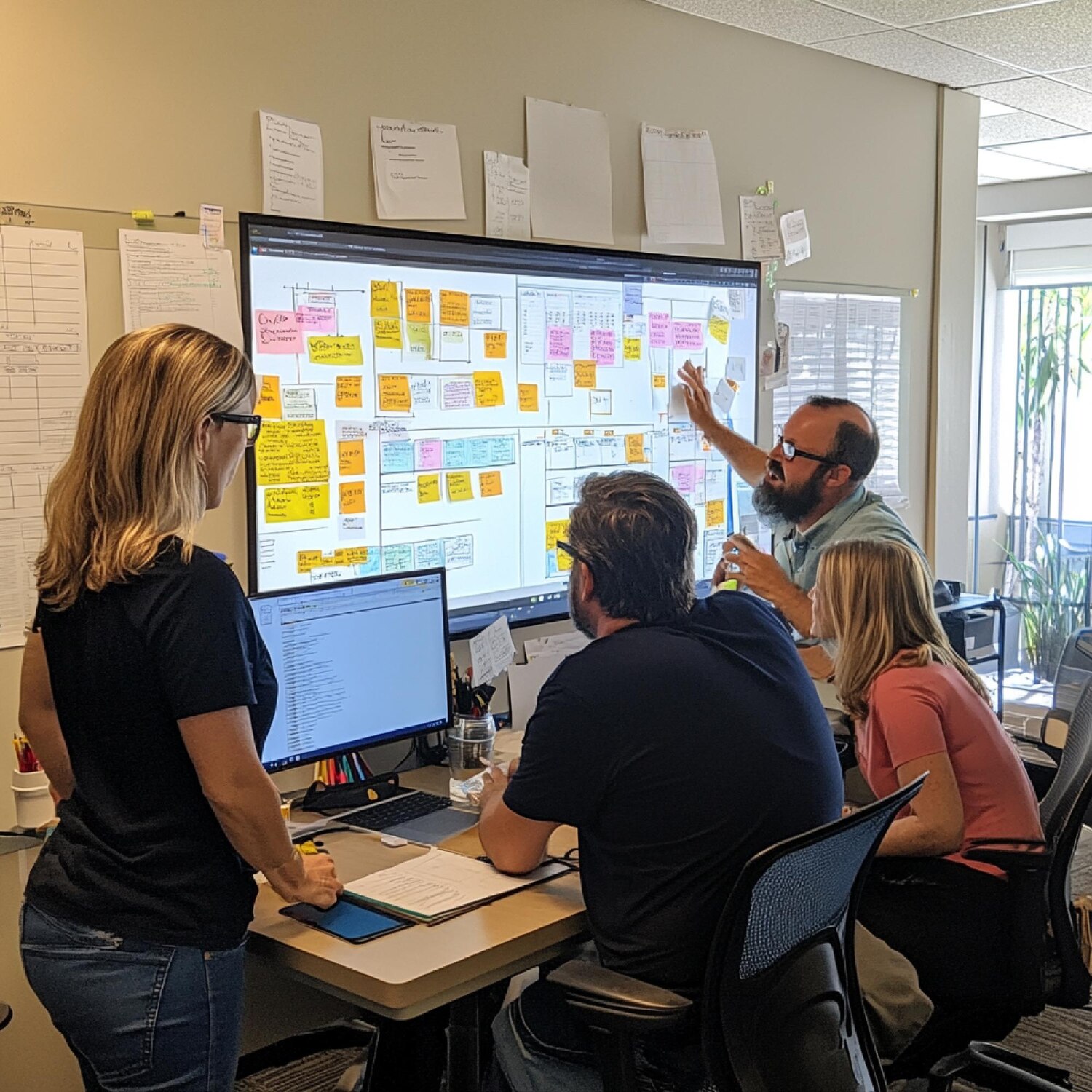
I’ve spent the last few years being called in after the demo magic fades and the production reality kicks in. Teams discover that the hardest part of AI isn’t the model; it’s the muscle around it. That muscle is AI platform engineering: the blend of architecture, tooling, security, data contracts, observability, and operating model that turns experiments into durable systems. You won’t find it in a slick vendor deck. You will find it in the ticket queue, the incident recap, and the unit economics.
If you’re serious about shipping, you need a platform that respects constraints and compounds learning. You need a way to integrate LLMs and traditional ML with your data, your products, and your governance. Most of all, you need a plan that your engineers, risk partners, and business owners can actually follow. The goal of this field guide is not to sell you a framework. It’s to help you put AI platform engineering to work without derailing your roadmap or your budget.
The gap between demos and durable systems
Most organizations feel the whiplash. A proof of concept dazzles stakeholders, then quietly stalls when faced with identity, data quality, legal review, or cost. The gulf between the one-off notebook and an audited, observable, scalable service is not a small hop; it’s a canyon. Crossing it requires choices about boundaries, ownership, and how much risk you’re willing to automate. When AI pilots evaporate, it’s rarely because the model stops being clever. It’s because the plumbing, guardrails, and feedback loops were never designed in.
Durability comes from a few uncompromising habits. First, treat prompts, retrieval, and routing logic as first-class code, versioned and testable. Second, promote data contracts so your retrieval and features are stable across releases. Third, make evaluation repeatable with offline test sets that reflect business risk. Finally, accept that production AI is multidisciplinary. Security, legal, and operations are not gatekeepers to be avoided; they’re core contributors. Without that culture shift, your launch will wobble under the combined weight of incident load and governance surprises.
There’s also the matter of product fit. Generative AI should bend toward a specific job-to-be-done. If the user’s task, context, and success criteria are fuzzy, your inference costs and support tickets will climb. By contrast, when the task is bounded and the workflow is instrumented, you can tune retrieval, caching, and human-in-the-loop checkpoints to contain risk while compounding accuracy. In short, demos impress. Durable systems compound. AI platform engineering is the engine that makes compounding possible.
AI platform engineering, defined by the work
Definitions tend to balloon. Let’s keep this one grounded: AI platform engineering is the deliberate construction of the shared services, guardrails, and operating patterns that let multiple teams ship AI features quickly and safely. It includes how you source data, manage vector and relational stores, route requests across LLMs, enforce privacy policies, evaluate quality, and observe costs and latency in real time. It’s not a single product. It’s a product-of-products that sits beside your core application platform.
Success shows up as speed with safety. New use cases should piggyback on the same identity, secrets management, model access, and evaluation harness. They should inherit common telemetry for prompt inputs, retrieval artifacts, model responses, and user outcomes. When a provider changes pricing or quality, centralized routing lets you switch strategies without forcing every team to patch their own stack. When legal updates a policy, enforcement moves once, not in sixteen codebases. That reuse is the heart of the platform dividend.
On the ground, you’ll notice a handful of critical primitives: an API facade for model access with policy hooks, a retrieval substrate that standardizes chunking and metadata, a prompt and template registry with version history, an evaluation system with offline test sets and online feedback, and cost and latency budgets that are visible to engineers at design time. Layer on feature flags and you can run canary cohorts safely. Wrap it all with a crisp intake process that forces alignment on the user problem, data sources, and success metrics. With those ingredients, AI stops being an artisanal craft and starts to look like a capability the organization can scale.
Reference architecture for shipping GenAI safely
Every company’s stack is different, but the shape of a dependable GenAI architecture is converging. Picture a flow that begins with identity and policy enforcement, then moves into orchestration: request parsing, retrieval, and tool selection. A retrieval layer reads from a mix of vector stores and transactional systems through contracts, not ad hoc queries. The orchestration layer routes to one or more models (proprietary or open) using strategies that account for cost, latency, and confidence. Outputs pass through guardrails, redaction, and post-processing before landing in the application or a human review queue. Telemetry is captured at each step.
Two concerns dominate: control and observability. Control means your platform can enforce privacy, apply content filters, and limit what tools the model can call on behalf of a user. Observability means you can trace a user interaction through prompts, retrieved documents, model responses, and final outcomes. Without traceability, you can’t debug hallucinations or evaluate cost spikes. Integrate structured logging with spans that include prompt identifiers, retrieval IDs, and model versions. Once traceability is in place, evaluations and A/B tests become low-friction instead of weekend projects.
Finally, bake in graceful degradation. If your primary model is down or a provider throttles you, your router should automatically pivot to a backup strategy: a smaller model, cached responses, or a simplified rules-based path. Users care about outcomes. When the platform can keep serving acceptable answers under duress, trust grows. That reliability is designed, not wished into existence.
Data contracts, governance, and trust
Most GenAI failures are data problems wearing model costumes. Unlabeled or untrusted sources seep into retrieval. PII leaks into prompts. Version mismatches break grounding. The cure is boring and powerful: data contracts that specify schema, semantics, retention, access policy, and lineage for every source a use case depends on. Contracts aren’t paperwork; they’re the handshake between product, platform, and data owners. When a source is noncompliant, it doesn’t get into the retrieval path—full stop.
Governance isn’t about saying no; it’s about saying yes safely. Adopt minimum viable reviews that focus on the actual risk levers: data categories, jurisdictions, model providers, tool use, and user impact. Reference frameworks like the NIST AI Risk Management Framework (see https://www.nist.gov/itl/ai-risk-management-framework) to standardize language with risk partners. Document decisions in the same repo as your prompts and orchestration flows so engineers can see what policy applies to which path. When governance is visible in code and logs, it stops being a blocker and starts being a feature.
Trust compounds when feedback closes the loop. Instrument user outcomes, not just model tokens, and reconcile them with the data used for grounding. If a chunk contributes to wrong answers, flag it for review or exclusion. If a source consistently drives success, prioritize its freshness and redundancy. AI platform engineering thrives on these feedback loops because they connect the lived product reality to data stewardship and policy. Over time, your retrieval quality becomes a competitive moat rather than an unpredictable variable expense.
The model mesh: LLM routing, retrieval, and guardrails
One model rarely fits all. Legal Q&A, marketing copy, code generation, and customer support have different tolerances for hallucination, latency, and cost. Build a model mesh: a routing layer that chooses between providers and models based on use case, input size, and budget. That router should support fallbacks, prompt templates per route, and policy constraints. When pricing or quality shifts, you change a route, not fifteen apps. The mesh isn’t theoretical; it’s the control plane for your inference economics.
Retrieval deserves equal rigor. Text chunking, embedding choice, metadata strategy, and re-ranking all matter. You’ll want a retrieval interface that takes a policy and returns not just text, but provenance. Pair that with guardrails that filter outputs for safety, classification mismatches, and PII. Tool calling can elevate capability, but it also elevates risk; ensure tools have scopes bounded by the user’s rights and log every call’s parameters. With these controls, your platform delivers helpful behavior with auditable steps.
Measuring quality is the glue. Maintain offline test sets that mirror real queries and edge cases, then run them across candidate routes during development. In production, capture human feedback and downstream outcomes. Tie everything to versioned prompts and templates. This is where AI platform engineering earns its keep: it turns scattered experiments into a living system that can be evaluated, improved, and governed without heroics.
Security, privacy, and compliance without killing velocity
Security needs to be built-in, not bolted on. Start with least-privilege service identities for orchestration, retrieval, and tools. Secrets and API keys live in a vault, not environment variables in source control. Network boundaries should prevent model providers from accessing your systems except through controlled egress. Log prompts and responses with redaction and hashing so you can trace incidents without exposing sensitive content. Add consent-aware masking at ingestion and retrieval so PII is scrubbed before it ever reaches a model.
Compliance is a design constraint, not a veto. Map your use cases to data categories and jurisdictions early, then pick providers who offer regional processing and clear data handling terms. Adopt platform-level toggles: no-logging modes for sensitive workloads, privacy budgets that track personal data exposure, and storage policies that enforce retention limits automatically. When a regulator asks how a decision was made, you should be able to replay the request with its retrieval context, model, and post-processing steps. That repeatability is credibility.
Velocity comes from paved roads. If your platform provides approved SDKs, templates, and routes that already satisfy security and compliance requirements, teams won’t need to renegotiate every control. Create an intake checklist with links to these paved roads. Teach engineers to reach for the platform before inventing a new path. Do this well and you’ll paradoxically move faster by saying a consistent no to bespoke exceptions and a consistent yes to standard patterns.
The economics of inference and scale
Your CFO doesn’t care how elegant your prompt is. They care about unit economics. The platform should surface cost per interaction at design time and enforce budgets at runtime. Token accounting is table stakes; go further by tracking cache hit rates, retrieval costs, and tool invocation expenses. Establish routing strategies that default to smaller, cheaper models for routine tasks and escalate to larger models only when confidence or complexity warrants. That single design choice can cut costs by an order of magnitude without harming outcomes.
Latency is a cost in disguise. Slow responses harm adoption and drive re-queries. Use streaming responses to reduce perceived latency. Pre-warm common prompts, aggressively cache deterministic results, and short-circuit with retrieval-only answers when possible. The platform should automate these optimizations so teams don’t reinvent them. Observability closes the loop: capture percentiles for latency and cost, then alert when routes drift. Without this visibility, you’ll wake up to a cost overrun and few levers left to pull.
Procurement and vendor risk management also belong in the economics conversation. Multi-provider strategies reduce concentration risk and improve negotiating leverage. It’s common for legal to move slower than engineering; plan for that with early engagement and a fallback route using models you’ve already approved. AI platform engineering centralizes these concerns so application teams can focus on value while the platform manages the price-performance frontier.
Teams, roles, and operating model for AI platform engineering
Technology is the easy part. The operating model determines whether you scale. A high-functioning platform team looks like this: product manager to prioritize use cases and enforce intake discipline; platform engineers to build routing, retrieval, and SDKs; data engineers to own contracts and pipelines; security and privacy partners embedded, not consulted at the end; and evaluation engineers who design offline test sets and define success metrics with product. Keep the team small enough to decide quickly, but connected enough to learn from every integrating squad.
Clear interfaces reduce friction. Promise a small set of capabilities—model access with policy hooks, retrieval with provenance, evaluation harness, and cost/latency dashboards—and deliver them with reliability. Provide paved-road templates for common patterns: RAG Q&A, summarization with redaction, structured extraction, and agentic tool use with scopes. When a product team asks for a new capability, assess whether it belongs in the platform or the application. Platform work should benefit at least two use cases; otherwise, it’s likely bespoke and belongs at the edge.
Finally, invest in enablement. Run internal office hours, publish a playbook with real examples, and hold postmortems that focus on learning. Incentives matter. Reward teams that reuse platform primitives and contribute back improvements. Over time, your organization will prefer paved roads not because of mandate, but because they’re faster and safer. That cultural shift is the bedrock of sustainable AI platform engineering.
Integration patterns and delivery paths
Shipping value means embedding AI into the surfaces your customers already use. For web products, that’s often a workflow or call-to-action inside a familiar page. Partner early with your digital team so AI features align with UX and performance standards. If you’re refreshing a site to support new AI experiences, consider a holistic build that marries front-end performance with backend AI services; experienced partners can help at https://new.flykod.com/services/website-design-and-development. When the AI is the product, the front door matters as much as the inference layer.
Commercial teams are integrating AI into storefronts for guided discovery and intelligent support. Done right, the experience reduces friction without feeling like a chatbot. You may need feature toggles that present different prompts and retrieval contexts depending on customer segment or locale. For organizations extending transactional platforms, specialized support can help weave AI into checkout flows, personalization, and service journeys at https://new.flykod.com/services/e-commerce-solutions. Orchestration must respect performance budgets on these critical paths.
Behind the scenes, automation and integration work ties it together. Connect CRMs, ticketing systems, and data warehouses so interactions improve models and retrieval sources over time. Reliable adapters, event-driven pipelines, and idempotent jobs are the invisible plumbing. If your integration backlog is long, accelerate with seasoned help at https://new.flykod.com/services/automation-and-integrations and bespoke backend services at https://new.flykod.com/services/custom-development. Don’t ignore telemetry: delivering analytics and tuning loops is easier when you instrument from day one with a partner steeped in performance at https://new.flykod.com/services/analytics-and-performance.
Measuring quality, risk, and value
AI without measurement is a liability. Your platform should define quality in terms that matter: accuracy for bounded tasks, coverage for discovery, resolution time for support, and conversion or retention for commercial flows. Build offline test sets that reflect your real distribution and edge cases, including the messy queries nobody wants to grade. Use rubric-based evaluation where possible to avoid chasing one noisy metric. For tasks with human consequences, add human-in-the-loop gates and audit trails you can explain to its beneficiaries and, if needed, to regulators.
Risk must be quantified, not hand-waved. Track rates of sensitive data exposure, policy violations caught by guardrails, and the percentage of interactions routed to safe fallbacks. Treat hallucinations as defects with severity levels and remediation paths. The same discipline you use for security incidents applies here; the platform’s job is to make safe defaults and easy controls the path of least resistance.
Value is earned, not assumed. Tie AI interactions to business outcomes and instrument the full funnel. When you can show that a retrieval improvement cut error rates, which reduced human escalations and improved NPS, the conversation changes from hype to impact. AI platform engineering should make these linkages explicit with dashboards and narratives that leadership can trust.
The brand, UX, and the last mile
AI is a voice your brand hasn’t had before. Give it a tone and interaction style that matches who you are. This is not purely a marketing exercise; it’s a product capability. Prompt templates, rules for refusal and escalation, and vocabulary whitelists help keep responses on-brand and respectful. Work closely with design to craft interactions that reveal uncertainty, invite corrections, and avoid overclaiming. If you need to tune the visual surface to reflect this new capability, expert support for identity and visual systems is available at https://new.flykod.com/services/logo-and-visual-identity.
UX choices also drive costs and quality. Inline suggestions can outperform conversational interfaces for focused tasks. Batch modes let you amortize retrieval and model calls. Caching answers to common questions and surfacing them as quick actions can cut both latency and spend. Your platform should give design and product teams the knobs—temperature, context window size, retrieval depth—wrapped in safe presets rather than raw parameters.
The last mile is often where value is won or lost. No user cares that you have a beautiful vector schema if the interface wobbles or hides critical context. Invest in polish and resilience at the edges. Do that, and the platform under the surface becomes a competitive advantage that users feel without needing to see.
A pragmatic 90-day roadmap
Start small and consequential. In the first 30 days, pick one use case with clear value and bounded data. Stand up the thin slice of your platform: identity and policy checks, a basic router with two model options, retrieval with provenance from a contracted source, and structured logging with prompt IDs. Ship a behind-the-flag version to a small cohort. Instrument cost and latency from day one.
Days 31–60, strengthen the core. Add offline evaluation sets and a simple canary harness. Introduce guardrails for safety and PII handling. Expand routing strategies to include a small/large model path with confidence thresholds. Document intake and operating procedures. Meet weekly with security and legal to harden policy hooks and auditability. If the work is straining your current stack, consider outside help for integrations and analytics at https://new.flykod.com/services/automation-and-integrations and https://new.flykod.com/services/analytics-and-performance.
Days 61–90, scale responsibly. Onboard a second use case that reuses platform primitives. Add cost budgets with alerts and auto-downgrade paths. Publish internal documentation and hold enablement sessions. Close the loop by shipping UX refinements based on telemetry. If the surface needs production-grade polish to meet brand and performance standards, bring in partners for the web layer at https://new.flykod.com/services/website-design-and-development or for bespoke APIs at https://new.flykod.com/services/custom-development. By the end, you’ll have a platform doing what platforms should: making the next feature easier than the last.
Most teams don’t suffer from a data shortage. They suffer from a decision shortage. A digital analytics strategy is the antidote when it’s treated as a living operating system for how your organization asks questions, instruments products, interprets signals, and closes the loop back into execution. I’ve led analytics programs inside scale-ups and enterprises, and the pattern is consistent: great tooling without clear questions yields fancy charts and weak outcomes. Flip the order—questions first, events and benchmarks second, decisions third—and the results compound.
Analytics is a product, not a report. It has users, roadmaps, service levels, and feedback loops. If your dashboards don’t influence roadmaps, experiments, or customer messaging within two sprints, you don’t have analytics—you have decor. The goal of this piece is to describe how I build a digital analytics strategy that actually changes behavior: how to define north stars, design trustworthy event schemas, blend performance and product signals, and get from insight to shipped improvements without the usual politics and handoffs killing momentum.
Why most teams get analytics wrong (and how to fix it)
Dashboards are often commissioned to soothe anxiety rather than to drive action. Leaders feel disconnected from what’s happening in the product, and the reflex is to visualize everything. The intention is good; the execution invites noise. A sustainable digital analytics strategy starts by narrowing the aperture: specify the decisions you need to make, the behaviors you seek to influence, and the constraints you’re willing to accept. Shiny new vendors won’t fix a fuzzy problem statement. Precision in questions forces precision in instrumentation, modeling, and interpretation.
Another common failure: treating analytics as an afterthought layered onto an already-shipped product. When events, IDs, and performance telemetry are bolted on, you inherit ambiguous definitions, missing context, and inconsistent keys. Invest in data contracts before the first line of UI is built. If your product team is moving fast, partner early by embedding analytics acceptance criteria into user stories. You’ll avoid the expensive archaeology that arrives when your business depends on retrofitting meaning onto stale logs.
Finally, beware KPI theater. If a chart can move in the “right” direction via a trivial or cynical change, it’s a vanity metric masquerading as insight. Favor metrics that constrain behavior in a healthy way. If activation can’t rise without quality remaining stable or performance meeting Core Web Vitals standards, you’ve picked wisely. Good metrics are stubborn: they push back when you try to game them.
Digital Analytics Strategy: From questions to data
Strategy starts with a decision inventory. Catalog the recurring choices that leaders, product managers, marketers, and engineers face. For each, define the minimum viable dataset: entities, events, properties, and time windows required to choose confidently. Tie those to a measurement framework: a north star metric that mirrors customer value, supported by input metrics that teams can influence. With that foundation, your digital analytics strategy becomes a map from question to instrumented signal to dashboard to action, not an abstract wishlist.
Build a canonical event taxonomy. Every event should belong to a small set of verbs aligned to user intent—Explore, Evaluate, Commit, Use, Return. Enforce consistent naming and required properties, including stable user IDs and session identifiers. This uniformity reduces friction across BI, experimentation, and attribution. It also shortens onboarding time for analysts and engineers, which matters if you want velocity without rework. Strength is in the shared language more than the tooling.
Define thresholds and guardrails up front. For example, agree on acceptable confidence intervals for experiments, performance budgets per route, and minimum sample sizes for channel analyses. Document them where work happens—PRDs, repos, and dashboards—so decisions don’t devolve into ad-hoc debates each sprint. The ability to execute repeatedly under pressure is what differentiates a tidy slide deck from a functional strategy. Precision in definitions is boring, and it’s also where the money is made.
Instrumentation that doesn’t break your product
Most tracking plans collapse under the weight of edge cases. Resist the temptation to capture every possible attribute. Track fewer events with richer properties and predictable schemas. Put event validation into CI/CD so broken payloads fail fast, and establish a versioning policy for schema changes. Developers respect instrumentation that behaves like code, not like a fragile append-only log. A lean, well-governed plan yields more truth than a sprawling mess.
Data quality is a product requirement. Treat missing or malformed identifiers as defects and triage them like any other bug. When you set SLAs for analytics uptime and event delivery, you’ve made an important cultural statement: insights are part of the core experience, not a nice-to-have. In practical terms, that means health checks for SDK initialization, retry logic for network failures, and explicit handling for consent states. Trust comes from predictability, not promises.
Integration strategy matters as much as event design. Route data through a reliable pipeline that supports replay and transformation. If you need automation to stitch systems, consider well-scoped integrations rather than brittle one-offs; pairing analytics with workflow tools can remove manual toil. Teams that want help connecting product telemetry with marketing or CRM data often turn to providers or partners focused on operational glue like automation and integrations. If custom logic or server-side tagging is warranted, bias toward testable, maintainable code using custom development practices that your engineering team can own.
Performance telemetry: Where speed and outcomes meet
Analytics without performance is vanity; performance without analytics is guesswork. Users tell you how they feel with bounce rates and conversion, but browsers tell you what happened under the hood. Pair user behavior with field data like Core Web Vitals to see how speed shapes outcomes. Start by defining per-route budgets for Largest Contentful Paint, Interaction to Next Paint, and Cumulative Layout Shift, then correlate those metrics with engagement and revenue. When performance dips, conversion sinks even if your UX is otherwise delightful.
Rely on field data over lab alone. Lab tools are useful for catching regressions before deploy, but real devices on real networks reveal the truth. Google’s overview of Core Web Vitals is a solid primer on thresholds and prioritization; use it to align teams on definitions and targets (web.dev/vitals). Accuracy in performance telemetry requires clean sampling, guardrails for bot traffic, and sufficient volume to avoid overfitting. Avoid chasing pixel-level improvements when the variance dwarfs the change.
Make performance visible where product decisions are made. Include vitals on feature dashboards and sprint readouts. If a new checkout flow improves usability but blows your LCP budget on mobile, don’t ship it. Trade-offs are inevitable; ignorance is optional. With a disciplined approach, performance becomes a design constraint that focuses creativity rather than a burden that slows teams.
Dashboards that drive action, not screen time
Dashboards exist to resolve uncertainty quickly. Good ones mimic the questions teams ask on a Tuesday morning, not the vanity goals presented at QBRs. Build layered views: an executive page with the north star and a handful of controllable input metrics, team pages for feature health and experiment outcomes, and diagnostic pages for debugging anomalies. Keep annotations front and center so spikes and dips have context—releases, campaigns, outages, pricing tests.
Choose defaults that reduce interpretation error. Use medians for skewed distributions, same-day comparisons with seasonality controls, and color scales that don’t mislead. Require owners. Every dashboard should list a name and channel where questions go. Remove any visualization that hasn’t influenced a decision in the last quarter. It’s harsh, but clutter is a tax on attention, and attention is scarce.
When you need help building durable reporting with performance and product signals in one place, align the work with a service mindset. Teams often bring in specialists who live in the overlap of measurement, engineering, and design. If you’re refreshing how data informs product and growth, consider a partner with clear ownership models like analytics and performance services, or pair it with website development to address UI and code issues that block insight.
Experimentation with guardrails (so you trust the result)
Experimentation is the most abused instrument in the analytics orchestra. Underpowered tests, moving targets, and novelty effects create false confidence. Start with power analysis to set sample sizes you’ll actually honor. Pre-register success criteria and expected side effects, including performance budgets and quality metrics. If a winning variant damages responsiveness or elevates error rates, it’s not a win. Experiments should expand value while preserving experience quality.
Stop peeking without correction. Sequential testing and Bayesian methods exist, but they demand discipline. If your team lacks statistical fluency, enforce fixed-horizon tests with clear stopping rules. Educate stakeholders on regression to the mean and novelty bias. A single week of uplift can evaporate once the early adopter segment cycles out. For a quick primer on the concept and its pitfalls, the overview on A/B testing is a reasonable starting point, though you’ll want to codify your own playbook.
Finally, treat experiments like products. Maintain a backlog, standardize guardrail metrics, and document results where product and marketing live. Success isn’t a slide; it’s a code change, a content update, or a new default in your platform. Close the loop by pushing learnings into design systems and onboarding flows. That’s how experimentation compounds rather than reinventing the wheel every quarter.
Scaling a Digital Analytics Strategy across teams
Scale fails when ownership blurs. Assign product analytics to product teams, not a central queue that becomes a blocker. A central group still matters, but as a platform and governance function: event standards, tooling, privacy, methodology, and training. Meanwhile, embed analysts where decisions happen. Close proximity shortens the feedback loop, which is where the value hides. Teams become fluent in the business language and the data model.
Codify data contracts. Changes to event schemas and identifiers should go through the same rigor as API changes. Use linting to catch violations and versioning to manage deprecations. When in doubt, add context rather than create parallel events. A clear process lets you scale without drowning in edge cases. It also makes vendors easier to swap because your implementation is cohesive rather than vendor-shaped.
Invest in enablement. A shared playbook for funnel analysis, cohorting, and performance debugging lifts the baseline competence and reduces analyst-as-switchboard syndrome. When teams need specialized help—say, stitching transactional systems to product telemetry for retail—bring in expertise built around commerce workflows like e-commerce solutions. Scale is less about more dashboards and more about more people capable of asking better questions and shipping changes based on the answers.
Privacy, consent, and the trust dividend
Great analytics honors user trust. Collect only what you need, document why, and give users meaningful control. Consent should be a first-class state in your data model, not a banner that closes itself. Tagging plans must respond to consent changes immediately, including disabling server-side destinations when required. Respect for privacy is not only regulatory hygiene; it’s a differentiator that keeps your brand credible when competitors overreach.
Minimize risk with defaults. Pseudonymize identifiers, isolate sensitive attributes, and tighten access to raw logs. A modern digital analytics strategy avoids personal data when aggregate or cohort-based analysis suffices. Privacy-aware measurement often improves quality, too, because it forces you to articulate what actually matters. When legal, security, and engineering collaborate early, you ship with confidence rather than scrambling after a complaint.
Operationalize compliance. Bake DPIAs and consent flows into release checklists, not reactive audits. Train teams on practical scenarios like how to handle support sessions, screenshots, and staging environments. Enforce retention policies and deletion pipelines you can demonstrate on demand. Compliance becomes routine rather than theater when it’s integrated into the way you build.
From insight to backlog: turning signals into shipped changes
Insights that don’t change the backlog are entertainment. Tie every dashboard widget and experiment result to a candidate action with an owner and a time horizon. Use decision memos that record the question, evidence, chosen action, and expected impact. These memos travel into sprint planning, where they’re broken into stories with analytics acceptance criteria. When you ship, you’ve already defined what success looks like and how you’ll measure it.
Automate the handoffs. Pipe alerts from anomaly detection into the same channels where engineering triages issues. Create tickets automatically when guardrail metrics break thresholds. If you lack connective tissue between tools, consider lightweight workflows that bridge systems so humans aren’t retyping the same context. Teams often implement these with focused automation and integrations work to reduce latency from detection to fix.
Sometimes the bottleneck is the product itself. Analytics reveals an information architecture problem, a sluggish route, or a brittle checkout. In those cases, analytics must ride alongside delivery—refactoring components, improving asset strategy, or redesigning flows. Pair measurement with the craftsmanship of shipping; partners who can address both, such as website design and development, remove the excuse gap between knowing and doing.
Commerce-specific nuances: marrying product, payment, and performance
Commerce data is messy in special ways. Carts mutate, inventory shifts, payment authorizations fail, and users move between devices. Your event model needs to reflect those realities: persistent cart IDs, robust deduplication for server and client events, and careful handling of partial refunds and chargebacks. Attribute at the order line when promotions vary by SKU, and keep performance telemetry tied to the exact templates that influence checkout speed.
Use cohort-based lifetime value rather than blending everyone into a single forecast. Acquisition channel, first-purchase category, and fulfillment speed predict LTV more reliably than last-click attribution ever will. Integrate marketing signals with product behavior and fulfillment data so you see the full loop from click to delivery to repeat. If the architecture is disjointed, partner with teams that know the operational and technical edge cases in retail, like e-commerce solutions aligned with analytics.
Optimize for speed where it pays. For marketplaces and stores, milliseconds at search and checkout are measurable revenue. Track vitals by route and device class, then prioritize fixes where conversion sensitivity to latency is highest. A precise digital analytics strategy doesn’t chase abstract scores; it focuses on the routes and audiences where faster truly equals richer outcomes.
Brand and messaging signals: the overlooked inputs
Not every critical signal is purely behavioral. Visual identity and messaging influence how users interpret friction and trust flows across sessions. Track the interplay between brand consistency, readability, and performance. If typography shifts increase layout shifts or late-loading assets cause jank, the perception of quality suffers even when features are the same. Marrying creative standards with performance budgets keeps trust intact.
Bring design into the measurement loop. Include brand changes in dashboard annotations and make creative variants part of experiment design, not a post-hoc explanation. When planning a redesign or new campaign, ensure your measurement plan is part of the creative brief, with event updates and performance expectations specified. If you need support tuning the system that shapes perception—logos, color systems, usage rules—coordinate with specialists who handle the full identity toolkit such as logo and visual identity work, then tie the results to analytics so you can judge impact.
Good brand analytics aren’t shallow sentiment scores. They connect perception shifts to behavior, like higher save rates, lower return-to-search, and smoother account creation. When brand, UX, and performance move together, your conversion math suddenly looks less mysterious.
Most teams don’t fail at automation because the tech is hard. They fail because they treat automation like a procurement checkbox instead of a discipline. A durable workflow automation strategy is not a shiny tool or a flowchart that looks good in a slide deck. It’s a way of working that translates messy operational truth into systems that learn, adapt, and stay healthy when people, products, and priorities change.
I’ve shipped automations in environments ranging from early-stage e‑commerce to global enterprises. The pattern is consistent: success comes from a strategy grounded in outcomes, testable assumptions, and sober tradeoffs. The goal isn’t maximal automation; it’s repeatable business value with guardrails. If your workflow automation strategy doesn’t explain what to automate, what to leave human, and how you’ll change your mind later, it’s a wish, not a plan.
What a Workflow Automation Strategy Really Means
Outcomes over plumbing
Your strategy should start with a business outcome you can measure. Reduce order-to-cash cycle time by 25%. Cut onboarding from five days to two. Shrink exception rates by half. Pick a number, pick a process, and work backward. A workflow automation strategy framed this way forces you to prioritize the few process steps that compound value. It also sets a trap for gold-plating: if a task doesn’t move the metric, don’t automate it yet.
Plumbing matters, but only in service of outcomes. Teams fall in love with drag-and-drop canvases, RPA bots, or microservice diagrams. Those are implementation details. Start instead with value stream mapping and a clear definition of done. If you need help turning the map into an executable system, get partners who can bridge design and build. For example, if your automation touches storefront logic or a customer portal, connect it to solid foundations from website design and development so your front-door experience matches your operational reality.
Principles that hold under pressure
Clarity beats cleverness. Favor explicit contracts, simple triggers, and idempotent operations over wizardry. Design for partial failure; assume an upstream service will be down at the worst time. Build in observability from day one. Above all, tie every integration to a decision owner and an SLA. Someone must be accountable for the behavior of the automation when the business changes. That’s what turns a collection of flows into a workflow automation strategy you can defend in a quarterly review.
Finally, embrace a living roadmap. Your first version won’t be your last. Codify how you will version flows, deprecate endpoints, and roll back safely. When the way you sell, ship, or support evolves, your automation should keep pace without weekend heroics. If your strategy can’t absorb change, it’s technical debt disguised as progress.
Diagnose Before You Automate: Mapping Reality, Not Fantasy
Automating a broken process just lets you make mistakes at scale. Diagnose the work as it actually happens, not as it appears in a policy PDF or an org chart. Sit with operators. Watch the exceptions. Track where work waits, not where it moves. Only then decide what to automate, what to streamline, and what to kill. That discovery is the backbone of a credible workflow automation strategy.
Find the constraint
Every process has a bottleneck. If your order pipeline spends 60% of its time waiting for credit checks, no orchestration layer will help until you fix that constraint. If marketing can launch a campaign in an hour but data refreshes nightly, you’ll automate your way into staleness. Identify the constraint with data, not opinions: timestamps from logs, queue depths, and service-level breaches tell you where flow dies. Tools from analytics and performance can instrument this quickly so you’re not guessing.
Once the constraint is clear, pilot automation surgically. Move one painful handoff to an event trigger. Replace a brittle spreadsheet with a service call. Prove that throughput improves and the error rate drops. If it doesn’t, you diagnosed incorrectly.
Shadow IT reconnaissance
People invent side systems when official ones fail them. Those rogue spreadsheets, Zapier connections, and manual retries are signals, not crimes. Treat them as field research. You’ll find the truth about data quality, missing APIs, and business rules nobody wrote down. Fold the useful parts into your official stack; retire the rest without shaming the people who kept the lights on.
Document policy versus practice. Policy says “24-hour onboarding.” Practice reveals three vendor portals, two missing fields, and an approval that lives in email. Your workflow automation strategy should reconcile those worlds: update the process where policy is fantasy, then automate the new truth. If you skip this reconciliation, your automation will faithfully reproduce dysfunction at machine speed.
Choosing the Right Stack for Workflow Automation Strategy
iPaaS vs. custom code
Pick tools based on lifecycle cost and governance, not just time-to-first-demo. An iPaaS gives you speed, connectors, and visual orchestration. It’s great for cross-app workflows where you control business logic but not the systems. Custom code wins when you need tight control, complex branching, or latency-sensitive work. Most organizations need both. The trick is deciding where the seam lives and who owns each side.
For productized flows that will be touched by many teams, iPaaS is the sensible default. You get role-based access, audit trails, and change windows. When a core service or proprietary logic is involved, build a real service with proper CI/CD and guard it. Stitch the two with clean APIs. If you need support translating a messy ecosystem into a stable backbone, a partner focused on automation and integrations can set the operating model and the standards that keep entropy down.
Event-driven backbones
For organizations with evolving products and many downstream consumers, event-driven architecture is your friend. Let systems publish facts (“OrderPlaced”, “InvoicePaid”) and let consumers react. Avoid point-to-point RPC webs that calcify. Yes, EDA adds complexity. It also gives you decoupling, replay, and graceful change. If you need a primer, the overview on event-driven architecture is a fair starting point.
Don’t neglect data contracts. Whether you use webhooks, queues, or topics, version your events. Make old versions coexist during transitions. Add correlation IDs and trace context so you can follow a unit of work end-to-end. Think about where humans touch the journey. For customer-facing steps, keep the UI and brand coherent; align your automation with a stable front end through solid custom development practices and, for commerce, properly integrated e‑commerce solutions. Above all, let your workflow automation strategy dictate the stack, not the other way around.
Design for Change: Governance, Versioning, and Rollback
Versioning contracts, not just payloads
Change is inevitable. New products add fields. Regulations force new steps. Mergers introduce overlapping systems. The teams that survive treat governance like a product, not paperwork. Establish an integration review—lightweight, fast, and focused on contracts. Version every public interface, give changes semantic meaning, and publish migration timelines. The time you spend being explicit here is time you won’t spend firefighting later.
Think beyond payloads. Contracts include behavior, SLAs, and failure semantics. Document what happens when a downstream service times out, and what retries look like. Backwards compatibility is a policy decision, not an accident. Decide how long you will support old versions and automate deprecation notices. Your workflow automation strategy should encode these decisions so teams don’t invent them under pressure.
Release with escape hatches
Every release should include a tested rollback, a feature flag, or a traffic switch. If you can’t turn it off, don’t turn it on. Canary deployments reduce blast radius. Dark launches prove you can process live traffic without user impact. For orchestrated workflows, deploy new versions alongside old ones and route by audience or correlation ID. If you’re using an iPaaS, treat flow versions like code: peer review, approvals, and controlled promotion.
Governance must include people. Who can change a flow? Who can approve breaking changes? What’s the on-call model for automations that straddle departments? Clarify those roles early. If you need help formalizing a governance framework without adding bureaucracy, a specialist in automation and integrations can co-create the playbook and embed it with your teams.
Integrations That Don’t Rot: Patterns That Survive Scale
Idempotency and retries
Systems fail in partial, weird ways. Messages duplicate. Calls time out after the action succeeded. Without idempotency, retries create chaos. Design every handler to accept repeats safely. Use natural or synthetic idempotency keys. Store processing state so you can replay events without side effects. Dead-letter queues are not trash bins; they are signals that a contract broke or a downstream dependency is unhealthy. Triage them daily and fix root causes weekly.
Time matters too. Back off exponentially, cap retry windows, and respect business calendars. Replaying an approval on a weekend might violate policy; reprocessing a payment at month-end could domino into reconciliation headaches. Encode those realities as rules, not tribal knowledge.
Observability as a first-class feature
Without visibility, automation is a black box that erodes trust. Instrument traces across services, attach correlation IDs, and log business context. Build dashboards that show both technical health and business flow—orders staged, invoices reconciled, SLAs approaching breach. Alert on symptoms users feel, not just CPU or queue depth. When an exception occurs, operators should see what happened, why, and how to fix it. This isn’t a nice-to-have; it’s core to a maintainable workflow automation strategy.
Finally, resist tight coupling. Prefer asynchronous notifications to synchronous dependencies where possible. For systems that must remain synchronous, define strict SLOs and circuit breakers. Combine events for flexibility with APIs for critical reads and writes. These patterns age well because they assume failure and variability. They also make audits, compliance checks, and incident reviews far less painful.
Human-in-the-Loop: Where Automation Should Stop
Exception queues done right
Not every decision belongs to a machine. Design explicit human checkpoints for ambiguous or high-stakes steps: complex returns, fraud signals with low confidence, compliance exceptions. Route these to an exception queue with context right in the ticket: data snapshot, actions attempted, and recommended next step. Don’t force operators to spelunk logs. Give them a one-click path to resolve and requeue. The people who clear exceptions are part of the system; build for their success.
Measure these queues like you would a production service—SLA, backlog size, time to resolution. If exceptions spike, trace back to the source, not the humans. Most spikes reveal a data drift, a credential issue, or a contract change that slipped past review.
Designing approvals that don’t stall
Approvals can turn into bottlenecks. Define reversible steps as post-approval where risk is low, and tighten controls only around irreversible actions. Provide approvers with structured context and a clear default (approve, deny, escalate). Add expirations to stale approvals and auto-escalate intelligently. For UI surfaces, an aligned approach with website design and development ensures clarity and speed for internal users as much as customers.
Document where humans add judgment and where they add delay. Your workflow automation strategy should be explicit about this boundary. Automate empathy too: status updates, proactive messaging when delays happen, and clear handoffs between bots and humans. Customers forgive latency when they feel informed; they don’t forgive silence.
Measuring Impact: Metrics, Baselines, and the Cost of Delay
Lagging and leading indicators
Measure what matters to the business first: cycle time, throughput, error rates, and revenue impact. Lagging indicators prove you moved the needle. Leading indicators tell you early if you’re drifting: SLA burn-down, queue growth, retries per transaction, and exception ratios. Pair these with qualitative signals—fewer workarounds, faster onboarding of new staff, fewer after-hours fixes. A credible workflow automation strategy makes these metrics visible and non-negotiable.
Establish a baseline before you automate. It’s tempting to start building immediately, but without a baseline, you’ll argue anecdotes. Instrument the current process for two to four weeks. Then set a target: 20% faster, 30% cheaper, 40% fewer errors. Resist vanity metrics like “number of integrations.” Value is not the count of flows; it’s the absence of pain.
Operational economics
Calculate the cost of delay. If a broken handoff costs $200 per incident and happens 50 times a month, your budget for fixing it just wrote itself. Don’t forget carrying costs: on-call fatigue, customer churn, and compliance exposure. Tie these into your business case and revisit post-launch. Use the same math to decide when to retire a flow that no longer pays for its complexity.
Feed insights back into design. If your analytics reveal that a single partner API drives most incidents, build a circuit breaker and renegotiate the SLA. If a new product line doubles event volume, scale out consumers or add partitioning. Where deeper instrumentation helps, tap into analytics and performance services to harden measurement and forecasting.
Roadmap: From Pilot to Platform
90-day pilot plan
Begin with a narrow, high-pain process where you control most of the dependencies. In weeks one and two, map the current state, define what success actually means, and lock the stack. The next phase, roughly weeks three through six, is about implementing the minimum viable flow, with observability and rollback built in from day one. Weeks seven and eight shift focus to user acceptance, edge-case hunting, and hands-on training. From weeks nine to twelve, run the new system in parallel, then cut over carefully using a canary approach. Close the loop by publishing results and lessons learned. When the pilot involves commerce, keep the blast radius small by anchoring checkout and fulfillment on stable e-commerce solutions instead of turning them into experiments.
Don’t skip documentation. A short runbook beats a confluence novella. Include how to roll back, how to reprocess messages, and who owns what. Package the pilot as a template others can lift. That is how a workflow automation strategy scales across teams without creating bespoke snowflakes.
Platform operating model
Once you have two or three proven automations, shift from projects to platform. Establish shared services: identity, secrets, event bus, observability, and a catalog of reusable connectors. Create a change advisory rhythm that protects uptime without stalling innovation. Offer guardrails, not gates. As adoption grows, formalize enablement: office hours, playbooks, and lightweight certification for flow authors.
If you need a partner to accelerate this transition, bring in a team that can blend process, design, and engineering. A services partner focused on automation and integrations can stand up the platform and coach your teams while your domain experts keep shipping. Where custom surfaces or brand alignment matters for internal tools, coordinate with custom development to keep UX consistent. The outcome is a workflow automation strategy that becomes an organizational capability, not a one-off project.
Keep the bar high. Every new automation should declare its owner, SLA, and rollback plan. Every quarter, prune what no longer pays its rent. Strategy isn’t the slide you presented at kickoff; it’s the habit of building systems that remain valuable when reality changes around them.
If you sell online, you don’t need more hacks—you need rigor. Ecommerce conversion optimization is the craft of compounding small wins across speed, trust, relevance, and flow. In practice, that means rewriting your team’s habits: less surface-level tweaking, more diagnosis; less feature roulette, more disciplined experiments; fewer opinion wars, more usable data. Sustainable gains come from understanding customer intent, minimizing effort, and protecting contribution margin. I’ve learned this the hard way across replatforms, peak season firefights, and stubborn checkout leaks. The patterns repeat. The businesses that win operationalize conversion work as a product capability, not a once-a-year campaign. They treat performance, UX, and analytics as a coherent system. And they align incentive structures to protect long-term profitability as they raise conversion rate and average order value.
Ecommerce Conversion Optimization: what actually moves the needle
There’s a recurring trap in the industry: mistaking novelty for progress. A banner, a chatbot, a new review widget—meanwhile, search relevance is mediocre, pages are heavy, and checkout has five potholes. Under pressure, teams chase visible changes that demo well instead of invisible foundations that convert. In reality, four forces move the needle most reliably: speed, clarity, credibility, and effort reduction.
Start with speed because performance debt taxes every funnel step. Next, clarity: the offer, price, shipping, and returns must be unambiguous at every stage. Credibility follows—social proof, payment options, and policies signal safety. Finally, effort reduction: fewer fields, fewer surprises, fewer context switches. Everything else is a multiplier at best.
Ecommerce conversion optimization also hinges on ruthless prioritization. Merchants often try to fix discovery, product pages, and checkout simultaneously. That’s how you dilute impact and burn calendars. Instead, measure leaks by step and forecast impact. If 65% drop on shipping, you’ve found your lever. If mobile bounce spikes on PDPs, fix image weight and layout shift before debating new carousels. Focus makes your engineers faster and your experiments cleaner.
Guard the margin while you optimize. Discounting will boost conversion, but that’s finance cosplay unless you understand contribution margin and downstream returns. Win with relevance and friction removal first. Use pricing and promotions to amplify, not compensate for, a broken flow. That’s ecommerce conversion optimization that compounds, not cannibalizes.
Diagnosing the funnel with evidence, not hunches
Before touching copy or code, instrument the journey. Guessing is expensive at scale. You need a baseline of event tracking across discovery, PDP engagement, add-to-cart, checkout steps, and post-purchase. Pair that with channel attribution and cohort views so you see how different traffic and devices behave. Then add periodic qualitative inputs—on-site polls, moderated usability, session replays—to explain the “why” behind the “what.” Without this triangulation, you’ll misread anomalies as patterns and ship noise.
Don’t overcomplicate instrumentation on day one. Track the critical path events consistently and validate them with QA in a staging environment. Invest in a lightweight data dictionary: event names, properties, and owners. That single page saves months later when you’re reconciling inconsistent metrics across dashboards. If you need help hardening analytics and performance measurement, bring in a partner that treats instrumentation as a first-class deliverable, not an afterthought—teams like the ones behind analytics and performance services exist for exactly this.
Once you can trust the data, rank opportunities by leak size, fix cost, and confidence. Use impact models, not wishes. If 12% of sessions hit the cart and 30% of those drop at payment due to a limited set of methods, that’s a higher priority than another homepage hero test. Triangulate with external research too; the Baymard Institute has battle-tested guidelines for ecommerce usability that often pay back in days. Finally, set an experiment cadence. Weekly doesn’t mean reckless—small, well-formed tests beat quarterly mega-launches that entangle five variables and tell you nothing.
Speed and stability: the silent conversion levers
Performance rarely wins design awards, but it quietly prints money. Pages that ship too much JavaScript or block rendering with third-party scripts burn buyer patience and kill mobile conversion. Establish a performance budget tied to revenue. Treat Core Web Vitals as guardrails, not a vanity score. If Time to First Byte is sluggish, examine hosting and edge caching. If Largest Contentful Paint is high, compress images, lazy-load non-critical content, and avoid layout thrash. And if Interaction to Next Paint is suffering, audit your JS and defer what doesn’t inform the purchase decision.
Stability matters just as much. A flaky checkout sheds trust with every spinner. Run synthetic monitoring on key paths, then confirm with real user monitoring. Build alerts around failure thresholds that the business actually cares about, not only technical ones. When the platform fights you, weigh refactors versus replatforming with eyes open to total cost of ownership.
Speed trade-offs differ by stack. A solid hosted platform with sensible themes may outperform a poorly executed headless build. Conversely, headless can be outstanding if the team enforces a performance budget and trims integrations. If you’re teetering between fixes and rebuilds, get a second opinion from a senior engineering partner who lives in ecommerce—custom work like custom development combined with structured audits from analytics and performance can de-risk the decision.
Checkout UX that prints money
Checkout is where optimizers earn their badge. You don’t need ten features; you need five flawless basics. Guest checkout is non-negotiable. Progressive account creation after purchase is fine; forced registration is not. Keep forms lean: use address auto-complete, recognize ZIP and autofill city/state, and collapse secondary fields like company or apartment into progressive disclosure. Every required field needs a reason tied to fulfillment or compliance.
Visibility beats surprise. Show total cost early, including taxes and shipping. If shipping cost depends on location, provide a quick estimator on the cart. For payment, support the methods your segments actually use—cards, wallets, buy-now-pay-later where margin permits. Don’t gatekeep payment until the last step; offer choices as early as is reasonable so customers know you can take their money the way they prefer.
Error handling is where many checkouts fail. Inline validation, clear messaging, and persistent error states prevent dead-end frustration. Save cart and form state robustly across devices. And please, don’t wipe the form on error; that’s conversion malpractice. If you’re missing basics, prioritize checkout refactors before testing microcopy on the homepage. When you need an end-to-end push, look to seasoned ecommerce partners; full-stack e-commerce solutions teams can upgrade payment integrations, antifraud, tax calculations, and UX in one coordinated strike aligned with ecommerce conversion optimization.
Information architecture and product discovery
People don’t browse your site to admire your taxonomy—they’re trying to find a thing. Align navigation with intent, not internal org charts. Use customer language gleaned from search logs and support tickets. Category pages should breathe: clear headings, above-the-fold filters, and visible counts. Faceted filtering must be fast and reversible; if every filter reloads the page and scrolls users back to the top, you’ve added friction where momentum should build.
Search deserves adult supervision. Configure synonyms, tune ranking with business rules, and punish zero-result queries by offering helpful fallbacks—popular categories, a “did you mean,” or a support link. On PDPs, prioritize decisive content: price, availability, core attributes, size guides, delivery estimates, and returns. Bundle imagery smartly—fast-loading hero images first, high-res zoom and video on demand. It’s a classic place where weight balloons and mobile users pay the price.
Merchandising is not random. Balance algorithmic recommendations with human curation, especially during promotions and seasonal pivots. Ensure badges (bestseller, limited stock) are real, not theater. Genuine scarcity moves buyers; fake scarcity erodes trust. If your taxonomy and component library need an overhaul, invest in a clean foundation; coherent website design and development pays back by enabling faster iterations and better signals for ecommerce conversion optimization downstream.
Offers, pricing, and contribution margin reality
Conversion that destroys unit economics is just a fancy way to go broke. Promotions should be engineered with margin in mind, not dreams. Free shipping thresholds tied to healthy average order value can lift both conversion and margin if you model them against carrier costs and returns. Sitewide discounts are blunt instruments; targeted offers by segment or product category usually outperform while protecting contribution margin.
Bundles and kits are strategic levers when they simplify decision-making and increase perceived value. However, bundles must respect inventory realities and pick-pack complexity. Test thresholds and bundles with proper experiment design, and monitor not only conversion rate and AOV but also return rate and post-purchase satisfaction. Short-term spikes that create long-term churn are expensive illusions.
Price presentation matters. If you offer financing or subscriptions, show the math clearly: effective monthly cost, total cost, renewal cadence. Avoid dark patterns. They don’t survive the second purchase. Build an offer playbook and automate guardrails so marketing can move fast without breaking margin. The operational glue often lives in integrations, so invest in the plumbing—teams specializing in automation and integrations can enforce business logic at speed while anchoring decisions to the data you depend on for ecommerce conversion optimization.
Personalization that respects constraints
Personalization is not a magic wand; it’s a set of smart defaults. Start with segmentation and context-aware rules. New visitor on mobile from paid search? Reduce friction and speed up value cues; don’t over-personalize with thin data. Returning customer with purchase history? Surface replenishment and complementary items. Weather- or location-aware messaging can be effective when grounded in relevance, not gimmickry.
Machine learning helps, but only when the data pipeline is clean and the feedback loop is real. Cold-start problems and low-traffic segments will undermine fancy models. Build fallbacks, and measure the incremental gain versus a strong non-personalized baseline. Privacy and consent are the immovable constraints. Evolve your strategies with consented data and make opting out painless. Consumer trust is conversion capital.
Coordinate personalization with your experimentation and content systems. If your design system is inconsistent, personalized variants multiply maintenance cost and fragment insights. Keep the components stable and the rules flexible. Integrate your ESP, CDP, and on-site engine carefully; you want orchestrated journeys, not dueling messages. If the glue work is slowing teams down, lean on seasoned practitioners in automation and integrations to unify the stack so it actually serves ecommerce conversion optimization goals.
Ecommerce Conversion Optimization roadmap and governance
Sustainable improvement demands a roadmap, not a wish list. Start with a rolling 90-day plan grounded in a ranked backlog. Use a scoring model like RICE or ICE to weigh reach, impact, confidence, and effort. Bake in a weekly ritual: review funnel metrics, triage anomalies, confirm experiment designs, and align engineering, design, and merchandising on a single source of truth. One dashboard, one backlog, one owner per initiative. That’s what makes progress legible.
Quality is part of conversion. Create an experiment checklist: analytics events validated in staging, screenshots of all breakpoints, performance budget check, accessibility scan, and rollback plan. Document the hypothesis, success metrics, and guardrail metrics like error rates and bounce. Ship small, reversible changes. If your platform setup or CI pipeline makes safe releases painful, it’s time to modernize. Consider bringing in help for the operational backbone—disciplined custom development practices plus clear analytics and performance standards create the muscle memory you need.
Governance isn’t bureaucracy; it’s how you protect momentum. Give teams permission to retire ineffective tests, sunset dusty features, and standardize around a lean component library. Maintain a lightweight design system with real tokenization so experiments don’t descend into pixel soup. And keep the brand strong—visual trust cues, consistency, and legibility matter at every step. If your brand assets are inconsistent, clean them up with focused logo and visual identity support so your iterations reinforce recognition while serving ecommerce conversion optimization.
Build vs buy: platforms, headless, and integration debt
There’s no universal best platform; there’s a best fit for your constraints. Hosted platforms give you speed to value and an ecosystem of apps. They can also saddle you with theme bloat and opaque checkout logic. Open-source or enterprise suites offer control but demand operational maturity. Headless architectures promise flexibility and performance, but only if you’re willing to own orchestration, observability, and ongoing budgets for engineering.
Evaluate choices on total cost of ownership across three horizons: build, run, and change. Build cost is the initial work: templates, integrations, data migration. Run cost includes hosting, licensing, and the human cost of on-call and maintenance. Change cost is most overlooked—how hard is it to add a new payment method, change a PDP layout, or run experiments without a release train? Ecommerce conversion optimization thrives in stacks where change is cheap and safe.
Integration debt accumulates silently. Each unvetted plugin or connector adds latency, risk, and future migration pain. Prefer fewer, stronger integrations with clear SLAs. Centralize business logic where it can be versioned and tested. If your current foundation fights you, consider a staged modernization: stabilize conversion-critical paths first, then replatform or move headless for specific surfaces. Experienced partners can reduce risk with a stepwise plan—start with core e-commerce solutions, reinforce the front end with solid website design and development, and stitch systems cleanly with automation and integrations. That’s how you protect velocity while you position the stack to support the next wave of growth.
Enterprise buyers don’t wander onto your site and impulse-buy. They navigate risk, internal politics, legal reviews, multi-year contracts, and integration worries. A solid B2B website UX strategy respects that reality and turns your site into a tool for consensus building, not just a brochure. In the field, I’ve watched the same patterns over and over: a team builds around features and branding, while real buyers hunt for proof, clarity, and safe next steps. When we align the experience with how deals are actually won, the site starts generating qualified pipeline rather than vanity metrics. That’s the difference between a marketing asset and a sales asset. Let’s talk through how to design for the way B2B really works—complex catalogs, layered decision-makers, and integration-heavy journeys.
B2B website UX strategy vs B2C: what actually changes
B2C optimizes for speed to purchase; B2B optimizes for speed to clarity. The difference sounds subtle until you watch a buying committee work. Individuals in a consumer checkout don’t need the same documentation, integration maps, or ROI evidence that an ops director and a CTO will request. A B2B website UX strategy starts with mapping all stakeholders and their decision criteria, then gives each role the confidence to move forward.
Procurement cares about risk and compliance. Security wants to see controls and certifications. Operations checks integration effort and total cost. Marketing leadership looks for brand credibility, while product champions need hands-on proof. Just as importantly, these roles appear at different times. Your site should support multiple entry points and re-entry after internal discussions, not a single linear funnel.
Navigation must expose deep information without overwhelming the first-time visitor. That means progressive disclosure and clear wayfinding. The right approach avoids hiding essential details behind forms and lets buyers self-educate at their pace. We’ve repeatedly seen win rates climb when sites trade hard gates for trust-building content and optional hand-raisers. In short, B2C is about a fast yes; B2B is about de-risking a deliberate yes. If your pages aren’t giving buyers what they need to handle internal objections, your pipeline will stay stalled regardless of traffic.
Aligning sales, marketing, and product on UX outcomes
In most organizations, UX becomes a tug-of-war: marketing wants leads, sales wants fewer tire-kickers, and product wants nuanced accuracy. Alignment doesn’t happen in a kickoff; it happens when the team defines outcomes the business can live with. I push for a shared scorecard: qualified pipeline by segment, sales cycle time, demo-to-close rate, and content-assisted revenue. Once those are set, the B2B website UX strategy turns into a system that supports that scorecard.
Sales must help map the buyer’s real objections and the documents that consistently move deals forward. Marketing must shape the content hierarchy around those objections, not around internal politics. Product must provide the technical depth, integration details, and roadmap transparency buyers will expect. When this triad agrees on a single narrative, the site reads like a confident guide—not a collage of competing agendas.
Execution-wise, keep architecture and performance in the plan from day one. Invest in a clean technical foundation that supports iteration, tracking, and integrations with the tools your team actually uses. If you need partners who can bridge strategy with delivery, align early with a team that does both website design and development and automation and integrations. Without tight integration into CRM, marketing automation, and analytics, you’ll have a pretty site that can’t learn or improve.
Research that moves pipeline: ICPs, JTBD, and account realities
Generic personas won’t cut it. Useful research focuses on Ideal Customer Profiles (ICPs), the buying roles inside them, and the jobs to be done in the sales process. Interview current customers, yes—but also deals lost to no decision. Learn which questions stalled progress and which proofs unlocked momentum. Record verbatim language and bake it into navigation labels and content titles to reduce cognitive friction.
Two frameworks matter in B2B: JTBD and account hierarchy. JTBD clarifies why people hire your product; account hierarchy clarifies who must say yes and in what order. A B2B website UX strategy should feature paths that align to these roles and moments, not abstract segments. Want to double relevance? Build role-based landing pages that present the core narrative plus proof and artifacts tailored to security, finance, operations, and business owners.
For foundational reading on how B2B differs, see Business-to-business and exploration from trusted UX authorities like Nielsen Norman Group. Then move quickly to your own data. Analyze call transcripts, sales notes, and support tickets for patterns. Back it with behavior analytics; instrument the site early with event tracking and content engagement metrics. If your team needs help turning data into direction, partner with specialists in analytics and performance who understand both instrumentation and decision-making.
Information architecture for complexity without chaos
Most B2B sites fail at the IA layer. They lump together products, solutions, industries, and resources with a taxonomy that mirrors internal org charts rather than buyer decisions. The fix is a deliberate IA that aligns to how buyers compare options and move from high-level promise to detailed validation. Begin with a task inventory and card sorts across roles. Then structure the site around purpose-driven hubs: solutions by problem, products by capability, and resources by type and buyer role.
Documentation must be discoverable without a maze. Link FAQs, security statements, integration lists, and pricing models from relevant pages rather than burying them in a resource library. Buyers shouldn’t have to guess where to find the one PDF that unlocks legal approval. Crisp IA reduces time-to-confidence, which reduces time-to-opportunity.
Technical complexity often demands custom patterns. That’s where a tailored platform or component work can pay dividends. If you’re coordinating with engineering or need bespoke presentation logic, anchor the plan with a partner experienced in custom development. And remember: your IA isn’t a one-time artifact. As the market shifts and your catalog evolves, revisit the IA quarterly and validate that it still supports your B2B website UX strategy rather than entrenching yesterday’s assumptions.
Navigation patterns that respect enterprise buyers
Enterprise navigation needs to support two modes: exploration and retrieval. Exploration helps newcomers understand your offering landscape. Retrieval helps return visitors, often deep in a deal, get to the one page they need in seconds. Mega menus, role-based shortcuts, and clear breadcrumbs can serve both modes without cognitive overload.
Focus your labels on buyer language, not internal jargon. Reduce menu depth wherever possible, and split by buyer intent: Learn, Compare, Validate, Buy. Search should handle synonyms and surface documentation as a first-class result, not just marketing pages. Sticky secondary nav on long-form product pages keeps a complex story scannable and minimizes pogo-sticking.
Consistency beats cleverness. Keep header and footer structures stable so that once a champion learns the map, they can guide other stakeholders. On mobile, don’t hide critical validation pages behind too many taps. If the site exists to win consensus, treat navigation as a collaboration tool. Done right, it’s the difference between a prospect calling their rep for a link and a prospect sharing a link that convinces their CFO. That’s how navigation becomes a measurable contributor to your B2B website UX strategy.
Content that earns trust: proofs, docs, and demos
B2B content isn’t about volume; it’s about relevance and proof density. Case studies should map to ICPs and show quantifiable outcomes, implementation timelines, and post-launch adoption. Buyers look for signs of risk reduction: SOC2 or ISO certifications, uptime records, support SLAs, and integration details. Place these proofs where objections arise, not in a generic resources bin.
Clarity beats hype. Avoid clever headers that say nothing. Use language your buyers would repeat in a meeting with their leadership. Demo videos should be short, chaptered, and task-oriented. Documentation previews—like security overviews and data flow diagrams—should be accessible without a gate. If there must be a gate, make it low-friction and offer immediate value in return.
Visual identity still matters. Professional, coherent design signals operational maturity. If your brand and product UI lack consistency, prospects assume the experience will be the same. Shore up the basics with a cohesive system; partners who offer logo and visual identity alongside product-minded web design can ensure the story feels unified. Treat content as the spine of your B2B website UX strategy, not an afterthought—every page should either move a buyer forward or get out of the way.
Conversion in a B2B website UX strategy: beyond a single CTA
“Book a demo” isn’t a strategy. B2B conversion is a sequence of commitments that pave the path to a meeting with the right people. Offer multiple conversion modes: light-touch newsletter for browsing stakeholders, ungated calculators for self-qualification, and targeted CTAs like “Assess integration effort” or “See pricing model examples.” Micro-conversions provide signal for marketing and sales without scaring off evaluators who aren’t ready to talk.
Form design matters. Ask for less up front and progressively profile through subsequent interactions. Replace generic “How can we help?” with contextual prompts that map to the page topic, increasing response quality. If you sell to different verticals or role clusters, route form submissions intelligently and personalize follow-ups with relevant artifacts.
For teams with complex configurations or transactional elements, consider hybrid models that blend lead capture with guided self-serve. Tie your conversion strategy to safe trials, sandbox access, or ROI estimators. Instrument everything and loop data back into design. When a B2B website UX strategy treats conversion as an orchestrated conversation, sales cycles compress and lead quality climbs. That’s how you turn the site into a pivotal point in revenue operations, not just a source of MQLs.
Speed, accessibility, and compliance are conversion features
Page speed is a first impression. It signals engineering maturity and respect for the buyer’s time. Accessibility is table stakes, especially when selling to enterprises and public sector accounts. Compliance disclosures and security documentation also weigh heavily in evaluations. Treat these as conversion features, not checkboxes—buyers will absolutely judge you on them.
Invest in a performance baseline and monitoring. Budget for performance work like you would for creative. Teams that take speed seriously pair disciplined engineering with measurement partners. If you need to tune Core Web Vitals, implement meaningful event tracking, and close the loop with CRO, a specialist in analytics and performance can be the difference between guesswork and gains.
Accessibility shouldn’t rely on overlays or post-hoc fixes. Build it into components and QA. Document the compliance posture clearly and keep updates transparent. A B2B website UX strategy that embeds speed, accessibility, and compliance earns trust faster, especially with security and legal teams. Fast, inclusive experiences reduce friction across every touchpoint—and friction is the silent killer of enterprise deals.
Design systems, personalization, and governance at scale
Ad hoc design doesn’t scale across product lines, regions, and campaigns. A web-aligned design system—the same components in marketing and product—reduces handoff noise, speeds delivery, and keeps your story coherent. Give the system owners a mandate and a backlog. Tie tokens and components to data-driven use cases so the system grows with real needs, not theoretical completeness.
Personalization should be purposeful, not creepy. Segment by role, industry, or funnel stage and change what actually helps buyers: examples, integrations highlighted, proof points, and CTA language. Avoid overfitting and keep a strong default experience. Governance then keeps the whole thing sane. Establish rules for component usage, content retirement, and testing cadence, and audit quarterly.
When your stack demands deeper logic—dynamic pricing cards, complex integration directories, or multi-region content rules—work with a team proficient in custom development and automation and integrations. Make personalization part of your B2B website UX strategy without letting it become a maintenance nightmare. Governance is strategy in practice; without it, complexity will drown the gains.
B2B e‑commerce UX for procurement: accounts, pricing, reorders
Transactional B2B isn’t “add to cart and peace out.” Procurement workflows require account hierarchies, negotiated pricing, purchase approvals, and frequent reorders. Experience design must reflect those realities: quick order pads, saved lists, shared carts, and support for multiple payment methods including POs and terms. Category navigation should respect part numbers and compatibility matrices, not just friendly names.
Self-service should reduce strain on sales while giving buyers confidence they’re ordering the right items. Show availability, lead times, and delivery estimates that reflect real operations. Bulk actions and keyboard-friendly tables beat flashy visuals for heavy buyers. With the right architecture, the site becomes a force multiplier for account teams rather than a parallel system.
If you’re building or modernizing B2B commerce, collaborate with teams that understand the differences and can deliver robust integrations to ERP, PIM, and CRM. It’s worth exploring partners focused on e-commerce solutions who can harmonize UX with data fidelity. Folding commerce into your broader B2B website UX strategy keeps procurement paths aligned with marketing, product, and post-sale experiences—one system, one story.
Measuring impact and iterating like a product team
Websites should be managed like products: roadmaps, experiments, and telemetry. Define leading indicators tied to pipeline: time to first meaningful contact, content-assisted opportunity creation, documentation views prior to demo, and self-serve qualification rates. Then create an experiment backlog that targets bottlenecks: unclear IA, weak proof placement, or bloated forms.
Analytics isn’t just dashboards. It’s instrumentation designed for decisions. Establish event schemas that match sales stages and key content interactions. Layer in UX research to explain the “why” behind numbers. Above all, close the loop between marketing and sales ops so you can attribute pipeline lift to specific UX changes, not just traffic spikes.
Operationally, schedule quarterly retros where sales, marketing, and product review outcomes and reset priorities. Make pruning part of the culture—retire underperforming pages, consolidate redundant content, and keep the IA lean. The more your team treats iteration as normal, the more resilient your B2B website UX strategy becomes in shifting markets. Momentum is built through consistent, evidence-backed adjustments, not one big redesign every three years.
When to bring in specialists—and what to expect
Internal teams are often stretched thin or stuck with inherited platforms. Bringing in outside specialists should accelerate clarity, not add noise. Expect a discovery that aligns to your sales reality, prototypes that test critical flows early, and a delivery plan that protects performance and maintainability. Demand transparency about trade-offs and a measurable path to impact, not just pretty comps.
Partnerships work best when the same team can cover strategy through implementation, ensuring no gap between slides and shipped code. When you need an end-to-end partner who can deliver UX, engineering, and data rigor, evaluate firms that provide website design and development alongside analytics and performance. If your roadmap includes complex integrations or bespoke components, anchor with custom development and automation and integrations.
Ultimately, the best specialists will challenge assumptions, prioritize outcomes over deliverables, and leave you with a system your team can own. A pragmatic B2B website UX strategy isn’t about theory—it’s about enabling your buyers to say yes with confidence and giving your revenue team a site they can actually use to win.
Custom software development isn’t a vanity project or an excuse to reinvent wheels. When it’s done well, it’s a business instrument: it lowers costs, removes bottlenecks, and opens new revenue. When it’s done poorly, it produces an attractive demo that never quite lands, racks up hidden operational costs, and makes the team dependent on a handful of heroes. I’ve shipped platforms that carried eight-figure transaction volumes and sunsetted others that never should have gone live. The difference rarely comes down to raw talent. It comes from discipline, sequencing, and a sober view of what the system must do for the business right now—and what it can gracefully learn to do later.
If you’re evaluating custom software development, think in terms of outcomes: a shorter quote-to-cash cycle, a 30% reduction in manual reconciliation, or a 20% increase in conversion. Code is just how we achieve those outcomes. Tools, frameworks, and cloud vendors matter, but they’re levers; the goal is throughput and reliability. We’ll talk frankly about architecture choices, team topologies, quality budgets, and where custom work beats configuration, so you can decide what to build, what to buy, and what to leave on the cutting room floor.
What custom software development really solves
Buying software is easy. Buying fit is not. Off-the-shelf tools bake in assumptions that might partially align with your business, yet they often force unnatural workflows, flatten specialized processes, and hide margin in manual work. Custom software development steps in when differentiation and precision matter more than speed of procurement. The point is not to craft a bespoke app for every trivial need; the point is to encode the parts of your operating model that truly make you competitive while leaving commodity needs to mature platforms.
Consider order orchestration for a multi-channel retailer. Most platforms handle a single flow well, yet falter when you add preorders, split shipments, or vendor-managed inventory with exceptions. The surface area of edge cases grows fast. I’ve seen teams patch around these gaps with spreadsheets and midnight Slack shifts, then spend more on glue work than a focused custom build would have cost. Targeted custom software development can centralize rules, make exceptions first-class, and give operators a reliable console they trust during peak season.
Another common trigger is velocity. Teams outgrow tools that can’t keep up with changing products or policies. If your roadmap is consistently blocked by a vendor’s backlog, you’re renting someone else’s priorities. A lean custom core flips that dynamic: your backlog becomes the system’s backlog. With clear boundaries and pragmatic integration, you can keep commodity features in existing SaaS while moving the differentiating logic into your orbit.
Finally, data cohesion is a frequent driver. When truth is scattered across SaaS islands, reconciliation becomes a career path. Building a minimal but authoritative data backbone—events, identities, and key aggregates—pays dividends across analytics, automation, and personalization. The outcome isn’t “We built an app,” it’s “We stabilized a business capability and can now evolve it intentionally.”
Scoping for outcomes, not features
Feature lists are a trap because they conflate scope with success. Start with outcome hypotheses and back them into the minimal slice of functionality that proves or disproves each. A good scope reads like “Reduce manual invoice matching from 3 hours to 30 minutes per day by auto-classifying 70% of cases” and then enumerates the inputs, policies, and exception flows needed. It’s specific, measurable, and ruthless about deferring non-essential shine.
I run scoping workshops in three passes. First we sketch the capability map: what business knobs must we turn, and who turns them? Then we map data: which events, entities, and state transitions capture the reality of the process? Finally we define decision points: which rules are deterministic today, and which require human judgment? That sequence keeps us honest, driving from value to data to implementation, rather than the other way around.
Strong scopes also acknowledge that some unknowns should remain unknown until we ship the first slice. Over-engineering optionality is the fastest way to inflate time-to-value. Instead, isolate change points. If discounting rules will evolve, put them behind a policy engine or configuration table. If fulfillment partners may shift, design a contract-first integration boundary. By focusing custom software development on seams and leverage points, we can protect the core from churn while allowing the edges to breathe.
Documentation matters here, but only the kind that accelerates decisions. A one-page narrative, a systems diagram, and a responsibility matrix often beat a 40-page spec. Your scope should be a living artifact that sales, operations, and engineering can all read without translation. When everyone shares the same picture, prioritization becomes a business conversation, not a turf war.
Architecture choices that age well
Most systems die of complexity, not of starvation. The architecture that ages well is the one that resists cleverness in favor of clarity. Boundaries come first: isolate modules around stable business capabilities, define explicit contracts, and keep data ownership unambiguous. A service boundary is a promise; if two teams can’t explain their promise in a sentence, they don’t have one. Event-driven flows help decouple time, yet events without stewardship devolve into rumor. Decide who owns which facts and who is allowed to change them.
Technology stacks matter less than the quality of those boundaries. I’ve seen a clean monolith outperform a fractal microservices sprawl many times. Choose microservices when deployment independence and failure isolation are the bottlenecks; otherwise, keep it simple. It’s easier to split a modular monolith than to reverse a distributed system dust storm. When in doubt, optimize for operability: logs you can read, metrics you can trust, and dashboards that tell the truth.
Data modeling deserves ruthless attention. Entities, relationships, and invariants should mirror the vocabulary of the business, not the tables of your ORM. When engineers and operators use the same words for the same things, defects drop and onboarding accelerates. Keep an eye on technical debt, and treat it as a budget line item, not a shameful secret. Even Wikipedia’s definition of technical debt frames it as a tool when managed—an explicit trade between speed now and cost later.
Finally, design for graceful degradation. Not every part of the system must be up for the business to function. Define what should happen when a dependency is slow or unavailable. Retry policies, idempotency, and dead-letter handling are not nice-to-haves; they are the difference between a blip and a firefight. If reliability matters to revenue, these are first-class requirements.
Build vs buy without the dogma
“We build everything” wastes time. “We buy everything” surrenders advantage. The right stance is to buy where the market has standardized the problem and to build where your process is your product. Authentication, observability, billing ledgers, and payroll rarely define you; use managed services and proven platforms. Your pricing engine, underwriting logic, or orchestration of multi-party workflows probably does; own them.
Run a simple test: if changing this logic could materially improve margin, reduce risk, or accelerate growth, it leans toward build. If it must be correct but is unlikely to differentiate you, lean toward buy or configure. Hybrids are common: a bought system as the durable store of record, with a custom decision service around it to express your unique policies. Integration isn’t a tax; it’s a lever if you design for it with clean interfaces.
Vendor selection then becomes an exercise in survivability. Evaluate APIs and data export paths as seriously as user interfaces. If a vendor locks in the data you need to operate, the long-term cost will eclipse the license. Clear SLAs and transparent roadmaps matter as much as features. When you expect change, outbound webhooks, message buses, and contract testing pay for themselves.
One last caution: copying someone else’s stack is not a strategy. Context trumps fashion. Measure the friction points in your business, choose tools that remove those frictions with the least complexity, and revisit the build/buy decision as the company evolves. In that light, custom software development becomes a portfolio, not a monolith: you build just enough of the right things at the right time.
Delivery model and team topology
Teams ship what they’re structured to ship. If your squads are aligned to layers (frontend, backend, data) instead of capabilities (onboarding, pricing, fulfillment), you’ll fight handoffs and coordination overhead forever. A capability-aligned team owns the experience, the services, and the data that express a business outcome. That reduces queuing, clarifies priorities, and shrinks cycle time. Conway’s Law isn’t folklore; systems mirror communication structures. A quick primer from Conway’s Law helps highlight why topology matters.
On process, aim for short, honest feedback loops. Continuous delivery with trunk-based development is not just for Silicon Valley posters; it’s a risk management strategy. Small batches reveal defects where they begin, not months later. Feature flags, ephemeral environments, and automated checks protect the mainline without strangling progress. A weekly product review that puts the software in front of the people who feel the pain is worth more than a project plan that nobody reads.
Staffing follows accountability. Embed QA and DevOps skills inside capability teams; avoid creating gatekeeper functions that sit outside the flow of work. Shared platform teams can exist, but they must operate like product teams with real roadmaps, SLAs, and crisp interfaces. The moment a platform team becomes a ticket factory, delivery slows and resentment grows. If you have to choose, bias toward fewer teams that own more end-to-end.
Finally, don’t weaponize velocity metrics. Track lead time, deployment frequency, change failure rate, and mean time to restore because they correlate with business health, not because they are vanity. Use them to spot friction and invest accordingly. This is where custom software development earns its keep: by enabling the team to improve the business every single week.
Quality is a product feature
Quality has a budget, and it must be explicit. I don’t mean a sticker that says “we care about quality,” I mean a plan for risk coverage. Critical paths deserve automated tests across layers: fast unit tests for invariants, a handful of contract tests across service boundaries, and a small number of resilient end-to-end flows that mirror how money, identities, or orders move. Test the paths that pay the bills; simulate the failure modes you’ll actually see on a Tuesday afternoon.
Reliability comes from observability, not optimism. Instrument the system with metrics that map to business events—orders placed, invoices reconciled, documents signed—and pair them with service-level objectives. Alarms should be rare, actionable, and tied to customer impact. When the whole team sees the same truth on dashboards, arguments about “it works on my machine” evaporate. If defects are climbing, refactor where it hurts, and treat it as paying down interest on your technical debt.
Don’t forget operability rehearsal. Run game days that deliberately break dependencies and practice graceful degradation. If the payment processor goes down, what happens? If your message broker stalls, do you lose orders or merely delay them? Answers should be boring and documented. Quality isn’t a gate, it’s a property of the system and the team. You can’t inspect it in at the end.
Tooling can help but won’t save a messy process. Focus the quality budget where it protects revenue and trust. Once that core is sound, you can expand tests and checks outward to cover nice-to-haves. This is a sustainable way to keep custom software development healthy quarter after quarter.
Security and compliance by design
Security cannot be stapled on after go-live. Permissions, data handling, and audit trails should emerge from your domain model, not from frantic patching. Principle of least privilege is a mouthful but practical: define roles that reflect business responsibilities and ensure the system allows only what those roles truly need. If a role can move money, the actions must be deliberate, logged, and reversible where possible. If sensitive data is stored, it should be minimized, encrypted, and life-cycled.
Compliance doesn’t have to freeze innovation. Treat it as a checklist of guardrails that enable safe speed. Build privacy into your events and data stores; tag fields by sensitivity and control propagation. When auditors arrive, produce facts, not theater. A consistent event log, clear access controls, and immutable change history speak louder than a hundred screenshots. Regulations evolve, but the fundamentals of secure design rarely do.
Supply chain risk is part of the job now. Keep third-party dependencies current, pin versions for reproducibility, and scan continuously. In-house code deserves the same scrutiny. Peer review and static analysis catch different classes of issues; both are cheap compared to a breach. Cloud misconfigurations often cause more incidents than code flaws. Automated infrastructure policies (guardrails for buckets, networks, keys) reduce that blast radius significantly.
Finally, don’t over-rotate into fear. Controls should be proportionate to risk and aligned with the business. A secure, compliant system that can’t ship updates is not safer in practice; it’s just brittle. Good security accelerates delivery by removing ambiguity. When standards are clear, engineers move faster with fewer surprises.
Total cost of ownership and ROI math
Licenses are visible; operational costs are not. When estimating a build, include design, hosting, support, on-call, and the time it takes to onboard new team members. The most expensive part of a system is keeping it understandable. Clarity in code and documentation reduces that tax. On the flip side, the most expensive part of a vendor relationship is the workarounds you create when their roadmap diverges from yours. TCO is where custom software development can shine if you are disciplined about scope and evolution.
Model ROI as a portfolio. Some features generate revenue, others reduce cost or risk. Don’t hold all of them to the same standard; instead, define thresholds for each category and judge against those. A feature that trims manual effort by 200 hours per month pays for itself even if nobody outside the company notices. A feature that de-risks compliance might be a quiet savior during an audit.
To keep the math honest, make assumptions explicit and revisit them quarterly. Where possible, connect to dashboards that observe real outcomes in production. If conversion improved because the page loads faster, the analytics and performance numbers should reflect it. If ops efficiency improved, the SLA metrics should show fewer after-hours interventions. Stitching these signals together is how leadership trusts the investment.
Here are common ROI assumptions worth checking:
Adoption rate: Are the intended users actually using the feature? Instrument usage, not opinions.
Time saved: Validate with real stopwatch sessions before and after, not with guesses.
Error reduction: Track exception counts and rework. Fewer mistakes often equals better margin.
Scalability headroom: Measure cost per transaction as volume grows; avoid surprises at scale.
Change cost: How long to add a new rule or partner? Cycle time predicts future ROI.
When custom software development is not the answer
Sometimes the smartest move is not to write new code, but to configure existing tools more intelligently or tighten the underlying process. When a funnel leaks because positioning is fuzzy, stronger UX, clearer messaging, and a modern website often outperform a brand-new platform—making website design and development the right starting point. For standard stores where speed matters most, a mature platform paired with well-chosen plugins can deliver results quickly, which is exactly where solid e-commerce solutions shine. And when the real blocker is brand confusion, a cohesive identity system can unlock product clarity, making logo and visual identity work the most effective first step.
Another anti-pattern is building for imagined scale. Don’t design for ten million users when you have ten thousand. Solve today’s headroom honestly and monitor. The discipline is to keep escape hatches ready without paying the full complexity tax up front. You can shard later if your growth curve justifies it. You can split services after your modular monolith shows where seams naturally form.
Beware of vanity rewrites. Teams often want a greenfield because the old system is ugly; the real problem is usually insufficient tests, unclear ownership, and years of shortcuts. A strangler pattern—incrementally replacing pieces behind stable interfaces—often reduces risk and preserves knowledge. The work is less glamorous, yet the business sleeps better.
Ultimately, custom software development is a means, not a destination. Choose it when it creates leverage, accelerates learning, or protects your core advantages. Pass when configuration, process changes, or focus will achieve the same outcome faster. The smartest teams keep their options open, and they use custom work where it pays dividends the moment it ships.
Most redesigns die of good intentions. Committees form, mood boards bloom, and demos dazzle—then the calendar and budget quietly revolt. A website redesign strategy is not a prettier homepage; it’s a disciplined way to de-risk change, fund the outcomes that matter, and leave your systems and teams healthier than you found them. I’ve led and rescued more than a few, and the pattern is always the same: clarity beats volume, decision speed beats consensus theater, and momentum beats perfection.
In practical terms, a credible approach starts with evidence, protects critical path decisions, and ensures you can ship increments that actually move numbers. It’s not glamorous. It is measurable. If you crave glossy before/after shots, this won’t be that. If you want a durable path to better conversion, faster delivery, and easier iteration, read on.
Website Redesign Strategy: What Decision-Makers Forget
Executives often conflate “redesign” with “repaint.” Visuals matter, but they don’t absolve slow pages, brittle integrations, or a content model that can’t flex with the business. The first miss is underestimating operational drag: ad hoc workflows, analytics you can’t trust, and a CMS that encourages one-off pages. A serious website redesign strategy faces these head-on, even if it’s less photogenic than a new hero banner.
Another blind spot: decision latency. Projects slip not because engineers can’t code but because choices linger. Pre-authorize a playbook for “good enough” decisions—how to pick patterns, when to escalate, who breaks ties. Documentation beats memory; rubrics beat debates. You’ll ship faster with fewer surprises.
Finally, remember the portfolio view. The website touches sales, support, recruiting, and brand. If none of those groups has budget or accountability in your plan, risk migrates to launch week. Bring them in early, assign measurable outcomes, and ensure the runway includes training, QA, and content readiness—not just code complete.
If you internalize anything from this section, make it this: aesthetics should ride shotgun to outcomes. A clean design with sluggish performance won’t lift conversion. A perfect Figma file won’t fix orphaned SKUs or orphaned analytics. Treat the website as a product, not a project, and your website redesign strategy immediately gets sharper.
Outcomes Over Outputs: Goals, Constraints, and Metrics
Set outcomes first, or every later argument becomes subjective. Define the business change you need: qualified pipeline, average order value, trial starts, self-serve help resolution. Then translate those into website metrics you actually control—task completion, funnel conversion, speed indexes, and content findability. Your goals must be falsifiable, measurable, and tied to real revenue or cost.
Constraints deserve equal ceremony. Identify legal, brand, security, accessibility, and platform boundaries you won’t cross. Constraints don’t kill creativity; they channel it. When trade-offs get heated, the constraint checklist is your moderator. Make it visible, and make it enforceable.
Metrics should mix leading and lagging signals. Don’t wait three months for pipeline reports to see if a checkout rewrite worked. Watch micro-conversions, scroll depth, and time-to-first-interaction in near real time. Pair those with qualitative checks—task-based tests and snippet-level copy validation—so you can detect why numbers move.
Instrument early. Stub analytics events in the first increment so you can see what’s breaking and what’s promising. If your telemetry is stale or unreliable, fix that before you scale. When you’re ready to go deeper on instrumentation and insights, align with a partner that lives in this data, like the analytics and performance work detailed at Analytics & Performance.
One more guardrail: codify a risk budget. Commit to experiments, but cap exposure. A sober website redesign strategy prizes reversible decisions and keeps an escape hatch open when a bet underperforms.
Evidence-Driven Discovery That De‑Risks Scope
Discovery is not a stakeholder wish list; it’s a diagnostic. Start by interrogating behavior. Pull funnel analytics, search logs, site speed reports, and error traces. Watch session replays to catch real friction. Correlate with support tickets and sales objections so research mirrors reality. You are curating confidence, not compiling artifacts.
Next, look under the hood. Inventory the content model, templates, third-party scripts, and critical integrations. Identify what can be salvaged versus retired. Map data flows for forms, identity, payments, and marketing automation. The more entangled your tech, the more your plan should budget for simplification. You’ll rarely regret deleting a dependency that never should have been there.
Then test assumptions with lightweight trials. Pilot a new navigation structure as a controlled A/B anywhere it’s safe to do so. Trial an alternative hero message on lower-traffic pages. Validate copy with quick task-based tests before you wire a whole system around it. For research that leads directly to build-ready insights, combine analytics, moderated tests, and instrumented prototypes.
Finally, align constraints with opportunities. If your CMS undermines structured content, plan for a model refactor during the rebuild. If your team dreads deployments, invest in CI/CD quality gates now, not after code freeze. The best website redesign strategy is a series of small, validated bets stitched into a coherent roadmap.
When discovery exposes integration landmines, don’t punt—budget for it. Systematic automation and clean handshakes across tools can be scoped with partners experienced in connecting platforms; see Automation & Integrations for the kind of work that keeps marketing fast without making engineering miserable.
Building a Website Redesign Strategy Roadmap
Roadmaps should preserve options while committing to outcomes. Instead of a monolith, define increments that are valuable on their own: a speed-focused performance sprint, a navigation update, a checkout refactor, a new pricing page, and a structured content migration by template. Each increment must include acceptance criteria tied to the metrics you set earlier.
Sequence for impact and risk reduction. Performance and analytics foundations pay off across everything else, so pull them forward. Content modeling should precede visual polish. In e-commerce, cart and checkout research often deserves its own track because improvements there compound revenue fast. Your website redesign strategy becomes less risky when the roadmap makes dependencies explicit.
Make decisions visible. Maintain a one-page “decision register” that records the choice, options considered, owners, rationale, and date. It spares you from re-litigating old debates and accelerates onboarding when new voices join midstream.
Budget for two things execs frequently skip: content operations and enablement. A high-velocity site needs templates, governance, and training so non-technical teams can ship without pinging engineering for every comma change. If you need help establishing a durable base, the team services at Website Design & Development can provide a pragmatic pattern library and editorial workflow that won’t fall apart under real use.
Close with a contingency cushion and a kill switch per increment. Nothing protects trust like the ability to pause a bet that isn’t paying off, then reallocate capacity to what is.
Architecture Choices: CMS, Headless, and E‑commerce
Architecture follows content and operations, not the other way around. If you publish frequently, need multichannel reuse, and care about page speed, headless often wins. If governance is light and your team prefers an all-in-one authoring experience, a modern monolith may be perfectly sensible. The right call blends business cadence, developer ergonomics, and integration complexity.
For commerce-heavy sites, your platform should serve your catalog structure and checkout requirements first. Composability helps you pick best-in-class search, promotions, and payments without overcommitting to a single vendor. But composability is not a strategy on its own; you still need guardrails for release management, observability, and cost control. When decisions require a custom fit, engage specialists who live with these trade-offs daily—see Custom Development and E‑commerce Solutions for patterns that avoid accidental complexity.
Integration posture matters as much as the platform. Plan for identity, analytics, marketing automation, and ERP/OMS connections from day one. Favor event-driven designs and contract tests so swapping vendors later won’t torch your roadmap. A durable website redesign strategy considers the cost to change, not just the cost to build.
Finally, treat performance as a requirement, not a phase. Set budgets for bundle size, image weight, third-party tags, and render-blocking resources. Tie them to CI gates that reject regressions. You’ll win SEO, conversion, and user trust in one stroke.
Experience, Content, and Brand Work That Converts
Great UX is the result of crisp decisions about tasks and trade-offs, not just a beautiful palette. Start with information architecture that mirrors how customers think, not how your org chart is drawn. Map top tasks and align navigation, search, and content types around them. When in doubt, fewer choices are better than many indistinguishable ones.
Content is a product. Structure it so you can reuse fragments (benefits, specs, FAQs, CTAs) across pages without duplication. That implies a content model and a publishing workflow designed for speed. If your team needs a firm foundation for templates, patterns, and interaction design, partner with a group that blends craft with delivery, like Website Design & Development.
Brand and credibility cues do heavy lifting. Social proof near CTAs, clear pricing, and unambiguous policies reduce friction. Visual identity should support readability and hierarchy before ornamentation. When a brand update is part of the program, engage identity specialists who won’t sacrifice usability; see Logo & Visual Identity for pragmatic approaches that translate to components, not just PDFs.
Don’t forget the microcopy. Clarity beats cleverness at the exact moment someone is anxious about a card form or a trial signup. A serious website redesign strategy treats microcopy as a lever to reduce uncertainty and increase completion.
Finally, test your way into certainty. Lightweight usability tests paired with analytics will reveal where design intent and user reality diverge. You’ll avoid redesign roulette and build confidence increment by increment.
Execution Model: Teams, Cadence, and Accountability
How you work will define how fast you ship. Cross-functional pods—design, engineering, content, QA, and product—reduce handoffs and finger-pointing. Decision rights must be explicit, with a single accountable owner for each increment. Weekly demos make progress visible and prevent surprises.
Cadence should be rhythmic and sober. Two-week sprints with a monthly release train keeps pressure on quality while preserving momentum. Integrate performance checks and accessibility audits into Definition of Done so quality isn’t deferred. If your deployments are stressful, automate what hurts and raise the floor with preflight checks. Practical automation help is outlined at Automation & Integrations.
Governance keeps you out of committee purgatory. A steering group sets outcomes and budget but doesn’t micromanage increments. Working groups own execution and present trade-offs with data. When decisions stall, use a tie-break protocol that favors reversible choices and time-boxes debate.
Hiring and partnering choices matter. If your core team lacks specific skills—complex migrations, performance engineering, e‑commerce flows—bring in specialists for the risky parts instead of over-staffing everywhere. A robust website redesign strategy is honest about what your team can carry without burning out.
Lastly, protect morale. Celebrate increments that hit their metric, and run blameless postmortems when they don’t. Nothing fuels delivery like teams who feel trusted and unblocked.
Migration and Launch Without the 2 a.m. Fire Drill
Most launch drama is preventable. Start with a content migration plan that’s mechanical, not heroic. Inventory current pages, map them to new templates, and define redirects before anyone touches DNS. Automate extraction and transformation wherever possible so your editors aren’t pasting into forms at midnight.
Dry runs are your friend. Stand up a staging environment with production-like data and integrate analytics, tag managers, and consent tools there first. Practice the go-live sequence with a rollback plan you’ve actually tested. A calm launch is a function of rehearsals, not luck.
Redirect strategy deserves its own checklist. Map high-traffic URLs with human review, then programmatic rules for the rest. Monitor 404s and soft 404s live during launch week. Fix them fast, and search engines will follow your lead. A disciplined website redesign strategy treats redirects like contracts with customers and robots alike.
Don’t skimp on performance at launch. Pre-generate critical pages, optimize images, and defer nonessential scripts. Establish real-time monitoring for uptime and Core Web Vitals so you can catch regressions early. If commerce is involved, load-test checkout in production-like conditions with feature flags ready to dial back non-essential features.
After DNS cutover, freeze non-critical changes for a few days. Let data settle, fix the top issues, and communicate clearly with stakeholders about what’s next. Calm beats chaos every time.
Measurement, Iteration, and Change Management
Launch is the starting line. Keep a rolling scorecard with the outcomes you set: conversion by segment, task completion, load times, and support deflection. Pair that with a weekly “insights and actions” ritual—two slides, ten minutes, one decision. The discipline matters more than the tool.
Experiment thoughtfully. Not every question needs a randomized trial, but when stakes are high, treat A/B testing as a first-class citizen with guardrails for sample size and duration. Focus on changes you can explain, not just ones that nudge a vanity metric. Instrumentation detail and performance monitoring should evolve alongside your roadmap; for help building a durable measurement spine, align with Analytics & Performance.
Change management is the unglamorous hero. Train editors and marketers on the new workflows, not only the new UI. Publish playbooks for creating pages, launching campaigns, and handling redirects. Keep a public changelog so stakeholders see momentum and know when to expect change.
As patterns stabilize, document them in a living system library with code, usage examples, and content guidelines. Designers get consistency, engineers get reuse, and editors get confidence. That compounding effect is how a website redesign strategy turns from a one-time event into a repeatable operating model.
Finally, keep the backlog honest. Retire ideas that no longer matter, elevate ones with evidence, and protect capacity for refactors that reduce future pain. Iteration is only sustainable when you invest in the platform as much as the pages on it.
Risk, Compliance, and Accessibility as Accelerators
Risk work accelerates you when it’s built-in, not bolted on. Treat privacy, security, and accessibility as product requirements with owners and budgets. You’ll move faster because you won’t be refactoring sensitive flows after the fact or negotiating with legal on the eve of a launch.
Accessibility is a trust multiplier. Bake WCAG standards into your design system and test with automated tools plus human audits. Clear focus states, semantic markup, and keyboard navigation aren’t extras; they’re table stakes. Faster sites with clear content help every user, not just those with assistive technologies.
Compliance becomes manageable when you reduce novelty. Prefer vetted components and patterns over bespoke experiments in sensitive areas like forms, payments, and consent. Create a small set of approved flows and update them centrally. You’ll save time and reduce risk without sacrificing brand expression.
Document the risk posture for each increment: what’s changing, what’s not, and the rollback plan. The more you normalize this discipline, the less intimidating change becomes. A durable website redesign strategy treats risk like any other requirement—measured, owned, and accounted for in the roadmap.
None of this slows creativity. It frees it by keeping the boring parts boring, so your team can focus on the work customers actually feel.
After two decades building brands inside messy organizations, one lesson endures: a logo is not a brand, and a guideline PDF is not a system. Real traction happens when design moves from inspiration to infrastructure. That’s the promise of visual identity systems—codified rules, assets, and workflows that help every team make on-brand decisions at speed. Done well, they scale across websites, products, campaigns, and markets without diluting meaning. Done poorly, they trap everyone in endless approvals and pixel-policing.
The aim of this piece is practical. Expect opinionated guidance, the hard trade-offs, and a field-tested path to operationalizing consistency. Rather than peddle theory, I’ll focus on the tools, decisions, and governance that make visual identity systems resilient in production environments. Whether you lead an in-house brand team or manage multiple vendors, the following approach will help you upgrade from a poster-worthy identity to a system that performs under real pressure.
Why visual identity systems beat ad‑hoc brand assets
Ad‑hoc assets always seem faster until you add time, scale, and people. A banner built in haste becomes the reference for the next. Then a third variant appears, and suddenly your brand is a collage of almost-right choices. Visual identity systems prevent that drift by turning judgment calls into shared rules. Instead of debating shades of blue, teams use tokens tied to named purposes, like Primary/Background/Interactive. Rather than hunting for a logo, they rely on a single-source repository synced to their workflows.
Momentum comes from fewer decisions, not more. Designers keep their invention for problems that deserve it—story, narrative, motion—while routine choices flow from the system. Developers spend less time translating abstract guidelines and more time shipping consistent UI because the system outputs code-ready assets. Marketing produces on-brand campaigns faster because templates carry brand logic into daily work. That coordination is what makes visual identity systems a force multiplier for lean teams and complex enterprises alike.
There’s also reputation risk to consider. Inconsistent visuals signal organizational inconsistency. Every off-brand slide, landing page, or email erodes trust. A well-constructed system, on the other hand, compresses the distance from brief to publish without sacrificing integrity. Efficiency isn’t the enemy of craft here; it’s the enabler. You choose where to be expressive and where to be standardized, then encode that choice in tools people actually use.
The anatomy of a resilient brand system
Strong systems balance a clear semantic core with flexible expression. Start with meaning: what do we need the brand to communicate in three to five words? Those words should be testable against visuals, not just aspirational. Core elements then translate that meaning into recurring visual signals—logo lockups, typographic hierarchy, color roles, iconography style, motion vocabulary, and image treatment. Each element carries explicit purpose and boundaries, not just examples. A robust system defines how elements combine across common use cases, from mobile UI to event signage.
Next, encode the system into accessible artifacts. A static PDF is a receipt, not a system. Build a living documentation site with component-level guidance, downloadable assets, and inline examples for both design and code. Pair brand tokens (color, type scale, spacing, radii) with UI components that reflect real product surfaces. Reference and link to production sources—Figma libraries, icon sets, code packages—so the documentation remains the front door to the actual system, not a separate museum exhibit.
Finally, plan for entropy. Versioning, deprecation, and change logs are as important as the launch. Create policies for introducing new colors or type sizes. Establish rules for experimental styles and how they graduate into the core. Add a support channel where edge cases can be triaged, and publish decisions publicly to educate future contributors. A resilient system isn’t one that avoids change; it’s one that metabolizes it without losing coherence.
Governance that replaces taste with standards
Taste is a terrible policy. It’s subjective, fragile, and impossible to scale. Governance gives your organization something sturdier: decision rights, approval thresholds, and rules of engagement that outlive any one designer or CMO. Start by drawing a clear boundary between core identity (elements that require brand council approval) and application patterns (elements a product or campaign team can adjust within documented limits). That split turns every debate from “do we like it?” to “does this fit the standard and fall within our decision boundary?”
Efficient governance mixes central authority with distributed execution. A small central team maintains the visual identity, handles major updates, and sets quality bars. Local or product teams adapt within guardrails, and submit exceptions when needed. Keep the process transparent: publish an SLA for reviews, document rationales when you say no, and track exceptions so patterns inform future updates. You’ll see which rules cause friction and where your system needs more flexibility.
Enable governance with tools, not bureaucracy. Provide pre-approved templates, auto-checks for color contrast, and token-aware components. Build internal “linting” scripts that flag violations like unregistered colors or rogue type sizes in design files. When possible, integrate approvals into the authoring tools people already use. If your workflows live in product sprints and marketing calendars, governance has to meet teams where they work, not in a separate ivory-tower portal.
Designing for digital surfaces and accessibility
Today’s brands live in software, not just on billboards. Your visual identity will spend most of its time squeezed into navigation bars, nested menus, transactional emails, and responsive layouts. Design with those constraints up front. Test logomarks at favicon size, ensure type scales that work on dense dashboards, and define iconography with a clear visual grammar that survives low-resolution contexts. Practical choices here prevent expensive rework when engineering points out that your elegant headline weight turns to mush on a mid-range Android.
Accessibility isn’t optional if you care about reach. Build color roles with contrast budgets that meet or exceed WCAG AA at a minimum. Define motion tokens with reduced-motion equivalents. Treat focus states as first-class brand expressions rather than afterthoughts. For teams building new sites or products, partnering closely with a delivery team such as Website Design & Development makes it easier to map brand intent to functional interfaces without burning cycles in handoff purgatory.
Consider channel-specific adaptations. E-commerce requires dense product cards, promotional patterns, and transactional feedback, all of which benefit from a thoughtfully constrained system and tools like E‑commerce Solutions. Email needs a legible type stack available across clients. Social templates should anticipate safe areas and auto-resizing. Instead of reinventing each time, encode these constraints as part of the system so teams ship faster and more consistently across the digital estate.
From brand tokens to component libraries
Brand tokens translate human decisions into machine-readable rules. Define your color system as semantic tokens (Surface/Background/Accent/Success/Error) rather than raw hex values, then map those into platform-specific variables like CSS custom properties or design system tokens in Figma. Do the same for type scale, spacing, and radii. That semantic layer allows engineering to update a color once and propagate changes across applications without manual sweeps, which is the difference between a guideline and a living system.
Next, instantiate tokens in reusable components. Button, card, banner, and form patterns should inherit brand tokens and expose only the right knobs for teams to tune—label length, icon presence, density—not colors and type. This narrows the surface area for inconsistency. If your organization relies on internal tools or bespoke platforms, a partner experienced in tokenized systems such as Custom Development can ensure the bridge from design to code is maintainable and versioned.
Automate where possible. CI pipelines can lint code for unapproved values. Figma plugins can flag unauthorized styles. Asset CDNs can serve versioned icons and logotypes with cache control, so no one ships a six-year-old logo by accident. If the system touches multiple platforms, integration expertise like Automation & Integrations will save you from brittle, one-off scripts that break on the first update.
Scaling across markets, languages, and cultures
Global brands break when systems assume a single language or cultural norm. Internationalization impacts everything: how your wordmark compresses in scripts with complex shaping, whether your typeface supports Vietnamese diacritics, how color signals vary culturally, and what imagery reads as neutral. Build multi-script logo lockups early. Select type families with robust language coverage and test real content, including long product names and user-generated strings. Make room for right-to-left layouts and revise icon metaphors that don’t travel well.
Localization is also operational. Decide which elements can vary by market—photography style or editorial tone—and which are global standards, such as core color roles or spacing tokens. Provide localized templates and source files, not just finished exports, so regional teams can execute within the system. When you see consistent local deviations, ask whether the standard or the guidance needs to be updated rather than forcing compliance that undermines outcomes.
Finally, pressure-test brand meaning. If your identity leans heavily on metaphor, ensure it doesn’t invert in key markets. Color that signals prosperity in one region might communicate danger in another. Maintain a cultural review process with market leads and codify accepted adaptations. The goal isn’t rigid sameness; it’s coherent difference—variations that still read as unmistakably you, supported by the same core visual identity systems principles.
Measurement: prove the ROI of consistency
Visual identity work should pay for itself. Treat it like a product with KPIs. Measure time-to-publish for common assets before and after launch. Track design-to-dev defects related to brand inconsistencies. Monitor brand recall and preference via controlled tests when feasible. Operational metrics are often the quickest to show value: fewer review cycles, reduced dependency on brand gatekeepers, and lower rework rates all translate to real dollars.
For digital experiences, instrument the system. Track component adoption and token usage across codebases. Correlate consistency with performance metrics—readability, task completion, conversion—so investments in clarity and contrast have a direct line to outcomes. Tools and expertise like Analytics & Performance help connect the dots from brand rules to user behavior, which is persuasive in executive conversations.
Report progress visibly. Publish a quarterly system health update: component coverage, audit results, notable improvements, and upcoming deprecations. Share two or three before/after examples that demonstrate how the system accelerates delivery. When stakeholders see that visual identity systems reduce operational drag while increasing brand impact, continued investment becomes the logical choice rather than an aesthetic indulgence.
Orchestrating agencies, freelancers, and in‑house teams
Most brands are built by networks, not single teams. Agencies excel at concept development and creative leaps. In-house teams own continuity and institutional knowledge. Freelancers provide precision and burst capacity. The trick is aligning incentives and artifacts so everyone contributes to the same visual identity systems rather than branching their own. Kick projects off with the system front and center: access to libraries, token definitions, and process expectations. Don’t bury the system in a link at the end of a brief—make it the starting point.
Establish handoff contracts. If an agency builds a new campaign motif, specify how it maps to existing tokens and components, what becomes part of the core, and what remains campaign-only. Document the decision and publish it in your system’s changelog. Encourage vendors to contribute improvements under review rather than create private forks. When new or refreshed identities are in scope, working with specialists like Logo & Visual Identity can produce assets designed to operationalize, not just impress in a pitch deck.
Keep the social fabric healthy. Run regular show-and-tells where teams demo how they solved tricky applications using the system. Celebrate constraint-driven creativity—a complex data visualization that still looks unmistakably on-brand is a triumph worth sharing. People follow what gets recognized, and recognition multiplies adoption faster than policy.
Migration without chaos: auditing and refactoring legacy assets
Every mature organization drags a comet-tail of legacy assets. A successful shift to a new or updated system starts with an audit, not a bonfire. Inventory your surfaces—sites, apps, PDFs, signage, email templates—and rank by visibility and effort. Identify quick wins where token mapping can update a large surface area quickly. For larger platforms, stage the migration: first map colors and type to new tokens, then refactor components, then revise layouts. Incremental progress beats multi-quarter freeze-and-rebuilds that undermine trust.
Communication keeps the migration stable. Publish a migration plan with timelines, responsibilities, and a support channel. Provide patch kits: scripts, stylesheets, and components that teams can drop in to bridge gaps. For sites that need full rebuilds, join forces with delivery groups such as Website Design & Development so the system implementation benefits from production-grade engineering rather than fragile shortcuts.
Don’t forget external surfaces. Sales decks, partner portals, and third-party marketplaces often harbor the most outdated visuals. Distribute fresh templates and retire old ones aggressively. Where integrations are needed to propagate updates—like pushing new icons into multiple repos—lean on Automation & Integrations so updates are reliable, logged, and reversible. Migration is a governance exercise as much as a design one.
Common failure modes—and how to avoid them
Systems fail in predictable ways. Over-styling with too many colors and type sizes invites inconsistency disguised as flexibility. Starving the system of reusable templates forces teams to invent under deadline. Locking the system inside a static PDF prevents adoption because no one can find or apply guidance. Then there’s the hero trap: investing in the launch moment, neglecting maintenance, and declaring victory as entropy starts its quiet work.
Solving these starts with ruthless prioritization. Keep the core small and strong, then expand. Define the minimum viable system to serve your most common surfaces, and only add when real use cases demand it. Couple design libraries with code components, and distribute both from a single source of truth. Treat documentation as a product you update, not a deliverable you archive.
Culture matters as much as craft. If leaders undermine the system with pet exceptions, the organization will follow. If contributors can’t get help fast, they’ll improvise. If teams don’t see the system saving time, they’ll bypass it. Visual identity systems win when they make good behavior the path of least resistance and celebrate those who use the platform to ship better, faster work.
A 90‑day plan to implement visual identity systems
Ninety days is enough to launch a credible foundation if you focus. Weeks 1–2: inventory touchpoints, define brand meaning, and select the initial surfaces to support. Weeks 3–4: create semantic tokens for color, type, spacing, and motion; establish logomark rules and base imagery treatment. Weeks 5–6: build the first set of components—buttons, cards, banners—and wire them to tokens. Weeks 7–8: publish a living documentation site with downloads, examples, and contribution guidelines.
Weeks 9–10: pilot the system on one high-visibility, low-risk initiative—perhaps a campaign landing page or a key product flow. Integrate with engineering and marketing pipelines, making sure tokens and components survive contact with reality. Weeks 11–12: close the loop. Fix issues, document decisions, and announce the system with a migration plan, office hours, and an SLA for reviews. Use the pilot artifacts as proof that the system reduces cycle time and improves clarity.
Where specialized help is needed, bring in partners who ship, not just present. For example, if your pilot includes commerce journeys, lean on E‑commerce Solutions. If analytics setup is thin, connect the dots with Analytics & Performance. By the end of the quarter, you won’t have perfection. You’ll have operational momentum—and a visual identity systems foundation sturdy enough to evolve.
Every leadership team I meet claims they have a digital strategy. Far fewer can point to a digital operating model that consistently turns strategy into shipped value. Slide decks don’t ship; teams do. The distance between intent and impact is where most organizations stall: unclear decision rights, fuzzy ownership, ornamental metrics, and processes that multiply meetings while starving outcomes. I’ve led transformations in enterprises and scale-ups, and the pattern is always the same—until you redesign how decisions, funding, architecture, and feedback loops work, the strategy remains theater. This is a field guide to building a digital operating model that composes teams, platforms, and portfolio decisions into a durable engine for delivery. We’ll focus on what holds up under pressure: explicit governance, pragmatic metrics, and a cadence that respects how modern software actually gets built.
The gap between strategy and operations: why most digital plans stall
Most digital strategies are excellent at defining a destination and terrible at describing the vehicle. A vision that doesn’t specify who decides what, how value is sequenced, and how feedback changes the plan will drift into backlog bloat and initiative sprawl. The primary failure mode is ambiguity. When product, engineering, design, data, legal, and security are all “consulted” on decisions without clear thresholds, nothing truly moves. A robust digital operating model resolves ambiguity with a few sharp edges: decision rights with thresholds, cross-functional teams with product P&L accountability, and a portfolio cadence that forces trade-offs.
Leadership often adds process to compensate for unclear ownership. That creates a haze of committees and rituals that measure activity, not outcomes. A weekly program review feels rigorous until you realize the questions are backward-looking status checks instead of forward-looking constraints and bets. Shift the center of gravity. Value delivery happens in empowered product teams that own specific outcomes. Leadership’s job is to set constraints and remove systemic friction.
Another trap: tooling before principles. Buying a platform or an analytics suite without a clear operating model just encodes yesterday’s dysfunction in shinier software. Establish your principles and cadences first. Then choose tools that reinforce them. If you need expert hands to align product execution with modern delivery, start by getting your customer experience and stack in order; for example, revisiting your site and application foundations with website design and development is often a practical first lever.
Designing your digital operating model
A digital operating model defines how strategy becomes working software in the hands of customers. It starts with decision rights. Decide which choices live with the product trio (product, engineering, design), which require a lightweight review (e.g., security for high-risk data flows), and which escalate to portfolio governance (funding shifts, dependency-heavy moves). Document thresholds: for example, performance risks above a defined cost or security risks beyond a likelihood/impact threshold trigger specific reviews. When people know when to ask, and whom, velocity increases without sacrificing safety.
Cadence comes next. Quarterly portfolio reviews should adjust funding and priorities based on evidence, not opinions. Monthly outcome reviews keep teams honest about movement against signals. Weekly rituals belong within teams, not executive layers; leadership should be inspecting capability and outcomes, not ceremony.
Architecture boundaries are crucial. Define domain-aligned services and their contracts. If multiple teams regularly change the same service to deliver value, your boundaries are wrong or your platform is too thin. Platform teams exist to remove snowflakes and reduce time-to-first-commit. This is where investment in custom development and automation and integrations pays off—your operating model pushes repeatable patterns downward so product teams can move upward faster.
Finally, fund products, not projects. Projects end; products evolve. Allocate persistent capacity to teams, then prioritize outcomes within that capacity. The portfolio should redeploy capacity only with clear exit criteria and readiness. Treat your digital operating model as a living system: codified in playbooks, reinforced in tools, and tested by reality every week.
Product portfolio over projects: making bets that compound
Strategy becomes credible when it concentrates resources on the few bets that matter. A portfolio approach clarifies trade-offs, sequencing, and appetite for risk. Think in terms of themes and measures, not project charters. Each bet should have a problem statement, the intended outcome, leading indicators, a maximum investment threshold, and kill criteria. The digital operating model operationalizes this by making allocation a recurring decision, not a once-a-year ritual.
Make the backlog reflect reality. Many portfolios devolve into equalized priorities where everything is “critical.” Instead, force stack ranking. If a new bet enters the portfolio, something else moves out or down. Use quarterly windows to reassess based on evidence from experiments, cohorts, and performance. Exits are as important as entries—retire underperforming bets decisively and reallocate capacity. This discipline prevents zombie work and preserves optionality.
Product over project also means durable ownership. A revolving door of “temporary” project teams leaves a trail of un-owned services and a rising maintenance tax. Persistent teams accumulate context and create compounding returns. Where commerce is central, align a durable team with revenue-critical flows and invest in the right foundation—if you’re upgrading checkout and catalog capabilities, a partnership around e-commerce solutions tied to your portfolio bets can turn a slow replatform into a stepped-change in conversion and average order value.
Senior leaders must defend focus. Say “no” in writing and at scale. Publish the portfolio and explain the trade-offs to the organization. Transparency is not optional; it is the mechanism by which teams align and stakeholders recalibrate expectations. Portfolios create gravity; use it to keep momentum where it matters.
Org design that ships: operating model, teams, topology, and ownership
Outcomes are a function of team topology. If you want fast flow, design for it. Stream-aligned teams own customer-facing value within clear domains. Enablement and platform teams move friction out of the stream. Complicated subsystem teams hold specialized capability when necessary, but they should not become bottlenecks. Tools are only effective if the org structure and interfaces are clean. A digital operating model makes these interfaces explicit.
Ownership must be singular wherever possible. Two teams owning one service means no team truly owns it. Favor narrow, cohesive domains with internal platform contracts. Avoid creating committees to solve coordination problems that topology could solve. If dependency maps look like spaghetti, you’re likely modeling the org to yesterday’s tech rather than the intended target state.
Define leadership roles around enablement, not gatekeeping. Architecture leaders should shape boundaries and standards, then measure adherence through automated guardrails rather than meeting-heavy reviews. Design leadership must push systems thinking—design tokens, component libraries, and accessibility standards—so product teams ship consistent experiences fast. If your brand system is a bottleneck, invest in a coherent identity system with a living style guide; work like logo and visual identity should integrate directly with design systems to tighten feedback loops across surfaces.
Finally, hire for outcomes. Job descriptions filled with committee participation and vague collaboration tasks correlate with slow delivery. Define roles around customer results and technical stewardship. Teams that own clear outcomes make fewer excuses and more releases.
Governance that accelerates the digital operating model: guardrails over gates
The fastest organizations aren’t reckless; they architect safety into the path of delivery. Effective governance is codified in policies, automation, and default standards, not in recurring meetings. Start with a small set of non-negotiables: data classification and handling rules, identity and access management practices, performance baselines, and incident response. Map each policy to automated checks where possible. If a rule cannot be tested or enforced in code or pipeline, expect decay.
Replace approval queues with pre-approved patterns. For example, a reference architecture for event streaming with templates for schema validation and observability is faster and safer than case-by-case reviews. Likewise, provide security modules, privacy tagging, and telemetry standards as reusable assets. When governance is a platform, teams accelerate without frequent escalations. The digital operating model should explicitly state which risks require manual review and the lead time required; everything else should self-serve.
Compliance thrives on evidence, not ceremony. Automate evidence collection: deployment logs, test results, change approvals, and incident postmortems should be queryable. Partner with legal and compliance to translate controls into artifacts your systems already produce. Then make it easy to prove adherence during audits. This is the kind of leverage you get by investing in automation and integrations that string together CI/CD, ticketing, and documentation with minimal human friction.
As governance matures, prune obsolete controls. Risk environments change. Metrics such as time-to-restore and change fail rate tell you whether your guardrails are working; if teams are bypassing them, you have the wrong controls or the wrong incentives.
Metrics that matter in a digital operating model: leading signals over dashboard theater
Dashboards can look impressive, but real progress comes from decisions. A digital operating model works only when a small, intentional set of metrics guides choices at every level. At the team level, that means tracking delivery health—deployment frequency, lead time, failure rates, and time to restore—alongside product signals such as activation, adoption, conversion, retention, and practical NPS or CSAT indicators.
Moving up to the portfolio layer, the conversation shifts toward learning speed and capital efficiency. What matters here is how many hypotheses are validated within a quarter, how much it costs to generate learning, and how effectively investment translates into measurable impact. At the executive layer, digital performance must connect directly to business reality, linking product and platform outcomes to revenue mix, customer lifetime value, cost to serve, and churn.
Leading indicators matter because they change sooner. Conversion often lags; activation and engagement move earlier and hint at downstream results. Operational SLAs also matter: performance budgets, error budgets, and reliability targets shape how fast you can sustainably move. Don’t just watch numbers—tie thresholds to actions. If error budgets burn, slow feature velocity and focus on reliability for the sprint; if activation drops, instrument and fix onboarding friction before pulling more traffic.
Make metrics trustworthy. Instrument from the start, treat your analytics as a product, and assign ownership. Invest in a clean data layer and governance. The fastest improvement I see comes from a structured analytics foundation and hands-on tuning—this is where analytics and performance work compounds. For context, the core operating model concepts behind metrics and decision rights are well-documented; see the overview of an operating model as a baseline, then adapt it to digital product realities.
Toolchains and platforms as leverage, not fashion
Tools should reflect your operating model, not define it. Choose a toolchain that reinforces your intended behaviors: trunk-based development if you want fast flow, feature flags for decoupling deploy from release, progressive delivery for risk management, and platform observability that makes failure visible. Avoid the anti-pattern of a central tooling group dictating process while not owning outcomes. Platform teams should be service providers with SLAs and roadmaps tied to product needs.
Developer experience is a first-order concern. A 10-minute local setup, paved paths, and templates beat a confluence page of best practices every time. Invest in golden paths and self-service scaffolding. If a team spends more time wiring pipelines than shipping code, your platform is underpowered. The digital operating model formalizes an internal marketplace: platform capabilities are products, with usage metrics, NPS-like feedback, and clear deprecation policies.
Too many teams re-invent the wheel in commerce, content, or subscriptions. Centralize primitives that repeat—identity, payments, catalog, search, content models—and provide opinionated interfaces. Pair this with continuous performance profiling; customers feel latency more acutely than new features. Where you need extensibility, structure capabilities for composition. Strong platform foundations, paired with targeted partnerships in areas like e-commerce solutions, can compress months of heavy lifting into weeks without sacrificing control.
Finally, retire tools mercilessly. Sprawl creates cognitive drag. If two tools overlap by 80%, pick one and migrate. Every extra console is another place where incidents hide.
Scaling the digital operating model across teams
Scaling a digital operating model across teams isn’t about piling on more process. Real scale happens when the operating model is taught, practiced, and reinforced until it turns into muscle memory and teams apply it instinctively, even under pressure.
Start with a playbook: decision rights, cadences, risk thresholds, service boundaries, and metric definitions. Make it specific enough that a new team can adopt it in a week. Then seed communities of practice where practitioners iterate on the playbook. Formalize how patterns graduate from experiments to standards—socialize proposals, pilot in two teams, then ratify and templatize.
Change management needs champions with real authority. Appoint a small cadre of staff-level practitioners who can embed with teams for a sprint to unblock adoption. Make sure executive sponsorship is visible, not performative. Leaders need to ask operating-model questions in reviews: What decision did you make this week? Which metric moved? Which dependency did you retire? Cadence improves when the questions change.
Communication must be lightweight and persistent. Short, frequent updates beat quarterly epics. Publish a weekly change log of operating-model tweaks, platform improvements, and new standards. Create a backlog for operating-model debt—undocumented patterns, broken templates, or brittle processes—and prioritize it explicitly. When scaling across customer-facing experiences, align your digital touchpoints and system foundations. Work like website design and development and custom development should plug into the same playbook so teams don’t rediscover ground rules with each new initiative.
Finally, celebrate consistency. Teams often seek novelty; operational excellence is repetition with refinement. Scale the boring parts. That’s where throughput lives.
Budgeting and funding beyond annual plans
Annual planning remains useful for setting ambition and constraints, but it’s a terrible way to manage discovery. A digital operating model assumes continuous reprioritization. Allocate persistent capacity to durable teams and enable flexible reallocation based on signals. Treat funding as an envelope, not a lockbox. Quarterly portfolio reviews should adjust envelopes based on outcome movement and opportunity cost.
Separate investment in platform from product, but connect their roadmaps. Platform spend should reflect how much friction it removes and how many teams it accelerates. Measure the ROI of platform work by time-to-first-commit, environment creation time, incident rates, and feature lead time improvement. If platform investments aren’t moving those numbers, revisit priorities.
Cost transparency matters. Tie cloud, tooling, and vendor costs to teams and outcomes. Use showback before chargeback; people change behavior when they see the bill. Encourage teams to set performance budgets and cost budgets side-by-side. Commerce-heavy organizations should explicitly model the ROI of experience work; programs like analytics and performance can expose waste in traffic acquisition and reveal where conversion-focused improvements pay back within the quarter.
Finally, fund learning. Reserve a small percentage of capacity for high-uncertainty bets and platform experiments. Create a clear path for successful experiments to receive incremental funding. Kill weak bets quickly. Money is a signal; use it to reinforce outcomes, not output.
From principles to practice: team rituals that drive outcomes
Rituals can accelerate or suffocate. Keep a minimal set that forces decisions and learning. Weekly team outcome review: one hour, three questions—what decision did we make, what did we ship, what moved? Use actual data, not status opinions. Biweekly discovery demo: show user research, prototypes, and insights in progress, not just finished code. Daily coordination remains a team concern; leadership should not attend unless requested. Monthly architecture touchpoints align on boundaries and retiring debt, not designing features by committee.
Make incident reviews blameless and brutally practical. Define action owners and due dates. Track remediation work in the same backlog as features; reliability is a feature. Tie SLAs/SLOs to product outcomes—if customers experience slow checkout, it’s a product problem before it’s an infrastructure problem. The digital operating model embeds reliability in the definition of done.
Documentation must be lightweight and living. One-page decision records beat sprawling wikis. Pair ADRs with links to code changes, diagrams, and metrics. When rituals generate artifacts that teams actually use, they endure. Where teams need guidance on execution patterns or service composition, plug them into reusable assets via automation and integrations so the ritual outcome is immediately actionable.
Rituals should evolve. If a meeting repeatedly yields no decisions or insights, prune it. If a gap appears—e.g., recurrent misalignment on accessibility—add a focused review until the standard holds.
Experience and architecture: aligning brand, UX, and systems
Customers don’t care about your org chart. They care about fast, coherent experiences that solve problems. Aligning brand, UX, and architecture prevents value from leaking through the cracks. Start with a system-level view: journeys, capability maps, and domain boundaries. Ensure your design system mirrors your domain model. Components should align with real capabilities and constraints; if your design library and backend services diverge, handoffs will multiply and defects will spike.
Brand is a system, not a campaign. Translate identity into tokens and rules that cascade across channels. An expressive logo and color palette are only useful when designers and engineers can apply them consistently. Treat visual identity as a living asset tied to your product system. If your brand refresh doesn’t ship through your UI within a sprint, the operating model is failing. Invest in cohesive building blocks through logo and visual identity coupled with a robust component library.
Architecture choices either amplify or dilute UX decisions. For example, decomposing checkout into resilient, observable services enables progressive enhancement and graceful degradation—critical for conversion. Conversely, a single tangled service forces risky releases and long recovery times. The digital operating model should specify how UX and architecture collaborate: shared discovery, performance budgets surfaced in design reviews, and error states treated as first-class UX. Finally, co-own experience KPIs so design and engineering optimize together. Where gaps in tooling block quality or speed, partner with website design and development to land high-impact changes without derailing core teams.
Your first 90 days: from slides to shipped outcomes
Ninety days is enough to prove your digital operating model works. Don’t chase completeness; ship credibility.
Week 1–2: Map the reality. Document teams, service boundaries, decision rights, and metrics as they are. Identify top three sources of friction and one high-leverage product bet.
Week 3–4: Publish the minimal playbook. Define decision thresholds, team cadences, and portfolio review rhythm. Stand up a weekly outcome review using existing data. Pick a pilot team.
Week 5–6: Create paved paths. Ship a golden path for CI/CD, feature flags, and observability. Instrument one product journey end-to-end. Use automation and integrations to connect tooling and reduce manual toil.
Week 7–8: Rebalance the portfolio. Make one explicit trade-off: cut or pause a low-signal initiative to fund the pilot bet. If commerce is in scope, align funding to outcomes with targeted e-commerce solutions.
Week 9–10: Prove the loop. Ship two increments, measure leading indicators, and adjust. Hold a blameless postmortem for one incident and close two systemic fixes.
Week 11–12: Scale. Template what worked. Socialize the results, then onboard two more teams to the playbook. Fold learnings into your platform backlog and the quarterly portfolio review.
Across the 90 days, resist the urge to announce a grand transformation. Show, don’t tell. Trim meetings that don’t make decisions. Publicly track operating-model debt. If you need help with execution capacity or analytics setup to make early wins visible, engage focused partners for custom development or analytics and performance so your early experiments have the instrumentation and reliability to stick.
Most organizations don’t fail at AI because of model quality. They fail because pilots never graduate into products, and technical wins never become business leverage. An effective AI platform strategy fixes that by turning scattered experiments into a durable operating model: coherent data foundations, standard workflows, responsible governance, and a portfolio of applications that compound value. What follows is a practitioner’s blueprint drawn from deployments that hit real scale, with the political and technical trade-offs laid bare. If your roadmap reads like a research paper or a vendor pitch deck, this will feel different: opinionated, production-minded, and relentlessly focused on enterprise outcomes.
The enterprise turning point: from pilots to platforms
Pilots don’t scale on their own
Proofs of concept are cheap precisely because they ignore the hard parts: clean data, security policy, integration debt, governance, and support models. A champion demo in a sandbox rarely survives contact with identity, audit, and legacy systems. Treat the failure pattern as a signal, not a surprise. If a pilot can’t articulate how it will authenticate users, call production APIs, log decisions, and survive an incident review, it isn’t a product candidate. A platform gives pilots a path to graduation by providing shared components—data access patterns, feature and vector stores, model gateways, evaluation harnesses, observability, and a safe deployment pipeline. Without that backbone, you scale chaos and invite risk.
Platform thinking reallocates the budget
Enterprises frequently overspend on model experimentation and underspend on the connective tissue. It’s more efficient to invest 60–70% of the early budget in platform capabilities that multiple teams can reuse, then 30–40% in domain-specific use cases to test the platform. The counterintuitive lesson: fewer bespoke demos, more reusable plumbing. This balance compresses time-to-value for the second and third application because the scaffolding already exists. It also forces clarity on nonfunctional requirements—latency, cost ceilings, privacy, and reliability—that pilots routinely gloss over but production teams cannot.
Execution beats vision when constraints are explicit
Strategy documents that ignore constraints read like fiction. Platform scope must be defined by the realities of your identity stack, data residency, vendor contracts, risk posture, and procurement timelines. Spell out what you will not do in the first release: perhaps no client data leaves your region, no use of unvetted plugins, and no autonomous agents without human-in-the-loop. Counterintuitively, narrower constraints accelerate delivery because teams stop negotiating the basics on every project. The platform absorbs those constraints once, and product teams move faster within a safe sandbox.
Defining an AI platform strategy
Scope and capability map
An AI platform strategy should start with a capability map, not a vendor list. Enumerate nine pillars: identity and access control; data products and feature pipelines; vector and feature stores; model gateway and policy enforcement; prompt and experiment management; evaluation and test orchestration; observability and cost telemetry; deployment and rollback; and governance with audit trails. Frame the map in terms of developer and analyst workflows. Who can provision a project? How are prompts versioned? Where do evaluations run? How are secrets distributed? Each answer translates to a platform capability. Resist the urge to boil the ocean—ship a thin, fully governed slice that supports two high-value use cases.
Build, buy, and assemble on a continuum
Most enterprises succeed with an assemble-first approach. Buy undifferentiated heavy lifting (identity integration, secret storage, observability agents) and build the experience layers that encode your business edge. Vendor lock-in becomes manageable when you isolate external dependencies behind a model gateway and a data access abstraction. That way, switching between foundation models or moving RAG to a different vector backend doesn’t break applications. Teams pursuing client-facing experiences often benefit from a custom application layer—consider dedicated custom development to shape AI UX patterns that align with your brand and conversion funnel.
Ownership, operating model, and funding
A platform without a product owner becomes a ticket queue. Assign a senior product leader with both technical credibility and political capital. Fund the platform like a product with a roadmap, SLAs, and a measurable adoption target. Usage-based chargebacks can help, but avoid the trap of penny-pinching experimentation out of existence. Instead, set clear guardrails—per-request cost ceilings, rate limits by environment, and quality gates on models and prompts. For externally facing experiences, keep the user journey tightly integrated with your web stack. Practical example: a guided AI assistant embedded in a commerce flow demands coordinated work across website design and development, checkout integrations, and data access policies.
Data as a product: the foundation that makes or breaks value
Golden datasets, features, and vector stores
Language models are only as good as the context they receive. Treat data as a product with owners, SLAs, and documentation. Curate gold-standard datasets and features, then expose them through well-governed APIs and a vector store for semantic retrieval. Start with a constrained domain—support documents, policy manuals, or product catalogs—and build robust ingestion pipelines with deduplication, chunking, and embeddings suited to your tasks. Errors in chunking strategy or metadata tagging show up as hallucinations and irrelevant answers later. A disciplined AI platform strategy encodes these practices once so individual teams don’t reinvent them badly.
Metadata, lineage, and observability
Without lineage, you have no audit trail; without observability, you have no learning loop. Track the journey from source to embedding: versions, timestamps, owners, and transformations. When an answer goes wrong, you must know which chunk, which embedding model, and which retrieval parameters participated. Mature platforms surface this telemetry to both engineers and analysts. Consider funneling usage and performance data into a dedicated analytics stack—teams often lean on partners for accelerated setup, like analytics and performance services that standardize dashboards and alerts across applications.
Security and compliance by design
Compliance requirements don’t kill speed; ad hoc controls do. Pre-bake data access patterns that satisfy policy: scoped service accounts, attribute-based access control, secrets rotation, and differential access for development versus production. For integrations across CRMs, ERPs, and support systems, an integration layer with managed connectors reduces risk and accelerates delivery. It’s pragmatic to invest early in a well-governed integration mesh or leverage specialized partners for automation and integrations. A platform with policy-aware connectors lets product teams focus on value, not plumbing.
Model layer choices: LLMs, fine-tuning, and retrieval
Baseline models, benchmarks, and test harnesses
Chasing leaderboard models is a hobby, not a strategy. Focus on task-relevant evaluation: retrieval quality, groundedness, extraction accuracy, and latency under realistic prompts. Establish a standard harness that runs against your gold datasets with both automated metrics and human review. Expect drift as prompts, data, and upstream models change. Capture baselines and deltas in versioned reports, and gate releases on measurable improvements. Keep a compact portfolio of models to minimize operational complexity; a single proven family with a fallback often beats a sprawling zoo.
RAG versus fine-tuning: decision criteria
Retrieval-augmented generation (RAG) remains the default for enterprise knowledge tasks: it reduces hallucinations and respects security boundaries. Fine-tuning shines for style control, domain-specific reasoning, or structured extraction when examples are abundant. Consider hybrid patterns: use RAG for grounding and a light fine-tune for tone or schema conformance. Your AI platform strategy should encode the decision tree—data availability, update frequency, safety profile, latency budget, and cost per request. Teams stay aligned when the platform provides a standard RAG pipeline and a governed fine-tuning workflow with quotas and review gates. For background on the concept, see retrieval-augmented generation.
Safety, latency, and cost trade-offs
Safety filters reduce risk but can increase latency and cost. Streaming responses improve perceived speed but complicate moderation and caching. Tool use (function calling) boosts accuracy for transactional tasks yet introduces new failure modes and security considerations. Decide which user journeys deserve premium models and which can run on cost-optimized tiers. Persist prompts and responses for audit under strict privacy controls, and aggressively cache deterministic steps like retrieval and tool outputs. Transparent cost dashboards built into the platform keep teams honest about unit economics and help product managers make intentional trade-offs.
Orchestration and applications: where users feel the value
Agents and tools without the magic thinking
Agents are just orchestrators with memory and tools. Strip away the hype and you’ll find a workflow engine that calls retrieval, functions, and models in sequence, with retries and policies. Useful agents live inside a bounded domain with a short menu of tools and guardrails that fail gracefully. Give them strong affordances—explicit state, visible steps, and reversible actions—so users can trust and correct them. The platform should offer a standard toolkit for tool registration, sandboxed execution, and audit logging. When journeys cross systems, coordinate via an integration mesh rather than bespoke scripts.
Workflow automation with guardrails
High-value applications embed AI in the flow of work, not in a chat box that competes with existing tools. That usually means orchestrating across CRM, ERP, support, and content systems with predictable side effects. A good platform provides hardened connectors, event-driven triggers, and well-tested transformations. When teams need help closing the loop between AI and business systems, bringing in specialists for automation and integrations speeds delivery and reduces operational risk.
UX patterns that build trust and brand
AI without UX is noise. Summaries benefit from expandable citations. Drafting flows need inline diffs and quick reverts. Decision support demands explanations you can drill into. Aligning these patterns with your brand matters, especially for client-facing experiences in commerce or support. Coordinated work across website design and development and e-commerce solutions ensures performance budgets and visual language carry through. For net-new assistants, collaborate on tone and iconography with logo and visual identity teams so the AI feels like part of your product, not an embedded demo.
From MLOps to LLMOps: operating the platform in production
CI/CD for prompts, policies, and models
Pain starts when prompts and policies live in notebooks. Treat them as code: version control, review, testing, and automated deployment. Separate configuration from code so risk teams can approve policy changes without asking engineers to recompile services. Introduce environments (dev, staging, prod) with deterministic test suites that gate promotion. An AI platform strategy that bakes this discipline into the developer experience prevents prompt drift and policy regressions from shipping quietly.
Monitoring, evaluations, and live feedback loops
Logs and latency dashboards aren’t enough. Capture structured feedback from users (“helpful,” “not helpful,” “unsafe,” plus tags), and correlate it with prompts, retrieved chunks, and model versions. Run scheduled evaluations against canonical tasks and report regressions automatically. Many teams lean on standard instrumentation and data pipelines to centralize these signals—partnering for analytics and performance establishes a baseline quickly. Share weekly health reports with product and risk so there’s a single source of truth when incidents occur.
Incidents, rollbacks, and shadow IT control
Incidents will happen. Prepare for them with a model gateway that can hot-swap providers, a policy engine that can tighten filters instantly, and a standard rollback plan for prompts and workflows. Shadow IT grows wherever the platform is slow or inflexible. Win it back by being the fastest compliant path to production: self-service environments, templates for common patterns, and clear SLAs. Teams will choose speed plus safety if the platform offers both.
Security, governance, and risk that enable, not block
Data residency, secrets, and least privilege
Start with a simple principle: exposure boundaries define your platform. If sensitive data cannot cross regions or vendor edges, encode those rules technically, not just in policy docs. Encrypt secrets, rotate them automatically, and scope permissions to the minimum viable blast radius. For third-party tools and plugins, adopt a zero-trust stance with explicit allowlists and time-bound tokens. This posture empowers teams to move quickly without accidental leaks.
Policy, transparency, and human-in-the-loop
Risk teams are allies when they can see and influence the system. Provide a policy console: configurable safety filters, content rules, and escalation paths. Offer explainability where it matters—citations for knowledge tasks, traces for tool calls, and decision logs for high-stakes flows. Define when humans review or co-sign actions, and preserve evidence for audits. Align controls with recognized frameworks; the NIST AI Risk Management Framework is a pragmatic reference that translates well into platform controls.
Third-party and supply chain risk
Your exposure expands with every model provider, embedding service, and plugin. Conduct vendor reviews, but also build for substitution. Abstract external calls through a gateway with standardized contracts and per-tenant policy. Keep a backup model in each category to reduce operational risk. Costs and SLAs should be visible to product owners so teams can make informed trade-offs between price, performance, and resilience.
The 90‑day AI platform strategy playbook
Weeks 1–3: assess, constrain, and choose anchors
Start with a brutally honest assessment: data readiness, identity and access, integration points, and compliance constraints. Choose two anchor use cases that live in different parts of the business—one internal productivity booster and one externally visible differentiator. Codify non-negotiables (residency, logging, safety) and write a thin platform charter. Stand up the initial slices: identity integration, a small vector store, a model gateway, and a shared evaluation harness. Publish templates so teams can start quickly, and line up integration work across core systems with help from automation and integrations specialists if internal bandwidth is constrained.
Weeks 4–8: ship governed pilots on shared rails
Build both anchors on the same rails. Implement retrieval pipelines with curated content, prompt management with versioning, and evaluation suites that mimic production user journeys. Wire up cost and performance telemetry, and define alert thresholds. For the external-facing experience, align UI and brand elements by partnering with website design and development, and stitch into commerce or support flows as needed with e-commerce solutions. Document every reusable component and turn it into a template or SDK module. Your AI platform strategy becomes tangible when a second team can build without talking to the platform team.
Weeks 9–12: harden, scale, and publish the roadmap
Harden the platform: add rate limiting, caching, incident playbooks, and controlled rollout mechanisms. Expand the data footprint thoughtfully with clear owners and SLAs. Launch a formal intake process for new use cases and publish a transparent roadmap with quarterly objectives. Establish training sessions and office hours to prevent shadow IT. Close the loop with leadership by reporting unit economics, adoption, and risk posture. At this point, the AI platform strategy is not a slide deck; it’s a product with customers, metrics, and momentum.